EasyManua.ls Logo

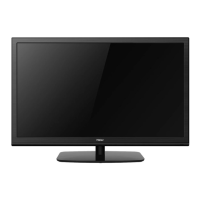
Haier 32D3005 - User Manual

Haier 32D3005
65 pages
Print Icon
To Next Page IconTo Next Page
Loading...
LED
32D3005

Table of Contents

Other manuals for Haier 32D3005

Questions and Answers

  • P
    Patrick ThomasAug 20, 2025
    What to do if my Haier 32D3005 has good picture but no sound?
    • S
      Steven McmahonAug 20, 2025
      If your Haier LED TV has good picture but no sound, first, increase the volume level using the VOL+ button on either the remote or the TV's side control panel. If that doesn't work, try pressing the MUTE button to ensure the sound isn't muted.
  • A
    andrea86Aug 22, 2025
    What to do if my Haier LED TV screen is blank?
    • A
      ashley69Aug 22, 2025
      If your Haier LED TV screen is blank, make sure the correct signals are being input. Try pressing the SOURCE button to switch the signal input to TV. If a power interruption occurred, try restarting the television.
  • B
    bryan86Aug 25, 2025
    Why is there no sound on my Haier 32D3005 LED TV?
    • T
      Tyler MurphyAug 25, 2025
      If there is no sound on your Haier LED TV, first, check if mute mode is active by pressing the MUTE button. If that's not the issue, try switching to another channel to see if the problem persists. You can also press the VOL+ button to increase the volume and see if the sound returns.
  • S
    Sheila WyattAug 26, 2025
    How to improve poor sound quality on Haier LED TV?
    • V
      veronicaespinozaAug 27, 2025
      If the sound quality on your Haier LED TV is poor, ensure that the sound system is set up correctly. Refer to the user manual for instructions on how to adjust the sound settings.
  • L
    Lisa ReedAug 28, 2025
    How to fix spots on the picture of my Haier 32D3005 LED TV?
    • K
      Kevin ThompsonAug 28, 2025
      If you are experiencing spots with some or all pictures on your Haier LED TV, first verify that the antenna is correctly connected and in good condition. If the connections are correct, try making fine adjustments to the channel.
  • L
    Lisa ChangAug 29, 2025
    How to fix no picture on some channels of Haier LED TV?
    • N
      Nancy BrewerAug 29, 2025
      If there's no picture on some channels of your Haier LED TV, first, make sure the correct channel is selected. If it is, try adjusting the antenna. You can also fine-tune the channel and perform a manual scan.
  • P
    pbellAug 31, 2025
    Why is my Haier LED TV showing black and white on some channels?
    • R
      Reginald SnyderSep 1, 2025
      If you see no color (black and white) on some channel programs on your Haier LED TV, first check if the same problem exists on other channels. Next, check the picture and sound systems settings. Consult the manual for instructions on how to adjust the color settings.
  • P
    Pam WelchSep 2, 2025
    Why does my Haier LED TV have good sound but poor color?
    • F
      fcisnerosSep 2, 2025
      If your Haier LED TV has good sound but poor color, try adjusting the contrast, color, and brightness settings.
  • R
    Rhonda ArnoldSep 4, 2025
    What to do if my Haier 32D3005 is out of control?
    • S
      Sandra HowardSep 4, 2025
      If your Haier LED TV is out of control, try disconnecting it from the power supply, wait 10 seconds, and then reconnect it. If the problem persists, it's recommended to contact an authorized after-sales service for technical assistance.
  • S
    Sabrina MyersSep 6, 2025
    What to do if my Haier 32D3005 LED TV is not working?
    • S
      Stephanie SotoSep 6, 2025
      If your Haier LED TV is not working, disconnect it from the power supply for 10 seconds and then reconnect it. If the issue continues, it is recommended to contact an authorized after-sales service provider for technical assistance.

Summary

For Your Safety

Important Safety Instructions

Electrical and Power Safety

Guidelines for safe use of power connections, cords, plugs, voltage, and avoiding electrical hazards.

Placement, Ventilation, and Environmental Safety

Advice on TV placement, ventilation, temperature, and protection from moisture and dust.

Preparation

Attaching the Stand

Step-by-step instructions for assembling and attaching the TV stand, including screw details.

Turning On the TV

Initial setup steps, including connecting cables, batteries, and powering on.

Peripheral Connection and Controls

Peripheral Connection Ports

Details and descriptions of various input/output ports on the TV.

Making Connections

Connecting Antenna or Cable

Instructions for connecting the TV to an antenna or cable wall jack using an RF cable.

Operating Instructions

Using the Remote Control

Explanation of each button on the remote control and its function.

Initial Setup Wizard

Step-by-step guide for the initial TV setup wizard, including language, mode, and signal setup.

Selecting Input Source

How to switch between different input sources like TV, HDMI, USB, etc.

Navigating On-Screen Menus

Instructions on how to open, navigate, and exit the TV's on-screen menu system.

Product Specification

Troubleshooting Guide

Picture and Display Problems

Troubleshooting for ghosting, no picture, poor picture, snowy picture, horizontal lines, and pixel issues.

Audio Problems

Solutions for when there is picture but no sound, checking volume and mute.

Power and Remote Control Issues

Troubleshooting steps for when the TV does not turn on or respond to the remote control.

Warranty Information

Warranty Coverage and Exclusions

Information on what the warranty covers, what is excluded, and commencement of warranty.

Haier 32D3005 Specifications

General IconGeneral
Screen Size32 inches
Display TypeLED
Resolution1366 x 768
HDMI Ports2
USB Ports1
Smart TVNo
Aspect Ratio16:9
Built-in SpeakerYes

Related product manuals