EasyManua.ls Logo

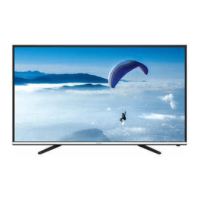
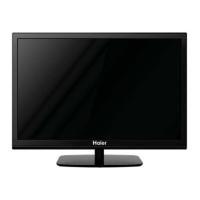
Haier 40D3505T - User Manual

Haier 40D3505T
59 pages
Print Icon
To Next Page IconTo Next Page
Loading...
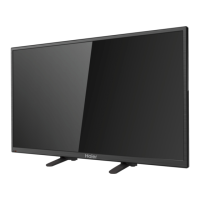
40 LCD TV Haier 40D3505T-40D2500
1
Service
Service
Service
Table of Contents
Description Page Description Page
Table of Contents.......……...................................….....1
Important Safety Notice.......................................……..2
Revision List………………………………………………..3
1. General Specification....................................……….....4
2. Operating Instructions..………………….……...……..8
2.1 Remote Control…………….……...…………...……....8
2.2 OSD Menus…………....………………….….………..10
2.3 Panel Control And Rear Terminal Control………...12
3. Input/Output Specification………….....................….23
4. Mechanical Instructions……………………................25
5. Repair Flow Chart ……………………………………...28
6. PCB Layout …………...………………………………..35
6.1 Main Board …………...………………………………..35
6.2 Power Board……..…………………... …....….........37
6.3 IR Board………….……………..……….….......40
6.4 KeyBoard……..…………………...…….…........40
7. Adjustment..............................................................41
7.1 ADC/WB Adjustment..............................................41
7.2 Firmware and DDC Instruction..............................42
8. Block Diagram..…..…..............................................46
9. Wiring Diagram....…….............................................48
10. Schematic Diagram.………..…….………………....49
10.1 Main Board………..…….…………………...…......49
10.2 Power Board……..…..…....…………...……….....56
10.3 IR Board………….……………..……….…............58
10.4 Key Board……..…………………...…….…........59
SAFETY NOTICE
ANY PERSON ATTEMPTING TO SERVICE THIS CHASSIS MUST FAMILIARIZE HIMSELF WITH THE CHASSIS
AND BE AWARE OF THE NECESSARY SAFETY PRECAUTIONS TO BE USED WHEN SERVICING
ELECTRONIC EQUIPMENT CONTAINING HIGH VOLTAGES.
CAUTION: USE A SEPARATE ISOLATION TRANSFOMER FOR THIS UNIT WHEN SERVICING

Questions and Answers

  • Q
    qrodriguezAug 13, 2025
    What to do if Haier 40D3505T screen is blank?
    • E
      Elizabeth PerryAug 13, 2025
      If you are experiencing a blank screen on your Haier LED TV, verify that the correct signals are being input. Try pressing the SOURCE button to change the signal input to TV input. If the issue persists, try restarting the television by disconnecting and reconnecting the power supply.
  • H
    hwongAug 16, 2025
    Why Haier 40D3505T has no picture and no sound?
    • A
      Alexander ScottAug 17, 2025
      If your Haier LED TV shows no picture and produces no sound, ensure the television is properly plugged in, has a proper power supply, and that electricity is available.
  • K
    Katelyn ChaneyAug 21, 2025
    What to do if my Haier LED TV has no sound?
    • J
      Jeffrey WolfAug 21, 2025
      If your Haier LED TV has no sound, first, ensure that Mute mode is not active by pressing the MUTE button. If that doesn't work, try switching to another channel to see if the problem persists. You can also press the VOL+ button to increase the volume and see if the sound returns.
  • A
    Ashley LewisAug 25, 2025
    Why Haier 40D3505T LED TV has no picture on some channels?
    • E
      Erika HerreraAug 25, 2025
      If your Haier LED TV shows no picture on some channels, first verify that the correct channel is selected. If it is, try adjusting the antenna. You can also make adjustments using the Fine Tune and MANUAL Scan options.
  • S
    simmonszacharyAug 28, 2025
    Why is the sound on my Haier 40D3505T so poor?
    • J
      Jeremy PerezAug 28, 2025
      If the sound quality on your Haier LED TV is poor, verify that the sound system is correctly set up. Consult the user manual for instructions on how to adjust the sound settings.
  • L
    Luke BakerSep 1, 2025
    Why does my Haier 40D3505T LED TV have spots with some or all pictures?
    • M
      Marissa WalshSep 1, 2025
      If your Haier LED TV displays spots on some or all pictures, check if the antenna is correctly connected and in good condition. Also, try making fine adjustments to the channel.
  • S
    Shannon WilliamsSep 4, 2025
    Why Haier 40D3505T LED TV has no color for some channel programs (black and white)?
    • J
      James WilliamsonSep 4, 2025
      If your Haier LED TV displays a black and white picture on some channel programs, first check if the same problem exists on other channels. Then, check the picture and sound systems. You can also adjust the color settings by referring to the relevant instructions in the manual.
  • T
    tanya90Sep 8, 2025
    What to do if Haier LED TV is out of control?
    • J
      Jennifer MaysSep 9, 2025
      If your Haier LED TV is out of control, disconnect it from the power supply, wait 10 seconds, and then reconnect it.

Haier 40D3505T Specifications

General IconGeneral
Screen Size40 inches
Display TypeLED
Refresh Rate60 Hz
HDMI Ports2
USB Ports1
Smart TVYes
Resolution1920 x 1080
Operating SystemAndroid

Related product manuals