EasyManua.ls Logo

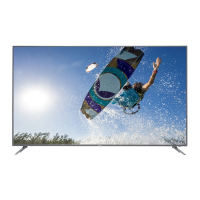
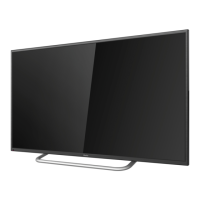
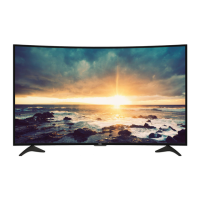
Haier 50UG6550G - User Manual

Haier 50UG6550G
72 pages
Print Icon
To Next Page IconTo Next Page
Loading...
,覆膜。
2017-10/27
50UG6550G

Table of Contents

Questions and Answers

  • T
    Travis TaylorAug 19, 2025
    What to do if my Haier 50UG6550G has no picture?
    • M
      Melissa SuarezAug 20, 2025
      Check the antenna connections at the rear of the TV to ensure they are properly connected. Try switching to another channel. Adjust the contrast and brightness settings. Also, check the Closed Captions control, as some TEXT modes could block the screen. It could also be a broadcast station issue.
  • B
    Brittany GuerreroAug 21, 2025
    How to improve color on Haier 50UG6550G?
    • B
      Brett FigueroaAug 21, 2025
      Adjust the contrast, color, and brightness settings to improve the color quality.
  • M
    Mrs. Sarah WalkerAug 25, 2025
    What to do if my Haier LED TV has good picture but no sound?
    • K
      Kim VillarrealAug 25, 2025
      Increase the volume level by pressing the VOL+ button on the remote control or on the TV's side control panel. Also, check if the MUTE function is activated and deactivate it.
  • S
    Steven CarterAug 26, 2025
    What to do if my Haier LED TV has good sound but poor color?
    • B
      beth01Aug 26, 2025
      Adjust the contrast, color, and brightness settings to improve the picture quality.
  • P
    Patrick ThompsonAug 27, 2025
    What to do if my Haier 50UG6550G LED TV has no power?
    • D
      Derrick WatersAug 27, 2025
      First, verify that the TV's AC power cord is securely plugged into the outlet. If it is, unplug the TV from the outlet, wait 60 seconds, and then plug it back in and try turning the TV on again.
  • W
    wendy62Aug 29, 2025
    Why is my Haier 50UG6550G LED TV remote not working?
    • B
      briggsbrandonAug 30, 2025
      First, check the batteries in the remote and replace them if necessary. Then, clean the remote control sensor lens on the TV. As a temporary solution, you can use the buttons on the side of your TV.
  • C
    carpenteramandaAug 31, 2025
    How to fix snowy picture on Haier 50UG6550G LED TV?
    • J
      Jennifer FisherAug 31, 2025
      Check the antenna connection to ensure it is properly connected.
  • A
    Austin MartinSep 2, 2025
    Why does my Haier 50UG6550G have a ghost image?
    • B
      Brian QuinnSep 2, 2025
      A ghost or double image may be caused by obstructions to the antenna, such as high-rise buildings or hills. Using a highly directional antenna may improve the picture.
  • D
    Devin GibsonSep 4, 2025
    Why is there a horizontal dotted line on my Haier 50UG6550G?
    • J
      Jessica ParkSep 4, 2025
      This may be caused by electrical interference from devices such as a hair dryer nearby.
  • R
    Richard JohnsonSep 6, 2025
    What are the lit pixels on my Haier 50UG6550G?
    • J
      Jesse AllenSep 6, 2025
      These types of occurrences are inherent to this type of product and do not constitute a defective product.

Haier 50UG6550G Specifications

General IconGeneral
Screen Size50 inches
Display TypeLED
Smart TVYes
Operating SystemAndroid TV
Audio Output20W
HDMI Ports3
USB Ports2
Wi-FiYes
BluetoothYes
Refresh Rate60Hz
Built-in SpeakersYes
Resolution3840 x 2160
HDRYes

Related product manuals