EasyManua.ls Logo

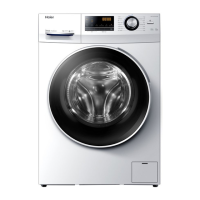
Haier 636 Series - User Manual

Haier 636 Series
96 pages
Print Icon
To Next Page IconTo Next Page
Loading...
GB
User manual
Washing machine
HW80-BP14636N
HW90-BP14636N
HW100-BP14636N

Questions and Answers

  • M
    Marcus MartinAug 15, 2025
    What to do if spinning fails in Haier 636 Washer?
    • R
      Robert BarnesAug 15, 2025
      If the spinning function fails in your Haier Washer, it could be due to an unbalanced laundry load. Check the machine load and laundry, then run the spinning program again to resolve this issue.
  • W
    williamsmichaelAug 18, 2025
    How to remove washing powder residues from laundry after washing in my Haier 636?
    • P
      perezrobertAug 18, 2025
      If you find washing powder residues on your laundry after using your Haier Washer, it's likely due to insoluble particles of detergent. You can perform an extra rinse cycle, try brushing the spots from the dry laundry, or choose a different detergent.
  • F
    fowlerhayleyAug 21, 2025
    What does CLR FLTR mean on my Haier 636?
    • C
      chelsey32Aug 21, 2025
      The 'CLR FLTR' message on your Haier Washer indicates a drainage error. Check the drain hose installation.
  • B
    Billy JohnsonAug 25, 2025
    Why is my Haier 636 not washing clothes properly?
    • I
      ian07Aug 26, 2025
      An unsatisfactory washing result from your Haier Washer can occur due to several reasons: the selected program may not match the degree of soiling, not enough detergent was used, the maximum load was exceeded, or the laundry was unevenly distributed in the drum. To resolve this, select a more appropriate program, use the correct amount of detergent according to the degree of soiling and the detergent manufacturer's instructions, reduce the load size, and ensure that the laundry is loosely distributed in the drum.
  • J
    Jennifer SantiagoAug 28, 2025
    How to reduce excessive foam in my Haier 636?
    • J
      Jonathan EvansAug 29, 2025
      Excessive foam in your Haier Washer, which floats the drum or detergent drawer, is usually due to using the wrong type or too much detergent. Ensure you are using a detergent recommended for washing machines and reduce the amount you are using.
  • J
    joanne56Sep 1, 2025
    Why does my Haier 636 show error E4?
    • J
      jamesgarciaSep 1, 2025
      Error code E4 on your Haier Washer indicates that the water level was not reached or the drain hose is self-syphoning. Make sure the tap is fully opened and the water pressure is normal. Also, check the drain hose installation.
  • O
    ojonesSep 4, 2025
    What does UnB mean on my Haier 636?
    • M
      Mark HartSep 4, 2025
      The 'UnB' error on your Haier Washer indicates an unbalanced load. To fix this, check and balance the laundry load in the drum and reduce the load size if necessary.
  • J
    Jason JosephSep 7, 2025
    How to remove grey patches from laundry washed in my Haier Washer?
    • J
      Joanna SteinSep 7, 2025
      Grey patches on laundry washed in your Haier Washer are often caused by fats such as oils, creams, or ointments. Pretreat the laundry with a special cleaner to remove these stains.
  • E
    Elizabeth RobersonSep 12, 2025
    What does E2 mean on my Haier Washer?
    • D
      Dr. Chelsea WellsSep 12, 2025
      The 'E2' error code on your Haier Washer indicates a lock error. Ensure that you shut the door properly.

Summary

Safety Information

Before First Use Safety

Safety precautions before operating the appliance for the first time.

Daily Use Safety Warnings

Important safety advice for the daily operation of the washing machine.

Maintenance and Cleaning Safety

Safety guidelines related to cleaning and maintaining the appliance.

Installation Safety

Safety considerations for installing the washing machine correctly.

Intended Use

Information on the appliance's intended purpose and limitations for safe operation.

Product Description

Appliance Picture and Labels

Illustration and labeling of the washing machine's front and rear components.

Included Accessories

List and visual representation of accessories supplied with the appliance.

Control Panel

Control Panel Overview

Explanation of the washing machine's control panel layout and its buttons.

Function Buttons Details

Detailed description of the available function buttons and their operations.

Programmes

Wash Programme Guide

Table detailing wash programmes, loads, temperatures, and functions.

Consumption

Energy and Water Consumption

Guidance on energy consumption and how to find detailed information.

Daily Use

Power and Water Connection

Instructions for connecting the appliance to power and water supply.

Laundry Preparation

Steps for sorting and preparing laundry for washing.

Care Chart Symbols

Guide to washing, bleaching, drying, and ironing symbols and their meanings.

Detergent Selection Guide

Recommendations for choosing the appropriate detergent for different wash programmes.

Eco-friendly Washing

Environmentally Responsible Use

Tips for using the appliance responsibly to save energy, water, and detergent.

Care and Cleaning

Detergent Drawer Cleaning

Instructions for regularly cleaning the detergent drawer to prevent residue.

Appliance Exterior Cleaning

Guidelines for cleaning the exterior and rubber components of the washing machine.

Pump Filter Cleaning

Steps for cleaning the pump filter to ensure proper drainage and operation.

Troubleshooting

Information Codes Explained

Explanation of display codes providing information about the washing cycle status.

Troubleshooting with Display Codes

Solutions for common problems indicated by error codes on the display.

Troubleshooting without Codes

Solutions for common problems that do not display error codes.

Installation

Preparation and Bolt Removal

Steps for preparing the appliance and removing transportation bolts.

Appliance Levelling

Guide to adjusting the appliance feet for a level and stable installation.

Drain Hose Connection

Instructions for connecting the drain hose to a sink or waste water system.

Water Inlet Connection

Steps for connecting the appliance to the cold water supply.

Electrical Connection

Instructions for safely connecting the appliance to the electrical power supply.

Technical Data

Appliance Specifications

Specification details including voltage, power, and weight for different models.

Product Dimensions

Diagrams and measurements of the appliance's height, width, and depth.

Customer Service

Contacting Support

Information on how to get help, including contact details and required data.

Haier 636 Series Specifications

General IconGeneral
BrandHaier
Model636 Series
CategoryWasher
LanguageEnglish

Related product manuals