EasyManua.ls Logo

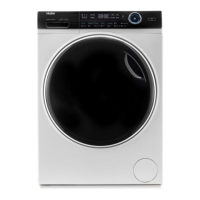
Haier I-Pro 7 Series - User Manual

Haier I-Pro 7 Series
68 pages
Print Icon
To Next Page IconTo Next Page
Loading...
EN
User manual
Washing machine
HW80-B14979
HW80-B14979S
HW100-B14979
HW100-B14979S
HW120-B14979
HW120-B14979S

Questions and Answers

  • C
    Christine MathisAug 21, 2025
    Why is my Haier Washer constantly draining water?
    • G
      Glen TaylorAug 21, 2025
      If your Haier Washer is draining, it might be because the drain hose is installed at an incorrect height (below 80 cm) or the drain hose end is submerged in water. Ensure that the drain hose is properly installed and is not in water.
  • K
    Keith MurilloAug 23, 2025
    What causes drainage failure in my Haier I-Pro 7?
    • W
      williamrobbinsAug 25, 2025
      Drainage failure in your Haier Washer can occur if the drain hose is blocked or if the drain hose end is higher than 100 cm above the floor level. Unblock the drain hose and ensure that it is properly installed.
  • S
    Shawn LandryAug 26, 2025
    Why is my Haier Washer not cleaning clothes properly?
    • D
      davisjuanAug 26, 2025
      If you're experiencing a poor washing result with your Haier Washer, consider whether the degree of pollution matches the selected programme. Ensure that you are using sufficient detergent, without exceeding the maximum load. Also, make sure the laundry is evenly distributed in the drum. Select another programme. Choose the detergent according to the degree of pollution and according to manufacturer. Reduce loading. Loose the laundry.
  • T
    Tiffany JohnsonAug 28, 2025
    What to do if my Haier I-Pro 7 Washer fails to operate?
    • T
      Tiffany MooreAug 28, 2025
      If your Haier Washer fails to operate, several factors could be at play. First, ensure that you've started the programme correctly and that the door is securely closed. Then, verify that the machine is switched on and that there is no power failure. Finally, check if the child lock is activated and deactivate it if necessary.
  • D
    doylefranciscoAug 30, 2025
    Why is my Haier I-Pro 7 not filling with water?
    • R
      Ruth NorrisAug 30, 2025
      If your Haier Washer isn't filling with water, start by checking the water tap to ensure it's open. Inspect the inlet hose for any kinks that might be blocking the water flow. Also, check the water pressure to make sure it's sufficient. Ensure that the door is properly closed and that there is an adequate water supply.
  • C
    Cole TaylorSep 1, 2025
    What to do if my Haier Washer stops mid-cycle?
    • K
      Kenneth AustinSep 1, 2025
      If your Haier Washer cycle stops before completing, the issue might be related to the water or electric supply. Check both the power and water supply to ensure they are functioning correctly.
  • T
    thorntonrichardSep 3, 2025
    How to prevent excessive foam in my Haier I-Pro 7's detergent drawer?
    • R
      richard17Sep 3, 2025
      If you observe excessive foam in the detergent drawer of your Haier Washer, it could be due to using an inappropriate detergent or using too much detergent. Check the detergent recommendations and reduce the amount of detergent used.
  • R
    Roberto CastanedaSep 5, 2025
    What to do if spinning fails in my Haier I-Pro 7?
    • B
      baileymichaelSep 5, 2025
      If spinning fails in your Haier Washer, check the machine load and laundry, then run a spinning programme again.
  • M
    Ms. Karen JohnsonSep 7, 2025
    How to remove washing powder residues from laundry in my Haier I-Pro 7 Washer?
    • C
      ctrujilloSep 7, 2025
      If you notice washing powder residues on the laundry after washing with your Haier Washer, it may be due to insoluble particles of detergent remaining as white spots. Perform an extra rinse, try brushing the points from the dry laundry, or choose another detergent.
  • T
    timothy24Sep 9, 2025
    Why does my laundry have grey patches after washing in my Haier Washer?
    • R
      Robert CannonSep 9, 2025
      If your laundry has grey patches after washing in your Haier Washer, it is likely caused by fats such as oils, creams, or ointments. Pretreat the laundry with a special cleaner before washing.

Summary

Safety Information

Before First Use Safety

Important safety checks and precautions before operating the appliance for the first time.

Daily Use Safety Guidelines

Essential safety rules for operating the washing machine during daily use, including child safety.

Safety Information (Continued)

Maintenance and Cleaning Safety

Safety precautions to follow during cleaning and maintenance of the washing machine.

Installation Safety Precautions

Key safety measures and considerations for the proper installation of the washing machine.

Safety Information (Continued)

Installation Environment and Conditions

Guidelines for selecting an appropriate and safe location for installing the washing machine.

Intended Use and Modifications

Defines the intended purpose of the appliance and warns against unauthorized modifications.

Product Description

Appliance Components Overview

Detailed illustration and identification of the washing machine's front and rear components.

Included Accessories

List and description of the accessories provided with the washing machine for setup and use.

Control Panel Functions

Control Panel Layout and Indicators

Overview of the control panel, including buttons, display, and acoustic signal information.

Key Control Buttons Explained

Detailed explanation of the 'Power' button, 'Programme selector', and 'Display' functions.

Control Panel Functions (Continued)

Dispenser Drawer and Function Buttons

Instructions for using the detergent dispenser drawer and a guide to various function buttons.

Specific Function Button Operations

Detailed descriptions for 'Delay', 'i-time', and 'Temp.' function buttons and their usage.

Control Panel Functions (Continued)

Additional Function Button Operations

Explanation of 'Speed', 'Extra Rinse', 'Steam', and 'Stain removal' buttons.

Start, Pause, and Child Lock

Instructions for starting/pausing programs, and activating/deactivating the child lock feature.

Wash Programmes

Programme Selection Guide

Details on available wash programmes, fabric types, load capacities, temperatures, and functions.

Energy and Water Consumption

Programme Consumption Data

Table detailing energy and water consumption for various washing programmes and loads.

Auto Weight Feature

Explanation of the 'Auto Weight' function for optimizing energy and water usage based on load.

Daily Use and Operation

Power and Water Supply Connections

Instructions for connecting the appliance to the power supply and water source, including tightness check.

Laundry Preparation Guidelines

Steps for sorting and preparing laundry, including pocket emptying and garment care.

Daily Use and Operation (Continued)

Care Symbols and Loading Instructions

Explanation of care labels, washing symbols, and guidelines for loading the appliance correctly.

Daily Use and Operation (Continued)

Detergent Selection Guide

Recommendations for selecting the appropriate detergent type and quantity for different programmes.

Daily Use and Operation (Continued)

Adding Detergent and Programme Selection

Steps for adding detergent, switching on the appliance, and selecting wash programmes.

Individual Selection and Odour Control

Guide to adding individual options and notes on preventing odours in the machine.

Daily Use and Operation (Continued)

Starting, Interrupting, and Cancelling Wash

Instructions on how to start, interrupt, cancel wash programmes and manage door lock.

End of Cycle and Buzzer Settings

Procedures after washing, including door unlocking, standby mode, and activating/deactivating the buzzer.

Eco-Friendly Washing

Environmentally Responsible Use

Tips for optimizing energy, water, and detergent usage for environmentally conscious washing.

Care and Cleaning

Cleaning Key Components

Instructions for cleaning the detergent drawer, the machine exterior, water inlet valve, and drum.

Care and Cleaning (Continued)

Long Periods of Disuse and Pump Filter Cleaning

Guidance for storing the appliance long-term and detailed steps for cleaning the pump filter.

Care and Cleaning (Continued)

Pump Filter Maintenance and Cautions

Final steps for pump filter cleaning and important safety cautions regarding the filter seal and placement.

Troubleshooting

Information Codes and Display Errors

Explanation of information codes (e.g., time, AUTO) and troubleshooting for display error codes (CLR FLTR, E2).

Troubleshooting (Continued)

Display Code Troubleshooting (F, FC, Unb)

Troubleshooting guide for specific display codes like F3, F4, F7, FA, FC0, FC1, FC2, and Unb.

Troubleshooting Without Display Codes

Solutions for common problems not indicated by display codes, such as failure to operate or drain.

Troubleshooting (Continued)

Troubleshooting Operation Issues

Resolving issues like excessive foam, incorrect washing time, spinning failures, and poor wash results.

Power Failure and Door Lock

Information on appliance behaviour during power failure and how to safely unlock the door.

Installation

Preparation and Noise Reduction Pads

Steps for unpacking, packaging disposal, and optional installation of noise reduction pads.

Dismantling Transportation Bolts

Instructions for removing transport protection bolts and reinforcements from the rear of the appliance.

Installation (Continued)

Moving and Aligning the Appliance

Guidelines for safely moving the appliance and adjusting the feet for a level and stable position.

Installation (Continued)

Drain Water Connection Methods

Detailed instructions for connecting the drain hose to a sink, waste water pipe, or siphon.

Installation (Continued)

Water and Electrical Connections

Procedures for connecting the fresh water inlet and electrical power supply, including safety warnings.

Technical Data

Product Fiche Specifications

Detailed technical specifications and energy efficiency data for the washing machine models.

Technical Data (Continued)

Additional Technical Data and Standards

Further technical details including dimensions, voltage, power, weight, and relevant standards.

Customer Service

Contacting Service and Support

Information on how to contact Haier customer service, troubleshooting advice, and service contact details.

Haier I-Pro 7 Series Specifications

General IconGeneral
Capacity7 kg
Inverter MotorYes
Steam FunctionYes
ColorWhite
TypeFront Load
Loading TypeFront

Related product manuals