EasyManua.ls Logo

Haier HW80-B14979 - User Manual

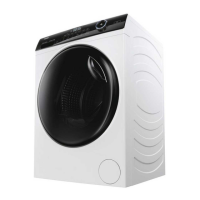
Haier HW80-B14979
32 pages
Print Icon
To Next Page IconTo Next Page
Loading...
EN
HW80-B14979
HW80-B14979S
HW100-B14979
HW100-B14979S
HW120-B14979
HW120-B14979S
User manual
Washing machine

Other manuals for Haier HW80-B14979

Questions and Answers

  • L
    Laura MckinneySep 7, 2025
    Why does my laundry have grey patches after washing in Haier HW80-B14979?
    • W
      whitneyandersonSep 7, 2025
      If your laundry has grey patches after washing in your Haier Washer, pretreat the laundry with a special cleaner, as this is often caused by fats such as oils, creams, or ointments.
  • V
    Valerie MoranAug 25, 2025
    How to fix drainage failure in Haier HW80-B14979 Washer?
    • A
      austinaguilarAug 25, 2025
      To resolve drainage failure in your Haier Washer, first, check the drain hose for any blockages and clear them. Also, make sure that the drain hose end isn't higher than 100 cm above the floor.
  • J
    Jane Adkins MDAug 25, 2025
    Why is my Haier Washer not working?
    • D
      Debra DyerAug 26, 2025
      If your Haier Washer isn't operating, first, check if the programme has been started. Ensure the door is properly closed and the machine is switched on. Verify the power supply and deactivate the child lock if it's activated.
  • J
    Jeremy PowellSep 17, 2025
    How to fix creasing of the laundry in Haier Washer?
    • N
      nespinozaSep 17, 2025
      If your laundry is creased after washing in your Haier Washer, it could be because the drum is overloaded (reduce the amount of laundry) or the wrong programme was selected (select and adjust the programme according to the fabric type).
  • C
    charlesortizSep 23, 2025
    What to do if Sub-switch continuously leaks for 10 seconds-error in Haier HW80-B14979?
    • I
      Isaiah PetersonSep 23, 2025
      If the sub-switch continuously leaks for 10 seconds (error) in your Haier Washer, open drain pump to drain and shut down the machine.
  • M
    Matthew WilsonSep 12, 2025
    What does error code E2 mean on my Haier Washer?
    • A
      Ashley McdowellSep 12, 2025
      If your Haier Washer displays 'E2', it indicates a lock error. Ensure that the door is shut properly.
  • L
    linda09Sep 3, 2025
    Why is my Haier HW80-B14979 not filling with water?
    • L
      lori16Sep 3, 2025
      If your Haier Washer isn't filling with water, start by checking the water tap to ensure it's open. Then, inspect the inlet hose for any kinks. Also, verify that your water pressure is at least 0.03 MPa, ensure the door is properly closed, and confirm there are no issues with the overall water supply.
  • G
    gbradleySep 3, 2025
    Why is my Haier Washer draining?
    • S
      Shelby RandallSep 3, 2025
      If your Haier Washer is draining, ensure the drain hose is properly installed and that its height is not below 80 cm. Also, make sure the drain hose end is not submerged in water.
  • A
    Alexis ReyesSep 23, 2025
    How to resolve Communication bus error in Haier Washer?
    • M
      Michelle HessSep 23, 2025
      To resolve a communication bus error in your Haier Washer, check the PCB power lines and reactance lines, make sure they are well inserted. If this doesn't resolve the issue, the PCB may need to be changed.
  • K
    Kyle LamAug 29, 2025
    Why is my Haier Washer vibrating so much?
    • R
      reesebrandyAug 29, 2025
      If your Haier Washer is experiencing strong vibrations during spinning, there are a few potential causes. First, check that all transportation bolts have been removed. Next, ensure the appliance is on solid, level ground. Finally, verify that the machine load is correct and balanced.

Summary

1-Safety Information

Critical Safety Warnings

Immediate safety alerts and warnings for safe operation.

Safe Usage Procedures

Guidelines for safe operation before, during, and after use.

3-Control Panel

Key Control Elements

Overview of Power, Programme Selector, Display, and Detergent Drawer.

Wash Program Adjustments

Using function buttons for temperature, time, speed, and special features.

Operation and Safety Features

Managing wash cycles with Start/Pause and activating Child Lock.

4-Programmes

Programme Selection Guide

Table detailing wash programs, load capacity, temperature, and fabric types.

6-Daily Use

Washing Guidance

Covers care chart, loading, detergent selection, and adding detergent.

Cycle Operation and Completion

Starting, pausing, cancelling cycles, and post-wash procedures.

9-Troubleshooting

Troubleshooting with Display Codes

Solutions for problems indicated by error codes on the display.

Troubleshooting Without Display Codes

Guidance for resolving issues not shown by display error codes.

10-Installation

Haier HW80-B14979 Specifications

General IconGeneral
Door colorBlack
Door hingeRight
Motor typeBeltless
Water fillCold
Control typeRotary, Touch
Display typeLED
Loading typeFront-load
Tub materialPlastic
Drum materialStainless steel
Product colorWhite
Built-in displayYes
Custom panel-ready-
Illumination colorBlue
Appliance placementFreestanding
Drum capacity8 kg
Drying capacity- kg
Cycle time (max)215 min
Wi-Fi controlledNo
Delay start (max)24 h
Spin-drying classB
Maximum spin speed1400 RPM
Noise level (spin)69 dB
Noise level (wash)54 dB
Noise level (drying)- dB
Number of washing programs16
Power plug typeType F (CEE 7/4)
AC input voltage220 - 240 V
AC input frequency50 - 60 Hz
Energy efficiency scaleA to G
Water consumption per cycle44 L
Energy consumption washing per cycle- kWh
Water consumption washing & drying per cycle- L
Package depth591 mm
Package width653 mm
Package height890 mm
Annual energy consumption washing119 kWh
Weight and Dimensions IconWeight and Dimensions
Depth460 mm
Width595 mm
Height850 mm
Weight72000 g
Package weight77000 g

Related product manuals