Operation
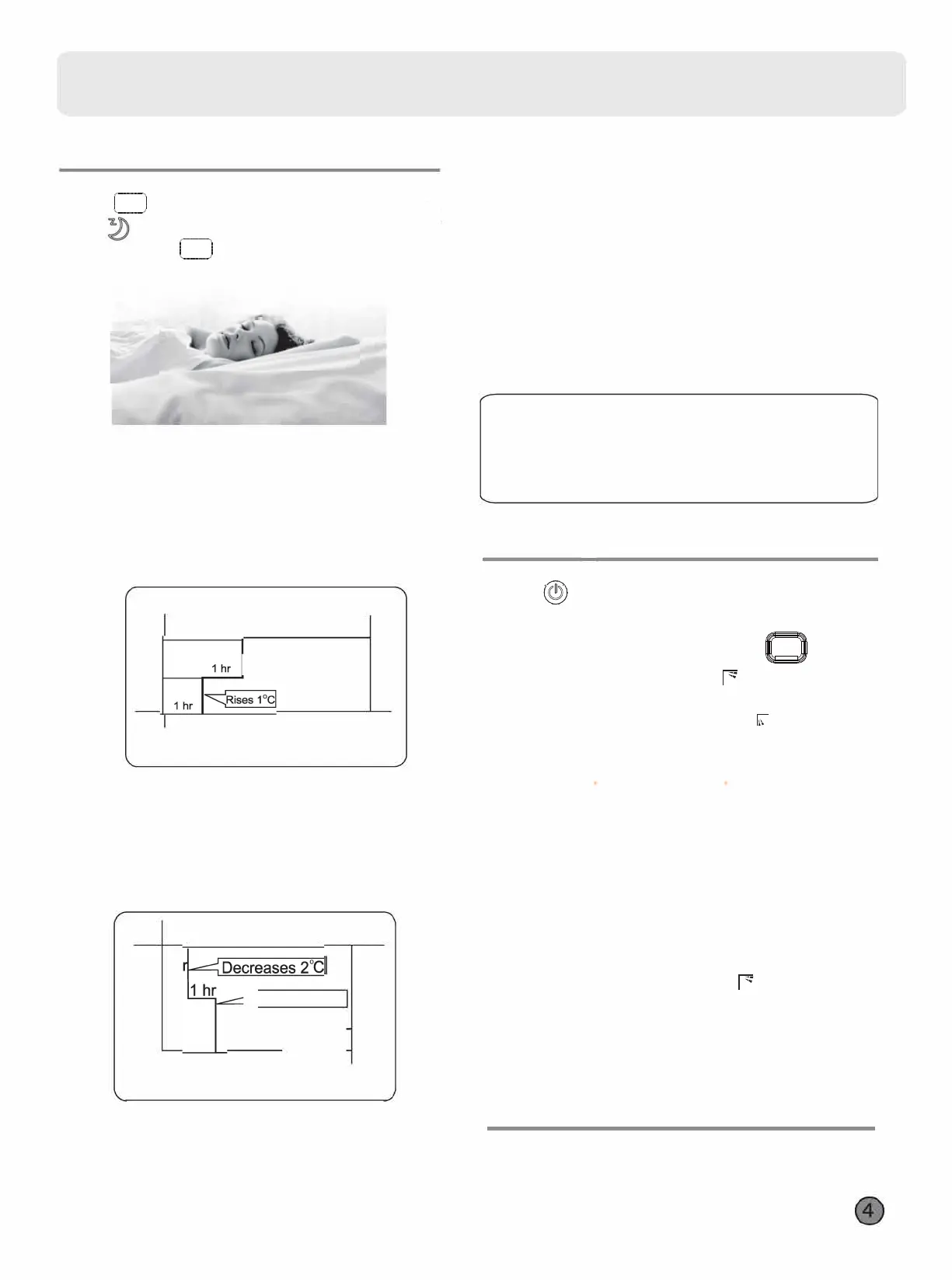
• Comfoable SLEEP
SLEEP 「
SLEEP
1� 二
二
「
1.Press to starting
Setting the comfort work conditions.
2.The setting of healthy airflow function
Note:
1.After setting the healthy airflow function, the position
grill is fixed.
3.In cooling and dry, using the air conditioner for a long
time under the high air humidity, condensate water may
occur at the grille .
2.In cooling, it is better to select the
mode.
HEALTH
AIRFLOW
1)Press the button of health airflow , appears on the
display.Avoid the strong airflow blows direct to the body.
2)Press the button of health airflow again, appears on the
display. Avoid the strong airflow blows direct to the body.
Prss the button of health airflow again, both the inlet
and outlet grills of the air conditioner are opened,and
the unit goes on working under the condition before the
setting of airflow function.After stopping, the outlet grille
will close automatically.
3.
The cancel of the healthy airflow function
Press button , the remote controller will
show , and then achieve to the
sleep function.
button , the
sleep function will Press again this
be cancelled.
SLEEP
SLEEP
•
Healthy Airflow
Operation
•
LIGHT
Button
Control the lightening and extinguishing of the indoor
LED display board.


 To Next Page
 Loading...