PERIPHERAL CONNECTION AND CONTROLS
PERIPHERAL CONNECTION
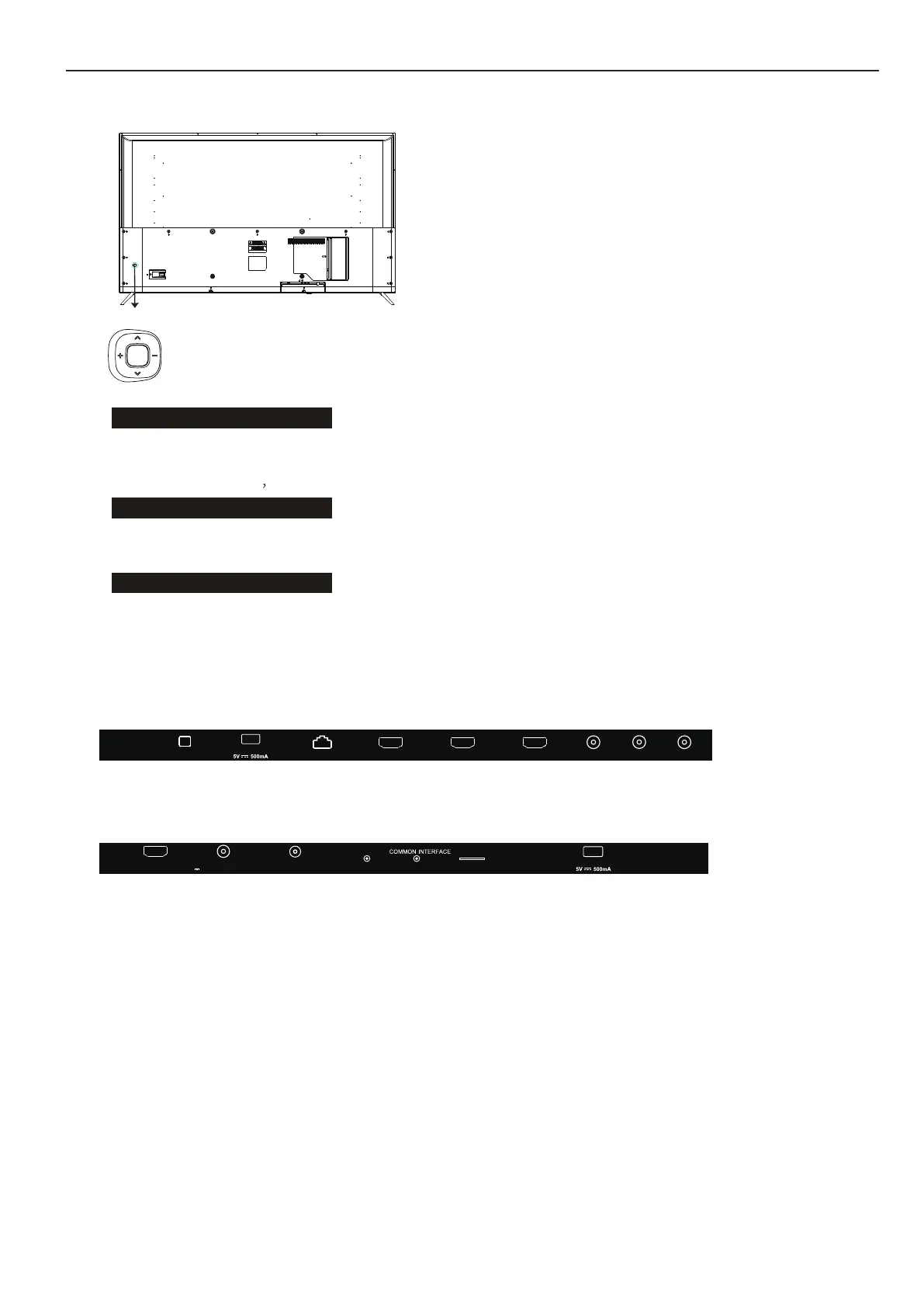
All the terminals are(from left to right):
OPTICAL, USB1, RJ45, HDMI1, HDMI2, HDMI3, VIDEO, L, R
All the terminals are(from left to right):
HDMI4(ARC), LNB IN(SATELLITE), ANT IN(ANTENNA/CABLE), CI, MINI YPbPr,
EARPHONE, TF, USB2.
BUTTON CONTROL
BUTTON
Middle key
Up and down keys
Left and right keys
Under the menu page, press the left and right keys to adjust
the volume addition and subtraction.
In the standby mode, press the middle button to turn on the TV.
ACCESSORIES
TV 50”/55”/58”/65”
Remote Control - 1pc
AAA Battery - 2pcs
User's Manual - 1pc
Screws - 4pcs
Mini YPbPr Cable - 1 pc
In the boot state, long press the middle button to shut down.
In the non-menu page, you can adjust the TV channel under the
program addition and subtraction;
Under the menu page, you can move the cursor up and down.
Under the menu page
function equivalent to the OK key.
4
EARPHONE TFMINI YPbPr
(CI)
HDMI4
(ARC)
ANT IN
(ANTENNA/CABLE)
LNB IN (SATELLITE)
13V/18V 600mA Max
USB2
USB1
HDMI2 HDMI3
HDMI1
RJ45
L - I N - R
VIDEO
OPTICAL


 To Next Page