EasyManua.ls Logo

Haier H65S6UG PRO - User Manual

Haier H65S6UG PRO
24 pages
Print Icon
To Next Page IconTo Next Page
Loading...
H65S6UG PRO
Question and Answer IconNeed help?

Do you have a question about the Haier H65S6UG PRO and is the answer not in the manual?

Summary

Important Safety Instructions

General Safety Guidelines

Comprehensive safety rules for TV operation and installation.

Electrical and Servicing Safety

Warnings about electrical shock, power cord, and servicing.

Environmental and Disposal Precautions

Information on battery disposal and product recycling.

Precautions and Handling Reminders

Safe Handling and Placement

Warnings against pushing, leaning, unstable surfaces, and dropping objects.

Ventilation and Heat Management

Guidance on proper ventilation and avoiding heat sources.

Cleaning and Cord Safety

Instructions for cleaning and managing the power cord.

TV Preparation and Setup

Attaching the TV Stand

Step-by-step guide for assembling the TV stand.

Wall Mounting Preparations

Instructions for preparing the TV for wall mounting.

Initial Power On Procedure

Steps for connecting cables and powering on the TV for the first time.

Peripheral Connections and Controls

TV Button Functions

Explains the functions of the TV's physical buttons.

Understanding TV Ports

Identifies and lists all input/output terminals on the TV.

Making Device Connections

Connecting Audio and Video Devices

Diagrams illustrating connections for amplifiers, audio/video machines.

Connector Type Explanations

Explains the use of RF, YPbPr, Headphone, USB, and HDMI ports.

Remote Control Operation

Remote Control Button Guide

Detailed explanation of each button on the remote control.

Initial TV Setup Wizard

Language and Region Selection

Setting the system language and country/region.

Network Connection Setup

Connecting to Wi-Fi or Ethernet for internet access.

Google Account and Phone Integration

Linking a Google account and using an Android phone for setup.

Advanced Setup and Home Screen

Password and TV Mode Configuration

Setting a password and choosing between Home/Retail TV modes.

Performing Channel Scan

Steps for scanning for available TV channels.

Home Screen Navigation

Overview of the main interface elements and icons.

Input Sources and Menu Navigation

Switching Input Signals

How to switch between different input signals like HDMI, AV.

Accessing Settings Menus

Methods to access and navigate the TV's settings menu.

Channel Management and Settings

Channel Installation Modes

Setting up Antenna, Cable, or Satellite signal types.

Automatic Channel Updates

Enabling automatic scanning and updating of channels.

Parental and Audio Controls

Configuring parental restrictions and audio preferences.

Advanced Channel Tuning

Cable Channel Scanning Procedure

Detailed steps for scanning cable channels.

Satellite Channel Setup and Scan

Procedures for selecting and scanning satellite channels.

System Settings Configuration

Account Management and App Permissions

Managing accounts and app permissions.

Date, Time, and Language Adjustments

Adjusting clock, date, time zone, and system language.

Picture and Power Settings

Picture Mode and Visual Adjustments

Configuring picture settings like mode, brightness, contrast, and color.

Input Device Power Management

Managing HDMI control, device power off, and auto power on.

Power Saving Options

Settings for sleep timer, picture off, and auto power off.

Sound, Storage, and Retail Mode

Sound Style and Speaker Settings

Adjusting sound styles, balance, treble, and speaker output.

Storage Device Information

Viewing internal and removable storage details.

Retail Mode Setup

Settings for retail mode, messaging, and demo videos.

Google Features and Accessibility

Google Assistant and Location Services

Setting up Google Assistant and managing location services.

Chromecast and Screen Saver Settings

Using Chromecast features and configuring screen saver options.

Accessibility Options Overview

Features for visually impaired, hearing impaired, and captions.

Remote Pairing and Media Player

Bluetooth Remote Pairing Guide

Steps to pair the Bluetooth remote control with the TV.

Using the Multi Media Player

Adding and using the media player for viewing files.

System Reset and Shortcut Configuration

Resetting the TV and configuring accessibility shortcuts.

TV App Usage Guidelines

App Store Terms and Limitations

Important conditions and limitations for using apps.

Troubleshooting Common Issues

Resolving Picture and Sound Problems

Solutions for ghosting, no picture, no sound, and poor color.

Troubleshooting Connectivity and Remote

Troubleshooting antenna connection, noise, and remote control problems.

Understanding Pixel and Display Issues

Explains pixel behavior and potential display issues.

Product Specifications (126 cm TV)

126 cm TV: General Specs

Details on picture quality, TV system, and power consumption.

126 cm TV: Connectivity and Ports

List of all available input/output ports and sockets.

126 cm TV: Sound and Digital Features

Information on sound quality and digital broadcasting features.

Product Specifications (139 cm TV)

139 cm TV: System and Power Details

Specifications for TV system, power consumption, and tuner.

139 cm TV: Connectivity and Audio Output

Details on ports, sound system, and standby power.

139 cm TV: Digital Features and Dimensions

Lists digital features, package size, and set dimensions.

Product Specifications (165 cm TV)

165 cm TV: Picture Quality and Tuner

Details on screen size, resolution, and tuner decoder.

165 cm TV: Connectivity and Sound Output

Information on ports, sound system, and standby power.

165 cm TV: Additional Features and Weight

Lists additional features, package weight, and set weight.

Summary

Important Safety Instructions

General Safety Guidelines

Comprehensive safety rules for TV operation and installation.

Electrical and Servicing Safety

Warnings about electrical shock, power cord, and servicing.

Environmental and Disposal Precautions

Information on battery disposal and product recycling.

Precautions and Handling Reminders

Safe Handling and Placement

Warnings against pushing, leaning, unstable surfaces, and dropping objects.

Ventilation and Heat Management

Guidance on proper ventilation and avoiding heat sources.

Cleaning and Cord Safety

Instructions for cleaning and managing the power cord.

TV Preparation and Setup

Attaching the TV Stand

Step-by-step guide for assembling the TV stand.

Wall Mounting Preparations

Instructions for preparing the TV for wall mounting.

Initial Power On Procedure

Steps for connecting cables and powering on the TV for the first time.

Peripheral Connections and Controls

TV Button Functions

Explains the functions of the TV's physical buttons.

Understanding TV Ports

Identifies and lists all input/output terminals on the TV.

Making Device Connections

Connecting Audio and Video Devices

Diagrams illustrating connections for amplifiers, audio/video machines.

Connector Type Explanations

Explains the use of RF, YPbPr, Headphone, USB, and HDMI ports.

Remote Control Operation

Remote Control Button Guide

Detailed explanation of each button on the remote control.

Initial TV Setup Wizard

Language and Region Selection

Setting the system language and country/region.

Network Connection Setup

Connecting to Wi-Fi or Ethernet for internet access.

Google Account and Phone Integration

Linking a Google account and using an Android phone for setup.

Advanced Setup and Home Screen

Password and TV Mode Configuration

Setting a password and choosing between Home/Retail TV modes.

Performing Channel Scan

Steps for scanning for available TV channels.

Home Screen Navigation

Overview of the main interface elements and icons.

Input Sources and Menu Navigation

Switching Input Signals

How to switch between different input signals like HDMI, AV.

Accessing Settings Menus

Methods to access and navigate the TV's settings menu.

Channel Management and Settings

Channel Installation Modes

Setting up Antenna, Cable, or Satellite signal types.

Automatic Channel Updates

Enabling automatic scanning and updating of channels.

Parental and Audio Controls

Configuring parental restrictions and audio preferences.

Advanced Channel Tuning

Cable Channel Scanning Procedure

Detailed steps for scanning cable channels.

Satellite Channel Setup and Scan

Procedures for selecting and scanning satellite channels.

System Settings Configuration

Account Management and App Permissions

Managing accounts and app permissions.

Date, Time, and Language Adjustments

Adjusting clock, date, time zone, and system language.

Picture and Power Settings

Picture Mode and Visual Adjustments

Configuring picture settings like mode, brightness, contrast, and color.

Input Device Power Management

Managing HDMI control, device power off, and auto power on.

Power Saving Options

Settings for sleep timer, picture off, and auto power off.

Sound, Storage, and Retail Mode

Sound Style and Speaker Settings

Adjusting sound styles, balance, treble, and speaker output.

Storage Device Information

Viewing internal and removable storage details.

Retail Mode Setup

Settings for retail mode, messaging, and demo videos.

Google Features and Accessibility

Google Assistant and Location Services

Setting up Google Assistant and managing location services.

Chromecast and Screen Saver Settings

Using Chromecast features and configuring screen saver options.

Accessibility Options Overview

Features for visually impaired, hearing impaired, and captions.

Remote Pairing and Media Player

Bluetooth Remote Pairing Guide

Steps to pair the Bluetooth remote control with the TV.

Using the Multi Media Player

Adding and using the media player for viewing files.

System Reset and Shortcut Configuration

Resetting the TV and configuring accessibility shortcuts.

TV App Usage Guidelines

App Store Terms and Limitations

Important conditions and limitations for using apps.

Troubleshooting Common Issues

Resolving Picture and Sound Problems

Solutions for ghosting, no picture, no sound, and poor color.

Troubleshooting Connectivity and Remote

Troubleshooting antenna connection, noise, and remote control problems.

Understanding Pixel and Display Issues

Explains pixel behavior and potential display issues.

Product Specifications (126 cm TV)

126 cm TV: General Specs

Details on picture quality, TV system, and power consumption.

126 cm TV: Connectivity and Ports

List of all available input/output ports and sockets.

126 cm TV: Sound and Digital Features

Information on sound quality and digital broadcasting features.

Product Specifications (139 cm TV)

139 cm TV: System and Power Details

Specifications for TV system, power consumption, and tuner.

139 cm TV: Connectivity and Audio Output

Details on ports, sound system, and standby power.

139 cm TV: Digital Features and Dimensions

Lists digital features, package size, and set dimensions.

Product Specifications (165 cm TV)

165 cm TV: Picture Quality and Tuner

Details on screen size, resolution, and tuner decoder.

165 cm TV: Connectivity and Sound Output

Information on ports, sound system, and standby power.

165 cm TV: Additional Features and Weight

Lists additional features, package weight, and set weight.

Overview

This document is a user manual for a Haier LED Television, specifically models H65S6UG PRO, H55S6UG PRO, and H49S6UG PRO. It provides comprehensive instructions for setup, operation, and maintenance.

Function Description:

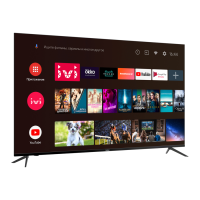
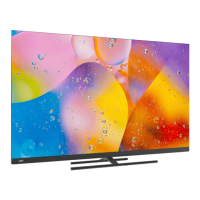
The Haier LED Television is a UHD (Ultra High Definition) integrated digital television designed for home entertainment. It supports various digital broadcasting standards including DVB-T, DVB-C, DVB-T2, and DVB-S2, allowing it to receive analog and digital terrestrial, cable, and satellite signals. The TV features smart capabilities, powered by Android TV, enabling access to a wide range of applications, streaming services like Netflix and YouTube, and Google Assistant for voice control. It also includes built-in Chromecast for casting content from other devices. The television can be operated via a remote control or side control panel buttons.
Important Technical Specifications:

  • Display: UHD (Ultra High Definition) LED display with a resolution of 3840x2160 pixels at 60Hz.
    • H65S6UG PRO: Screen Size: 165cm (65 inches)
    • H55S6UG PRO: Screen Size: 139cm (55 inches)
    • H49S6UG PRO: Screen Size: 126cm (49 inches)
  • TV System: PAL-B/G, SECAM-B/G.
  • Power Consumption:
    • H65S6UG PRO: 200W
    • H55S6UG PRO: 180W
    • H49S6UG PRO: 140W
  • Standby Power Consumption: ≤0.5W for all models.
  • DTV Tuner Decoder: DVB-T, DVB-C, DVB-T2, DVB-S2; supports 16/32/64/128/256 QAM modulation; MPEG2, MPEG4, H.265.
  • Connectivity:
    • 1 Optical port
    • 2 USB ports (5V 500mA)
    • 1 RJ45 (Ethernet)
    • 4 HDMI sockets (including 1 HDMI ARC)
    • 1 VIDEO socket (AV input)
    • 1 L socket (Audio-L)
    • 1 R socket (Audio-R)
    • 2 RF sockets (ANT IN for Antenna/Cable, LNB IN for Satellite)
    • 1 YPbPr socket (Component input)
    • 1 EARPHONE port (Headphone output)
    • 1 TF socket
    • 1 CI slot (Common Interface)
    • Supported Systems: PAL+SECAM
    • Storage channel number: 1000 (DTV), 100 (ATV)
    • TV (RF): 75 Ω Imbalance
    • AV Video-Input: 75 Ω, 1V-P, RCA
    • AV Audio-Input: 20K Ω, 500mV RMS
    • YPbPr/HDMI Video Input: 480i, 576i, 1080i, 4K (HDMI)
  • Sound Quality: Stereo sound system with 2 x 13 watts RMS power output.
  • Mounting: ESA Mount Size: 200x200 mm (for H49S6UG PRO and H55S6UG PRO), 400x200 mm (for H65S6UG PRO).
  • Dimensions (WxHxD) with Stand:
    • H65S6UG PRO: 1448x907x295mm
    • H55S6UG PRO: 1229x782x255mm
    • H49S6UG PRO: 1116x727x255mm
  • Dimensions (WxHxD) without Stand:
    • H65S6UG PRO: 1448x857x67mm
    • H55S6UG PRO: 1229x730x68mm
    • H49S6UG PRO: 1116x674x64mm
  • Weight with Stand:
    • H65S6UG PRO: 19.7kg
    • H55S6UG PRO: 15.3kg
    • H49S6UG PRO: 12.88kg
  • Weight without Stand:
    • H65S6UG PRO: 14.8kg
    • H55S6UG PRO: 14.1kg
    • H49S6UG PRO: 11.68kg

Usage Features:

  • Initial Setup Wizard: Guides users through basic settings upon first power-on, including language selection, Wi-Fi network connection, Google account setup, and channel scanning.
  • Remote Control: A comprehensive remote control (HTR-R295) with dedicated buttons for power, mute, Google Assistant, multimedia playback (reverse, play, forward, record, pause, stop), teletext, favorite channels, subtitles, input source, Netflix, YouTube, Home, Menu, navigation (up, down, left, right), OK, Back, Exit, Info, Guide, volume control, channel change, number pad, channel list, audio language, and colored buttons for context-sensitive operations.
  • Android TV Interface: Provides a user-friendly home screen with access to installed applications, notifications, input source selection, network settings, and various system settings.
  • Input Source Management: Allows users to easily switch between different input sources like HDMI, AV, Component, and TV tuners.
  • Channel Management: Features include automatic and manual channel scanning for analog, digital, and satellite channels, channel update, parental controls, audio channel selection, and open source licenses.
  • Picture Settings: Offers various picture modes (Standard, Vivid, Sport, Movie, Game, Energy saving, User), and adjustable parameters like backlight, brightness, contrast, saturation, hue, sharpness, gamma, color temperature, and HDR settings. A "Reset to Default" option is available.
  • Sound Settings: Provides sound styles (User, Standard, Vivid, Sports, Movie, Music, News), adjustable balance, bass, treble, sound surround, equalizer detail, speaker selection (TV Speaker, External Audio System), digital output formats (Auto, Bypass, PCM, Dolby Digital Plus, Dolby Digital), SPDIF delay, auto volume control, and downmix mode (Stereo, Surround). A "Reset to Default" option is also available.
  • Storage Management: Displays internal shared storage and allows for removable storage access (e.g., USB drives).
  • Retail Mode: Specific settings for retail display, including retail messaging and PQ Demo.
  • Google Assistant: Integrated voice control for searching, controlling the TV, and accessing smart home features.
  • Chromecast Built-in: Allows casting of photos, videos, and other content from compatible devices to the TV.
  • Timer Functions: Includes sleep timer, picture off, switch off timer, and no signal auto power off. Power on/off time types and specific power on/off times can be set.
  • Language Selection: Supports multiple languages for the user interface.
  • Keyboard: On-screen keyboard for text input, with options to manage keyboards and settings.
  • Accounts & Sign In: Manages Google accounts and app permissions.
  • Device Preferences: Provides information about the system, device name, restart options, legal information, model, and version.
  • Date & Time: Automatic and manual date and time settings, time zone, and 24-hour format option.
  • Screen Saver: Customizable screen saver options (Turn screen off, Backdrop, Colors), with adjustable start times and "put device to sleep" timers.
  • Location Services: Manages location settings for Google services and apps.
  • Usage & Diagnostics: Option to automatically send diagnostic information to Google.
  • Accessibility: Features like Audio Description, Visually Impaired settings, Hearing Impaired settings, Captions, High contrast text, and Text to speech.
  • Multi Media Player: Built-in player for video, photo, and audio files from USB flash drives.

Maintenance Features:

  • Safety Instructions: Detailed warnings and precautions regarding electrical shock, fire hazards, ventilation, placement, and handling.
  • Cleaning: Recommends unplugging the TV and using a soft, dry fabric for cleaning; advises against using water or chemicals.
  • Troubleshooting Guide: Provides a list of common symptoms (e.g., "Ghost" or double image, no power, no picture, poor sound/picture, snowy picture, horizontal dotted line, remote control issues, pixel issues) and corresponding actions to resolve them.
  • Qualified Service Personnel: Emphasizes that all servicing should be referred to qualified service personnel, especially if the apparatus is damaged.
  • Battery Replacement: Instructions for replacing remote control batteries (2 x AAA 1.5V).
  • Environmental Considerations: Notes on battery disposal and responsible recycling of the product.
  • Software Updates: The device may receive and install updates and apps from Google, the manufacturer, or the operator.

Haier H65S6UG PRO Specifications

General IconGeneral
BrandHaier
ModelH65S6UG PRO
CategoryLED TV
LanguageEnglish

Related product manuals