Chapter 8. Measurements and Adjustments
8-1. Service Mode
8-1-1.How to enter into Service Mode
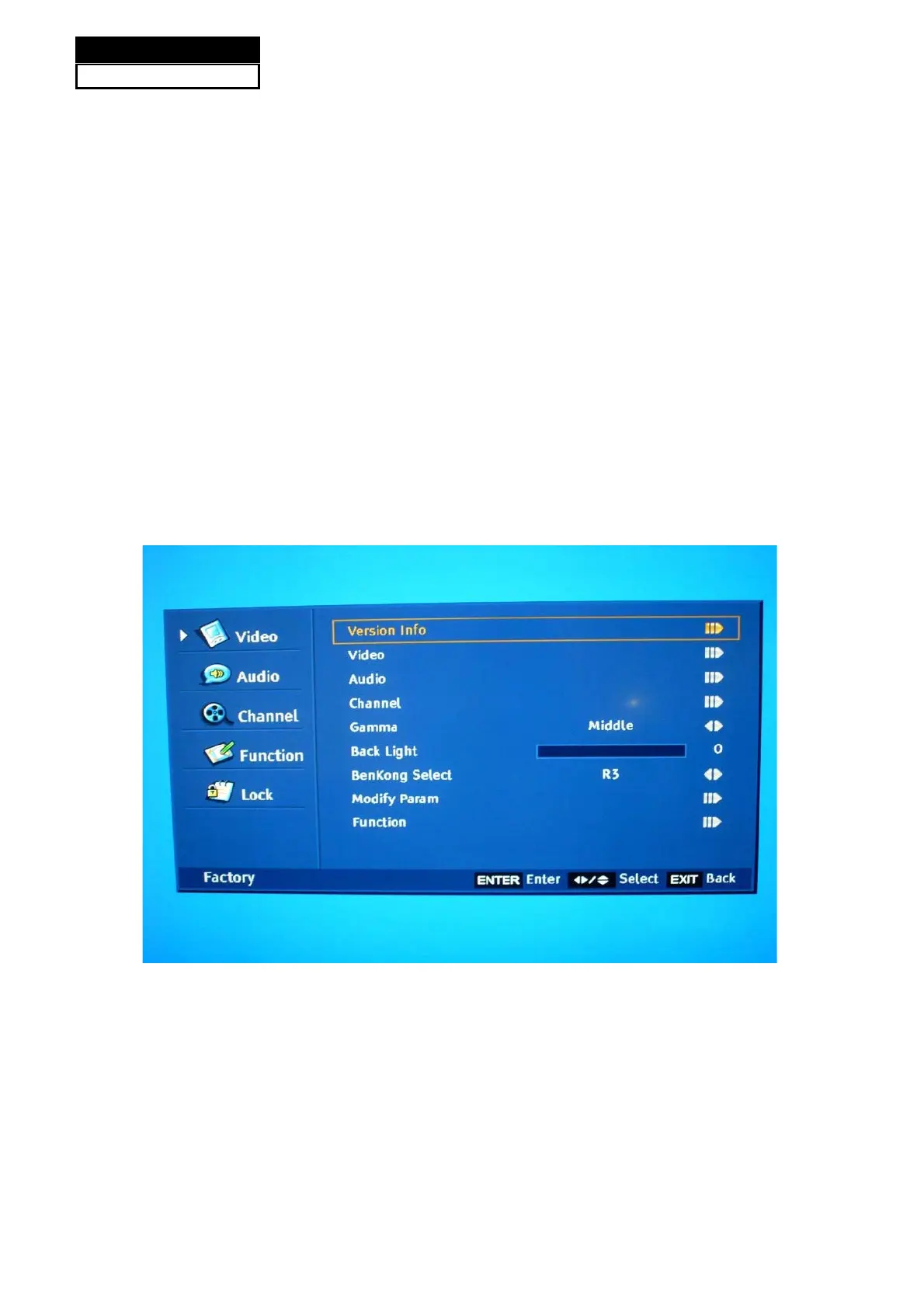
The way to the factory mode menu:
Step 1: Press Menu,
Step 2: Input 8893,
Step 3: Press “OK”
System will be into the factory mode menu when 3 steps above are done.
8-1-2.How to exit
If you want to exit this factory menu, please press the button ”Exit” on the remote.
8-2. Measurements and Adjustments
8-2-1. Version, S/N, Panel Resoution
Version info: The first item is the Model Name and the second one is current software version.
(See picture on the next page.)
Service Manual
Model No.: HL22XSLW2
40


 To Next Page
 Loading...