EasyManua.ls Logo

Haier HT-3718 - User Manual

Haier HT-3718
10 pages
Print Icon
To Next Page IconTo Next Page
Loading...
HT-3718HT-3718
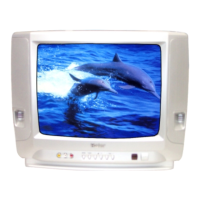
COLOUR TELEVISION
OPERATING
INSTRUCTIONS
Stage curtain for open and close effect
2
Digital I C bus control
Auto search tuning & 218 programs stored
Full infrared remote control
Multi-picture modes selection
Multi-function timer,appointing programme
0090505289

Other manuals for Haier HT-3718

Question and Answer IconNeed help?

Do you have a question about the Haier HT-3718 and is the answer not in the manual?

Summary

Warning and Cautions

Power Plug Safety

Pull out the power plug when cleaning to avoid electric shock or fire.

Environmental Precautions

Avoid moisture and extreme temperatures to prevent electric shock or fire hazards.

Service and Maintenance

Back cover removal is for qualified service personnel only to prevent electric shock.

Preparing for Operations

Power and Remote Setup

Connect the power cord and install batteries in the remote control for initial use.

Remote Controller Guide

Remote Function Overview

Familiarize yourself with the functions of each button on the infrared remote control.

Tuning Procedure

Initial Setup and Auto-Search

Connect aerials and power, then perform auto-search for all available channels.

Semi-Auto Search

Manually tune specific channels or fine-tune reception for better picture quality.

Picture Adjustment

Multifunction Timer

Lock Function

Lock Preset Options

Lock search, channel number, AV, timer, and child lock items to restrict access.

Changing Password

Change the default password or reset it to protect locked functions.

Trouble Shooting Guide

Picture Issues

Troubleshoot common picture problems like snow, double images, or no picture.

Sound Issues

Diagnose and resolve sound problems such as no sound, interference, or volume issues.
Summary

Warning and Cautions

Power Plug Safety

Pull out the power plug when cleaning to avoid electric shock or fire.

Environmental Precautions

Avoid moisture and extreme temperatures to prevent electric shock or fire hazards.

Service and Maintenance

Back cover removal is for qualified service personnel only to prevent electric shock.

Preparing for Operations

Power and Remote Setup

Connect the power cord and install batteries in the remote control for initial use.

Remote Controller Guide

Remote Function Overview

Familiarize yourself with the functions of each button on the infrared remote control.

Tuning Procedure

Initial Setup and Auto-Search

Connect aerials and power, then perform auto-search for all available channels.

Semi-Auto Search

Manually tune specific channels or fine-tune reception for better picture quality.

Picture Adjustment

Multifunction Timer

Lock Function

Lock Preset Options

Lock search, channel number, AV, timer, and child lock items to restrict access.

Changing Password

Change the default password or reset it to protect locked functions.

Trouble Shooting Guide

Picture Issues

Troubleshoot common picture problems like snow, double images, or no picture.

Sound Issues

Diagnose and resolve sound problems such as no sound, interference, or volume issues.

Haier HT-3718 Specifications

General IconGeneral
BrandHaier
ModelHT-3718
CategoryTV
LanguageEnglish

Related product manuals