EasyManua.ls Logo

Haier HT-3768 - User Manual

Haier HT-3768
32 pages
Print Icon
To Next Page IconTo Next Page
Loading...
The Owner's Manual for the Follow Models:
21F9D, 21T9D, 21F9K, 21F5A, 21T5A,
21FA1, 21TA1, 21T9D(D), 21T9D(S),
21F7A, HT-3728, HT-3768, 15F6B
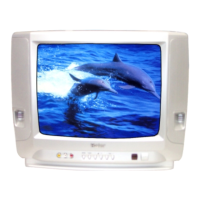
COLOUR TV RECEIVER
OWNER'S MANUAL
Please read this manual carefully
before operating the unit, and keep
it for future reference.

Other manuals for Haier HT-3768

Questions and Answers

Summary

Warning and Cautions

Explanation on the display tube

Guidance on cleaning the TV display tube surface using appropriate methods.

Installation

Antenna connection

Instructions for connecting the TV antenna for optimal reception.

Preparation for the remote control

Steps for installing batteries and preparing the remote control for use.

Position of Keys and Plug-ins

Front and side panel controls

Identification and location of controls on the front and side panels.

Position of Keys and Plug-ins (continued)

Back panel connections

Details of input/output terminals and connectors on the back panel.

Using the Remote Control

Remote control buttons and descriptions

Explanation of each button's function on the remote control.

Power On and Power Off

Power on;off procedures

Steps for turning the TV on and off using the unit or remote.

Connecting and disconnecting power

Guidance on connecting the power supply and its implications.

Power supply auto-off function

Information on the automatic standby mode to save energy.

Viewing TV Programs

How to select TV programs

Methods for selecting TV channels using direct digits or channel buttons.

Color and sound adjustment

Adjusting picture color and sound settings for abnormal channels.

Viewing TV Programs (continued)

Program scan and screen display

How to scan for programs and use the screen display function.

Viewing TV Programs (continued)

Saving modes, favorite programs, and shuttle

Using energy saving, setting favorite channels, and shuttle function.

Tuning

Automatic search for TV channels

Procedure for automatically scanning and storing TV channels.

Tuning (continued)

Manual search for TV channels

Steps for manually tuning and searching for TV channels.

Tuning (continued)

MFT (Manual Fine Tune) for picture and sound

Fine-tuning picture and audio quality using the MFT function.

Tuning (continued)

Skipping preset programs

How to skip unwanted preset TV channels for easier selection.

Adjusting the Picture and the Sound

Multiple picture modes

Selecting and adjusting various picture modes for optimal viewing.

Setting the MEMORY picture parameter

Customizing and saving picture settings in the MEMORY mode.

Adjusting the Picture and the Sound (continued)

Multiple sound modes and setting the sound

Selecting and adjusting sound modes and volume levels.

Setting the sound parameters

Adjusting specific sound parameters like LOW, NORMAL, and HIGH VOL.

Adjusting the Picture and the Sound (continued)

S.C.C, auto off, and mute functions

Using S.C.C for channel changes, auto-off, and mute features.

Setting the Timer

Timer off function

Setting the TV to automatically turn off at a preset time.

Setting the Timer (continued)

Sleep timer and on timer functions

Setting sleep timer for automatic turn-off and on timer for automatic turn-on.

Setting the Timer (continued)

Channels appointment function

Presetting TV channels to automatically change at specific times.

Setting the other Function

3 A filter and screen protection

Using the 3A filter and activating screen protection features.

Setting the other Function (continued)

Curtain function and calendar display

Using the curtain effect for channel changes and displaying the calendar.

Setting the other Function (continued)

Channel exchange function

Exchanging programs between any two channels for custom ordering.

Setting the Lock

Changing your password

Procedure for resetting the four-digit password for TV security.

Setting the Lock (continued)

Setting the Lock options

Configuring tuning, preset, AV, child, and volume lock settings.

Game

Game control buttons and playing method

How to use game controls and play the built-in TV games.

Connecting Additional Equipments

Connecting additional equipments

Connecting external devices like DVD, VCR, and stereo systems.

Troubleshooting

Specifications

Haier HT-3768 Specifications

General IconGeneral
BrandHaier
ModelHT-3768
CategoryTV
LanguageEnglish

Related product manuals