EasyManua.ls Logo

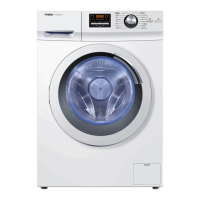
Haier HW60-14829 - User Manual

Haier HW60-14829
33 pages
Print Icon
To Next Page IconTo Next Page
Loading...
GB
User manual
Washing machine
HW60-12829
HW60-14829
HW70-12829
HW70-14829
HW80-12829
HW80-14829
HW100-12829
HW100-14829

Questions and Answers

  • A
    Alexandra RossSep 4, 2025
    Why does my Haier Washer operation stop for a period of time?
    • C
      Craig HansonSep 4, 2025
      If your Haier Washer displays an error code or the operation stops for a period of time, consider display codes, reduce or adjust the load. It may also be because the programme performs soaking cycle or detergent is not appropriate or excessive use of detergent. You may need to cancel the programme and restart.
  • M
    murphylindaSep 18, 2025
    What to do if my Haier Washer shows E2 error?
    • C
      Corey WoodSep 18, 2025
      If your Haier Washer displays error code E2, shut the door properly. This indicates a lock error.
  • J
    Joshua RothSep 16, 2025
    How to troubleshoot E4 error on Haier HW60-14829?
    • M
      mary67Sep 16, 2025
      If your Haier Washer displays error code E4, make sure that tap is fully opened, water Pressure is normal and check drain hose installation. This indicates that water level not reached after 10 minutes. at the latest or drain hose is self-syphoning.
  • W
    Wesley HartSep 14, 2025
    How to fix E1 error on Haier HW60-14829 Washer?
    • S
      Sharon RuizSep 15, 2025
      If your Haier Washer displays error code E1, check the drain hose installation. This indicates a drainage error where water is not fully drained within 6 minutes.
  • K
    kgarciaSep 12, 2025
    Why does my Haier HW60-14829 have automatic adjustment of washing time?
    • J
      Joseph DouglasSep 13, 2025
      The automatic adjustment of washing time in your Haier Washer is normal and doesn't affect functionality. The washing programme duration will be adjusted.
  • C
    Chelsea PowellSep 12, 2025
    How to remove grey patches on laundry after washing in Haier Washer?
    • C
      candrewsSep 12, 2025
      If your laundry has grey patches after being washed in your Haier Washer, pretreat the laundry with a special cleaner. This is caused by fats such as oils, creams or ointments.
  • A
    Anthony MathewsSep 9, 2025
    How to remove washing powder residues on laundry from Haier Washer?
    • A
      Ashley CarrollSep 9, 2025
      If you find washing powder residues on your laundry after washing with your Haier Washer, perform an extra rinse, try to brush the points from the dry laundry, or choose another detergent. The cause may be insoluble particles of detergent can remain as white spots on the laundry.
  • T
    tthomasSep 7, 2025
    Why is my Haier Washer providing unsatisfactory washing result?
    • M
      Mrs. Janet RobinsonSep 7, 2025
      If you're not satisfied with the washing results from your Haier Washer, select another programme, choose the detergent according to the degree of pollution and according to manufacturer, reduce loading, or loose the laundry. The cause may be that the selected wash program was not appropriate for how dirty the laundry was, maximum load has been exceeded, or laundry was unevenly distributed in the drum.
  • S
    Sean DrakeSep 5, 2025
    How to get rid of excessive foam in my Haier HW60-14829?
    • J
      Joshua SchultzSep 6, 2025
      If you notice excessive foam in the drum or detergent drawer of your Haier Washer, check the detergent recommendations and reduce the amount of detergent used.
  • D
    Deborah ReidAug 21, 2025
    What to do if my Haier HW60-14829 fails to operate?
    • P
      Philip PriceAug 21, 2025
      If your Haier Washer isn't operating, here's what to check: * Ensure the program has been started. * Verify the door is properly closed. * Make sure the machine is switched on. * Check the power supply. * Deactivate the child lock, if it's enabled.

Summary

Safety Information

Before first use

Important safety checks before operating the appliance for the first time.

Daily use

Safety guidelines for using the washing machine during normal operation.

Maintenance and Cleaning Safety

Maintenance; cleaning

Safety instructions to follow during cleaning and maintenance activities.

Installation

Safety considerations for installing the washing machine correctly.

Intended Use

Intended use

Defines the proper and intended use of the appliance.

Control Panel

Daily Use

Post-Wash Procedures

Wash Programme Operation

How to start, interrupt, and cancel wash programmes.

After Washing Procedures

Steps to take after the wash cycle, including door lock and standby mode.

Troubleshooting

Information Codes

Explanation of codes displayed on the appliance during operation.

Troubleshooting with Display Codes

Solutions for common problems indicated by error codes.

Troubleshooting Guide

Troubleshooting with Display Codes (continued)

More solutions for problems indicated by error codes like F7, FCO, FC1, FC2.

Troubleshooting without Display Codes

Solutions for common issues not accompanied by display codes.

Troubleshooting and Power Failure

Troubleshooting without Display Codes (continued)

Solutions for issues like automatic time adjustment, spinning failures, and foam formation.

Installation

Remove Transportation Bolts

Critical step to remove bolts securing the drum during transport.

Installation Procedures

Water and Electrical Connections

Drain Water Connection

Various methods for connecting the drain hose to dispose of water.

Water and Electrical Connections (cont.)

Fresh Water Connection

How to connect the appliance to the fresh water supply.

Electrical Connection

Guidelines for connecting the appliance to the electrical power supply.

Haier HW60-14829 Specifications

General IconGeneral
BrandHaier
ModelHW60-14829
CategoryWasher
LanguageEnglish

Related product manuals