NZ AU
11
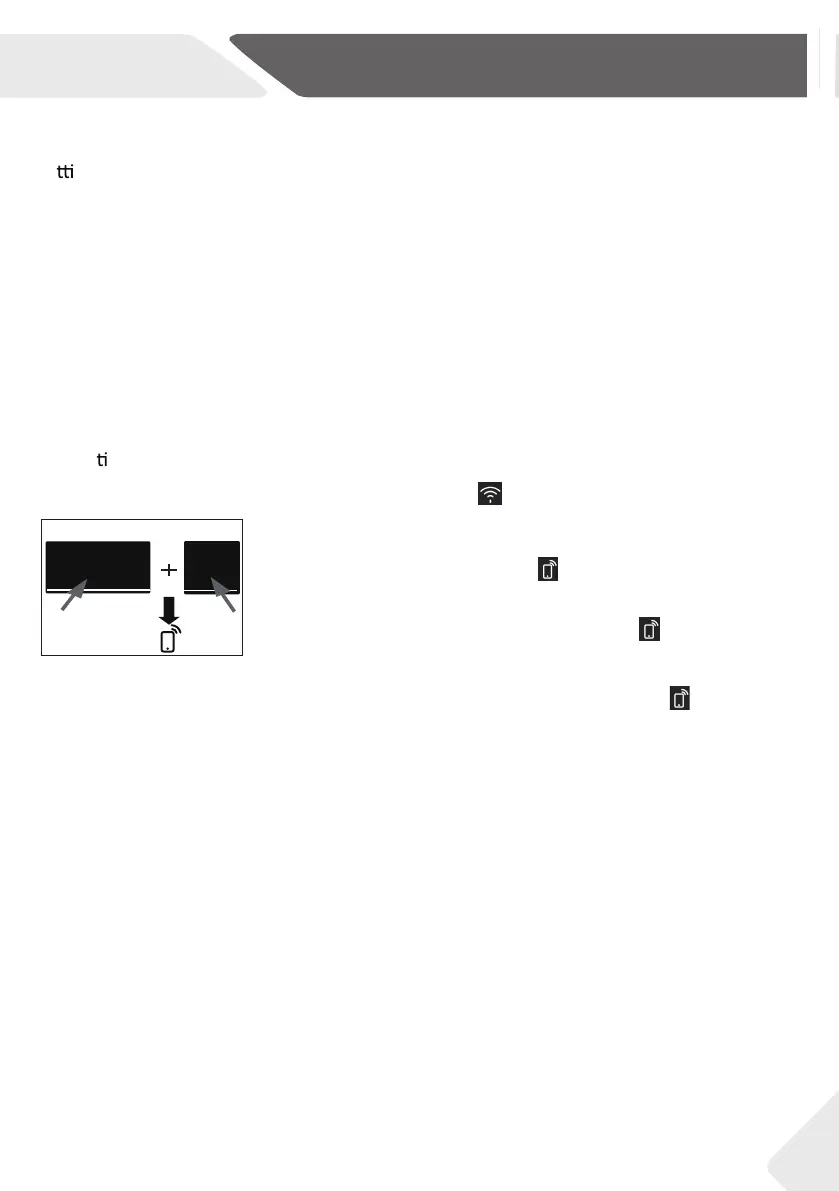
1. Press and hold and combination keys for
three seconds and the icon lights up.
be accessed via the app. For disabling remote mode please
touch again the two buttons, and the icon goes out.
When your machine is connected to WiFi successfully, the icon lights up.
2. When turning off the whasher, the Remote Mode will be automatically released. When the
washer runs the programme in Remote Mode via app,
the remote mode indicator flashes
every second.
is now enabled certain functions that your washer can now
4-WiFi connection & Remote mode
Your appliance can be connected to your home wireless network and operated remotely using the app.
Ge ng started
Ensure your home WiFi network is turned on.
You will be given step by step guidance on both your appliance and mobile device.
It may take up to 10 minutes to connect your appliance.
On your mobile device:
1.
2.
3.
Register and create an account.
Add your appliance and set up the WiFi connection.
Connec ng to your home WiFi
Speed up
Remote Mode
ECO
Speed up
Speed
4-1
ECO
Your product is WiFi connectable. Please visit the webpage below to download the app and find out more:
Australia https://www.haier.com.au/smart
New Zealand https://www.haier.co.nz/smart



 To Next Page
 Loading...