HYCD-282/282A/282C_Service Manual
12
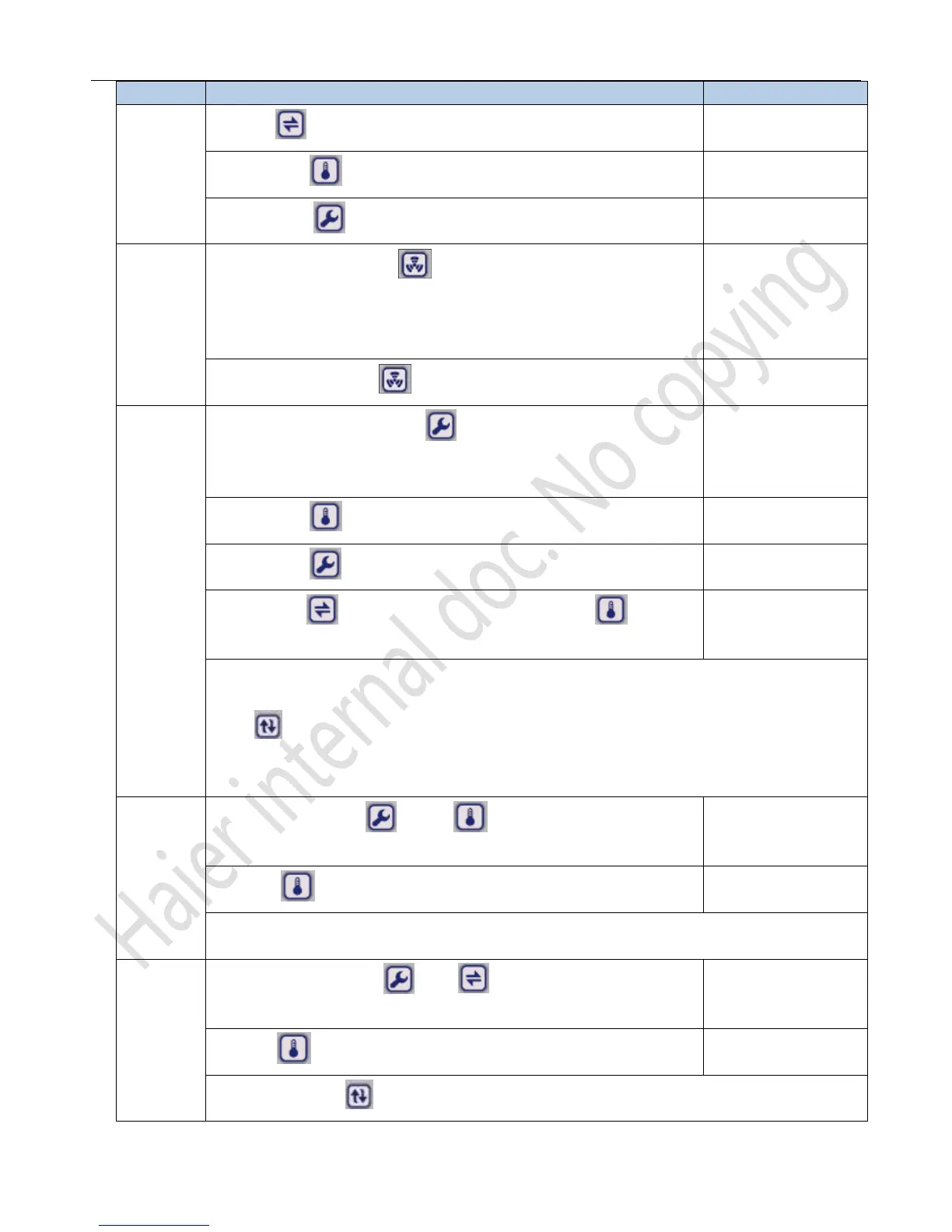
Item Steps Display Msg
Unlock
1、press“ ”for 5s,the refrigerator temp zone shows“F0”
Shows F0 and“0“bit
flash
2、short press“ ”,the refrigerator temp zone shows“F1”;
Shows ‘F1’
3、short press “ “,unlocked。No operation in 10s,it will auto lock
The lock light turn off
Alarm test
Unlock status,short press “ ”,all the LED and indictor light will be
lighted for 6s,meanwhile,the speaker will buzz 6 times @1HZ,then all the
LEDs will show“8”for 6s.
All the LEDs show ‘8’
Lock status,short press “ ”,the LEDs will show the alarm code.
Show the alarm cod
Parameters
Setup
1、Unlock status,short press“ ”,The refrigerator temp zone will
show“L0”,“0”with flash;
Show L0,“0”bit flash
2、short press“ “,adjust the parameters;
L0~L5
3、short press“ ”,the second bit flash;
3、short press“ ”adjust the bit of the LEDs ,short press“ ”to adjust
the value.
Notice:If the refrigerator temp zone show the temp and the freezer temp. zone shows“L0”,we need to
press“ “,then refrigerator temp. zone will show”L0“;
when we want to adjust the parameter L0~L5,”we must change the ‘L0’to the temp zone that we need.
Compressor
Start delay
1、unlock status,press ' “and ” “at the same time for at least 5s,
the refrigerator temp. zone will show the delay time of compressor.
Show the value of
delay time
2、press “ “to adjust the parameter.
01~10
Notice:the freezer compressor begin to run after the refrigerator compressor works for 10s.
Calibrate
temp
1、unlock status,Press “ and “ ” at the same time for 5s,the
refrigerator temp zone will show the value of the adjustment.
2、press“ “to adjust the value of the parameter
-5~+5
Notice:short press“ “,swap the parameter between refrigerator and freezer temp. zone.



 To Next Page