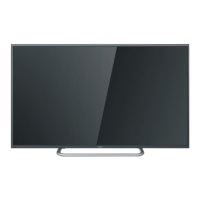
Stand Assemble Instruction
INST1LLAPON
Place the TV with the display side
down on a flat surface. Use a cloth
to protect the display.
Attach the stand base plate to the
stand pole by firmly tightening the
supplied 4pcs silver screws.
r r
4 ~
~
Attach the stand base set to the bottom
of the TV by firmly tightening the
supplied 4pcs black screws.
INSTALLATION NOTES
Locate the TV in a room where light does not strike the screen directly. Total darkness or a reflection
on the screen can cause eyestrain. Soft and indirect lighting is recommended for comfortable viewing.
Allow enough space between the TV and the wall to permit ventilation.
Please do not attempt to rotate the TVon the stand.
Avoid excessively warm locations to prevent possible damage to the cabinet or premature component
failure.
WallMounting Installation Guidelines
Use the four screws to fix the TV onto a wall mounting bracket (not included) via the four VESA standard
holes on the back of the television.
(LE32B7000)
M6
M6
(LE40B7000)
·5·


 To Next Page
 Loading...