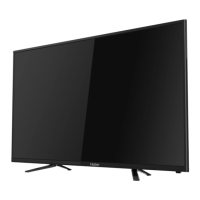
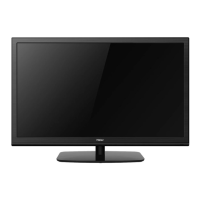
This document is an instruction manual for a Haier LED Backlit Flat TV, model LE55U6500U. It provides comprehensive guidance on the setup, operation, and maintenance of the television, ensuring users can maximize its features and troubleshoot common issues.
Function Description
The Haier LED Backlit Flat TV serves as a primary display terminal for various media, offering high luminance and a wide viewing angle for an immersive viewing experience. Its core function is to receive and display television broadcasts, supporting both analog and digital signals, including DVB-T, DVB-C, and DVB-T2 standards. Beyond traditional television, it acts as a versatile multimedia hub, allowing users to connect and interact with a range of external devices.
The TV features multiple HDMI interfaces, enabling seamless connection to high-definition multimedia devices such as DVD players, satellite/cable set-top boxes, game consoles, and laptops. It also includes AV (Audio Visual) inputs for older devices, YPbPr (Component) inputs for enhanced video quality, and USB ports for playing back multimedia files like photos and music directly from storage devices. For internet connectivity, a LAN input is provided, facilitating access to future services such as red button features and on-demand/catch-up TV services. Audio output options include a headphone jack for private listening and an optical output for connecting to external audio receivers, ensuring flexible sound configurations.
A key feature of this TV is its Common Interface (CI) slot, designed to accept Conditional Access (CA) Modules and Smart Cards. This allows users to access pay-TV programs and additional services, making it suitable for various broadcasting environments. The TV also supports time-shift functionality, enabling users to pause, rewind, and fast-forward live TV broadcasts, enhancing viewing flexibility.
Usage Features
The Haier TV is designed for user-friendly operation, starting with a straightforward first-time installation process. Upon initial setup, users are guided through language selection and network configuration, with options for both wired and wireless connections. The TV offers a "Usage Mode" selection between "Home Mode" and "Shop Mode," with the latter displaying promotional labels suitable for retail environments.
Navigation is intuitive, primarily through the remote control, which features dedicated buttons for power, picture mode, sound mode, volume, channel control, and direct access to various functions like Home, Menu, Source, and YouTube. The front control panel on the TV itself provides essential navigation and control options, including a middle key for menu access, and pull up/down/left/right controls for channel, volume, and menu navigation.
The TV's "HOME" menu acts as a central hub, providing quick access to different input sources (DTV, ATV, HDMI, AV, YPbPr) and a selection of pre-installed applications such as YouTube, Facebook, Google, and Amazon. This smart media functionality allows users to stream content and browse the internet directly from their TV.
Picture settings are highly customizable, offering various picture modes (Standard, Mild, User, Economy, Vivid) and adjustable parameters like contrast, brightness, color, tint, and sharpness. Users can also fine-tune color temperature (Cool, Normal, Warm) and aspect ratio (Auto, 16:9, 4:3, Zoom1, Zoom2) to suit their preferences. Noise reduction settings are available to enhance image clarity.
Sound settings provide similar flexibility, with multiple sound modes (Standard, Music, Movie, Night, User) and adjustable treble and bass. Features like auto volume level, surround sound, and audio description are included to optimize the audio experience.
For advanced control, the TV incorporates a "Hotel Mode" feature, which allows administrators to restrict certain functions, lock specific sources, set default channels and volumes, and manage power-on behavior. This mode is particularly useful in hospitality or public settings.
The TV supports PVR (Personal Video Recorder) functionality, enabling users to record selected programs onto a connected USB disk. It also includes a "PVR File System" menu to manage recordings, including disk selection, timeshift size, and formatting options.
Maintenance Features
The manual emphasizes several maintenance guidelines to ensure the longevity and safe operation of the Haier TV. Users are advised to keep the product away from direct sunlight, heat sources, and sources of humidity to prevent damage and fire hazards. Proper ventilation is crucial, and users should ensure that ventilation openings are not blocked.
Cleaning the TV should be done with a soft, dry, dust-free cloth, and abrasive cleaners should be avoided to prevent scratches or damage to the LCD screen. Before cleaning or performing any adjustments, the power cable should be removed from the socket. During thunderstorms, unplugging both the power and aerial/antenna cables is recommended to prevent damage.
The manual also provides detailed troubleshooting steps for common issues, such as no picture, no sound, poor picture quality (snow, ghosting, interference, pixilation), and connectivity problems with external devices. It guides users through checking connections, adjusting settings, and performing basic diagnostics. For instance, if the picture breaks into pixels, it suggests checking signal strength and considering an amplifier. If there's no sound from a PC connected via VGA, it reminds users that a separate audio cable is required.
Battery replacement for the remote control is outlined, with a recommendation for alkaline batteries and instructions to remove them if the remote will not be used for an extended period. The manual also highlights the importance of proper disposal of batteries and the TV itself, adhering to EU guidelines for environmental safety and recycling.
For any issues beyond basic troubleshooting, users are strongly advised to refer servicing to qualified personnel, as unauthorized servicing could lead to injury or product damage. The manual explicitly states that there are no user-serviceable parts inside the TV's cover.


 To Next Page
 General