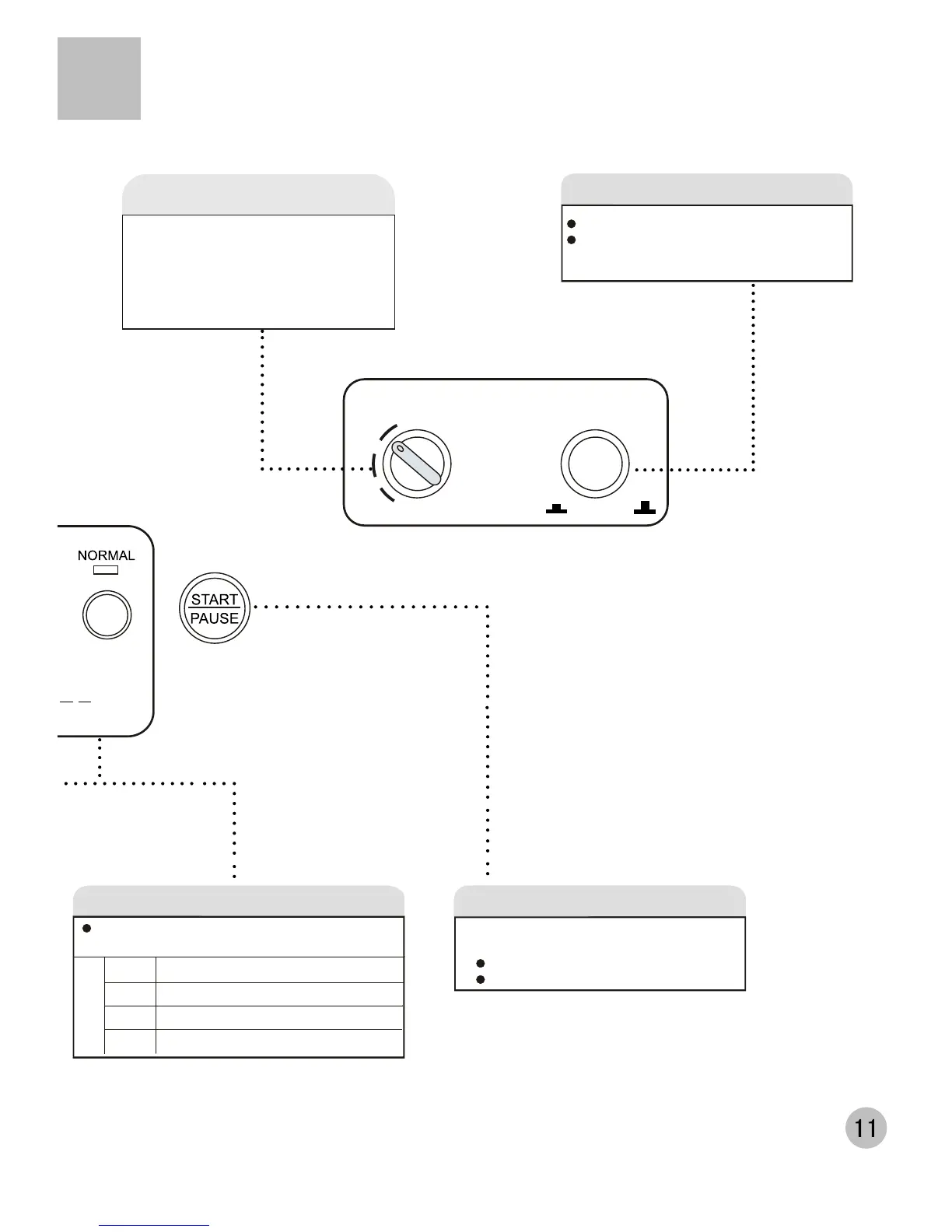
After the power is switched on, push it to start
the machine
During working, push it to pause working.
During pause, push it to resume working.
START/PAUSE button
Normal Common washing
Speedy Quick washing of laundries with light soil
Gentle Washing the woolen textiles or underwear
Jeans Washing the large and heavy stained laundries
PROGRAM button
The following four programs are available for your
option
Program
Remarks: Push the On/Off button to switch on the power.
If the washing machine is idle for 10 minutes, it will auto-
matically switch off the power.
POWER
ON OFF
High
Middle
Low
WATER LEVEL
WATER LEVEL
Push the On/Off button to switch on the power.
When the power is on, push it again to switch
off the power.
POWER switch button
Select or adjust water level
Reset


 To Next Page