VACUUM MODE POWER
TIME AIRTEMP
AIR CONTROL
OFF
ON
Timer setting section
Press the button once.
Press the or button.
Press and hold the button
for more than one second.
Press the button once.
Press the button once.
UP
DOWN
Press the or button.
UP
DOWN
Setting/Changing the Time
CAUTION
The timer setting range is 15 – 999 seconds.
● Attempt to enter a value outside the setting range will
cause the display to begin flashing the HUNDREDS
digit again. Reenter a correct value.
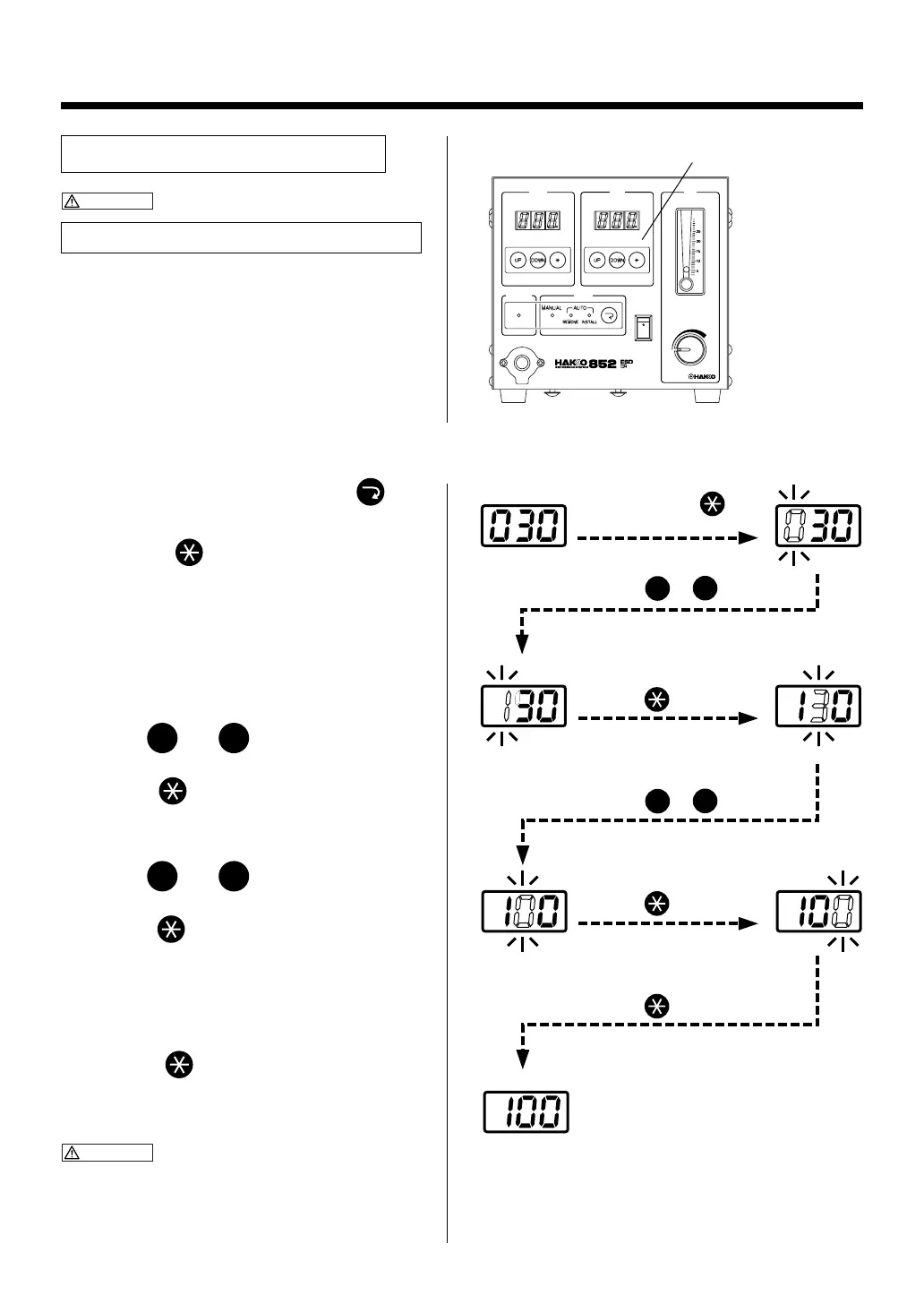
Example: Change the timer setting from 30 seconds to 100 seconds.
1. Press the mode selection button and
set the mode to REMOVE or INSTALL.
2. Press the button on timer setting
section for more than one second.
●The station goes into timer setting mode and
the HUNDREDS digit flashes on the display,
indicating that the HUNDREDS digit can be
entered.
3. Enter the HUNDREDS digit.
●Use the
UP
and
DOWN
buttons to display the
desired value for the HUNDREDS digit.
●Press the button. The TENS digit begins
to flash.
4. Enter the TENS digit.
●Use the
UP
and
DOWN
buttons to display the
desired value for the TENS digit.
●Press the button. The UNITS digit begins
to flash.
5. Enter the UNITS digit.
●Select the desired value for the UNITS digit
in the same manner as for the TENS digit.
●Press the button. The timer setting is
stored in memory. Heater control begins
after the new timer setting is displayed.
CAUTION
If the power is turned OFF before the timer setting
procedure is completed, the new setting value will not
be stored in memory.
12



 To Next Page