5.OPERATION
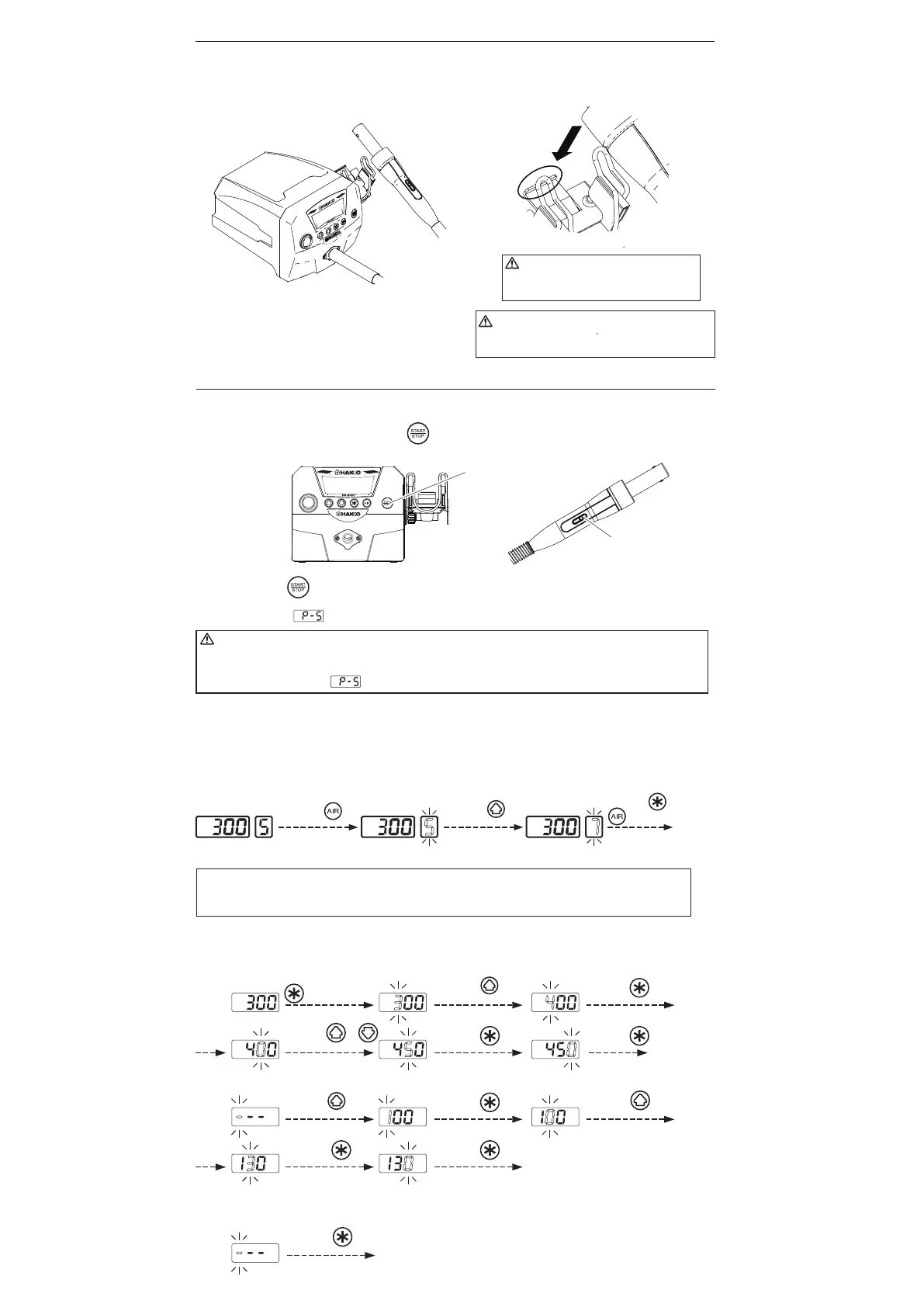
● Air Blow
1. Start
Press the “S” button on the handpiece or (START/STOP) button on the station to start blowing air.
Hot air blows out of the tip of the nozzle. Hot air temperature is controlled according to the temperature
setting.
2.Stop
Press the
“S” or button
again. Power to the heater is shut off and cooling begins. When the
temperature falls to 100°C (200°F), or after 1.5 minutes of cooling, air blow is automatically stopped. The
display will show indicating that the station is ready to start again.
● Setting of the air flow
Pressing the AIR button in the station causes the LED for AIR display to blink and allows
you to change air flow. The air flow setting range is 1 to 9.
Actual airflow may be affected by the size and shape of the nozzle(s) used.
WARNING
Do not stop the hot air by turning the power switch OFF.
If power is turned off after use, there will be no cool-down. To avoid damage to the equipment, do not turn
the power switch OFF until appears on the display.
4. INITIAL SETUP
CAUTION
When not in use, place the handpiece
on the holder.
C. Electrical connection and power ON
1. Insert the power cord into the receptacle on the rear panel of the station.
2. Place the handpiece on the holder.
3. Plug the other end of the power cord into a grounded
wall socket.
4. Turn the power switch ON.
CAUTION
This product is protected against electrostatic
discharge.
Be sure the unit is grounded.
“S” button
START/STOP
button
Example: Changing the air flow setting from 5 to 7
Example : When the set temperature is 300°C and the timer setting is ---.
Finished
● Setting/Changing the Temperature and Timer
NOTE:
After accepting the value for the ones digit for temperature, you will have the option to set the timer
starting over with the hundreds digit.
The factory default : "Temperature 300℃ / 540℉" "Timer ーーー(No setting)"
Setting the
Timer
Press the or
button 5 times.
Each of the set values is displayed for
one second, and each change is finalized.
Therimofthehandpiece
mustrestonthearea
circledintheillustration.
Press the
button.
Press the
button twice.
Press the
button once.
Press the
button twice.
Press the
button.
Press the
button.
Press the
button.
Press the
button.
Press the
button.
Press the
button.
Press the or
button.
Press and hold the
button for more
than one second.
Press the
button 3 times.
1. Setting the Temperature (from 300℃ to 450℃)
2. Setting the Timer (from --- to 130sec)
* When you want to leave the timer "ーーー".
Press the
button once.
Finished


 To Next Page
 Loading...


