5. OPERATION
In this station, when you turn on “Preset mode” and “Chain Presets function” in the parameter settings
and set the timer for each preset, available presets are called in from “P-1” to “P-5” allowing you to
simulate up to a 5 step rework profile. (The number of available presets changes depending on the setting.
Refer to “6. PARAMETER SETTING”.)
When the handpiece is placed in the holder, the automatic sleep function starts working (by default).
Pressing the “S” button ( button) in this state will not turn on the station. If the handpiece is placed
in the holder while it is blowing hot air, start of automatic cooling is forced before the stop of operation.
The auto shutoff function works by default after the station is idle for 30 minutes and it automatically
enters a power save state.
With this function enabled, if you press the “S” button ( button) again during cooling, cooling is stopped.
This function is used when working temperature is low and you do not have to wait until automatic stop is
made. When the set temperature is 380°C or more, the function is unavailable.
● Chain Presets function
● Auto sleep function
● Auto shutoff function
● Forced cooling bypass function
● Check of settings
Other main functions
CAUTION
When installing this station, do not place flammable substances behind the outlet of the handpiece. If
the handpiece is placed in the iron holder while blowing hot air, serious accidents such as fire may be
caused by hot air.
Temp. : 100℃ (212℉) Timer : “200” Air flow : 2
Temp. : 300℃ (572℉) Timer : “000” Air flow : 5
Temp. : 500℃ (932℉) Timer : “030” Air flow : 6
Temp. : 200℃ (392℉) Timer : “100” Air flow : 3
Temp. : 400℃ (752℉) Timer : “050” Air flow : 5
Temp. : 100℃ (212℉) Timer : “200” Air flow : 2
Temp. : 300℃ (572℉) Timer : “050” Air flow : 5
Temp. : 500℃ (932℉) Timer : “030” Air flow : 6
Temp. : 200℃ (392℉) Timer : “- - -” Air flow : 3
Temp. : 400℃ (752℉) Timer : “050” Air flow : 5
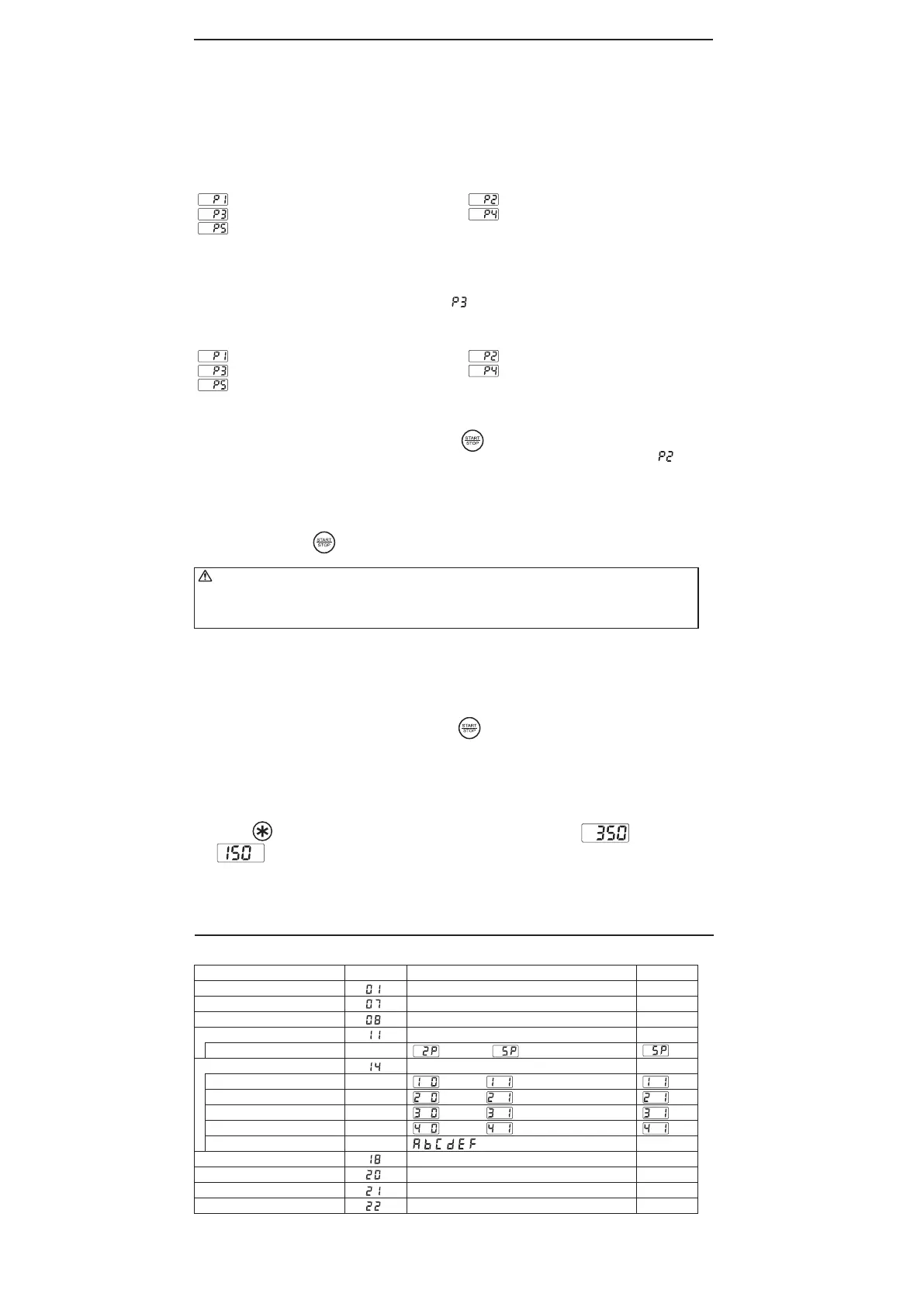
Pressing the button once allows you to check the settings of the set temperature and set
time in this order.
Example : When the set temperature is 350°C and the timer setting is 150 seconds.
A preset in which “000” is set in the timer setting is skipped and the next preset is automatically started.
(In case of the example 1, this setting corresponds to )
Unless you stop blowing hot air by pressing the “S” or ( ) button manually, the unit will keep up
the state if you set “---” in the timer setting. (In case of the example 2, this setting corresponds to )
The unit will not move to next step.
Example 1)
Operation : 100℃ (200sec) → 200℃ (100sec) → 400℃ (50sec) → 500℃ (30sec)
Example 2)
Operation : 100℃ (200sec) → 200℃
6. PARAMETER SETTING
The HAKKO FR-810 has the following parameters:
Parameter No.
Parameter name
℃ / ℉ selection
Auto sleep ON/OFF setting
Auto shutoff ON/OFF setting
Setting mode selection
The number of preset *
Password setting
Temperature setting mode **
Preset selection mode**
Offset setting mode**
Air flow mode**
Password***
Auto shutoff time setting
Timer mode
Forcedcoolingbypass
PresetconnectionON/OFFsetting
Value
C/F
0:OFF/1:ON
0:OFF/1:ON
0:Normal/1:Preset
(2pcs)〜 (5pcs)
0:
Open/1:Partial/2:Restricted
:○/ :×
:○/ :×
:○/ :×
:○/ :×
Select three letters
30〜60min(Set in units of minutes)
o:OpenTiming/c:ClosedTiming
0:OFF/1:ON
0:OFF/1:ON
Initial value
℉
1
1
0
0
-
30
o
0
0
* It is displayed only when "1:Preset mode" is selected in the setting mode.
** It is displayed only when "1:Custom" is selected in the password setting.
***It is displayed only when either "1:Custom" or "2:valid" is selected in the password setting.


 To Next Page
 Loading...


