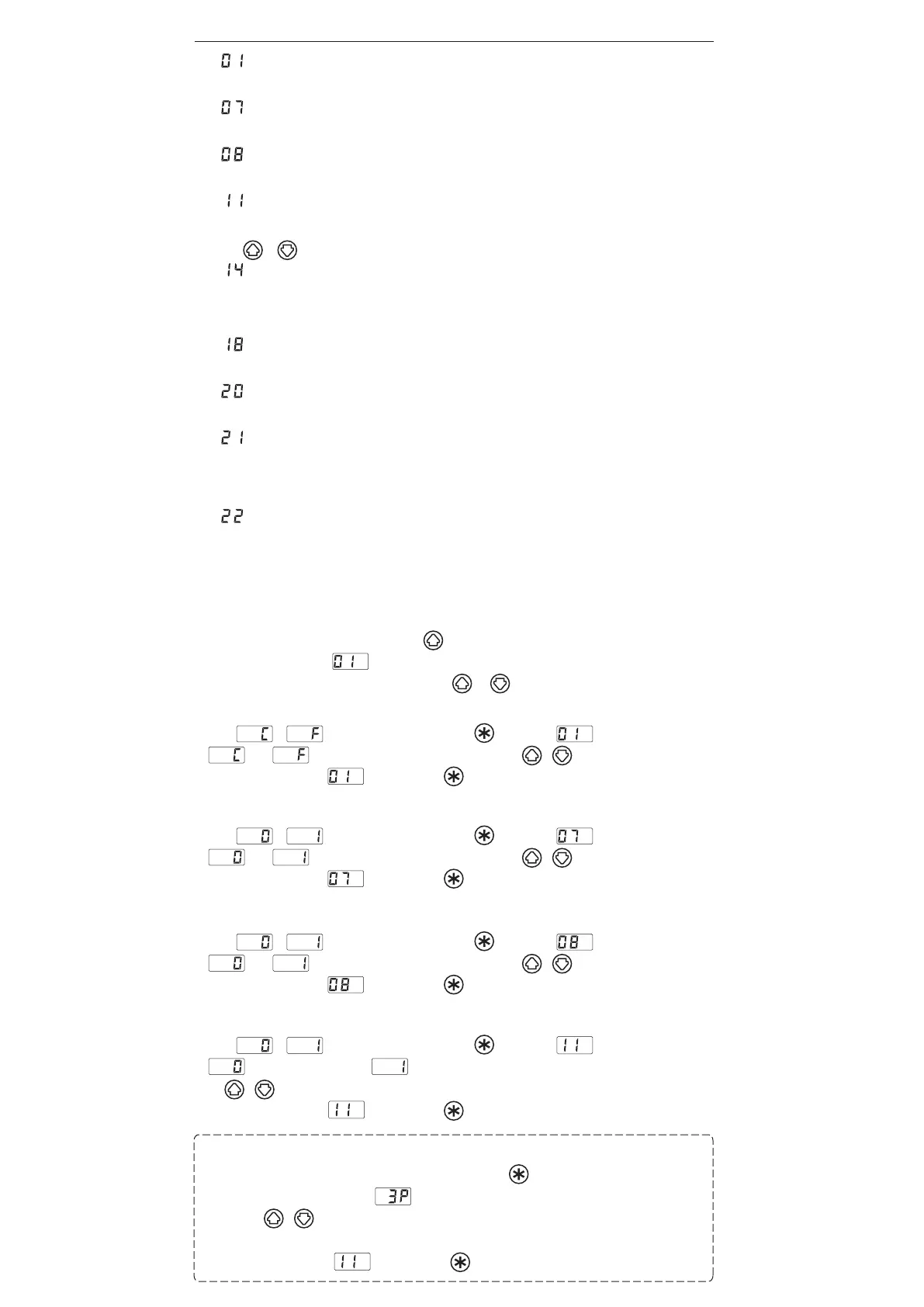
6. PARAMETER SETTING
● :℃ or ℉ temperature display seletion
The displayed temperature can be switched between Celsius and Fahrenheit.
● :Auto sleep ON/OFF setting
Select whether you will activate the auto sleep function.
● :Auto shutoff ON/OFF setting
Select whether you will activate the auto shut off function.
● :Setting mode selection
Temperature setting can be switched between the normal mode and the preset mode.
If selecting the preset mode, you will be asked for the number of preset to have available for programming.
Press the or button to set the number.
● :Password setting
Select "Open", "Partial" or "Restricted" for password setting. If selecting the Restricted, perform the setting
for password. If selecting partial, choose whether or not the password function is needed when moving
to the temperature setting, preset, offset, and air flow modes and set the password.
● :Auto shutoff time setting
Set auto shutoff time. The setting is available within 30 to 60 minutes in increments of one minute.
● :Timer mode selection
Timer mode setting can be switched between the Opened timing and the Closed timing modes.
● :Forced cooling bypass
Specify whether or not to enable the function that allows you to force the termination of cooling after
completion of work. Forced termination in high temperature may cause premature failure of the heating
element. Do not use the function except for work in low temperature.
● :Chain Preset setting
Select whether you will activate the Chain Preset function. If you turn on “Preset mode” and “Chain Preset
function”, available presets are called in sequence from “P-1” to “P-5” allowing you to simulate up to a 5 step
rework profile.
●Parameter entering mode
1. Turn off the power switch.
2. Turn on the power switch while pressing the button.
3. When the display shows , the station is in parameter entering mode.
4. You can switch the parameter No. by pressing the or .
A. ℃ or ℉ temperature display selection
1. Either or will be displayed if you press the button when is displayed.
2. and will be switched alternately If you press the ( ) button.
3. The display will return to if you press the button after selecting.
B. Auto sleep ON/OFF setting
1. Either or will be displayed if you press the button when is displayed.
2. and will be switched alternately If you press the ( ) button.
3. The display will return to if you press the button after selecting.
C. Auto shutoff ON/OFF setting
1. Either or will be displayed if you press the button when is displayed.
2. and will be switched alternately If you press the ( ) button.
3. The display will return to if you press the button after selecting.
D. Setting mode selection
1. Either or will be displayed if you press the button when is displayed.
2. (The normal mode) and (The preset mode) will be switched alternately, if you press
the ( ) button.
3. The display will return to if you press the button after selecting.*
* If you select the preset mode, the display will move to the preset selection screen.
4.The number of active preset will be displayed If you press the button at 3.
(Example : If the number is three, is displayed.)
5. Press the ( ) button to change the value and select the number of active preset you required.
The unit will accept values from 2 through 5.
6. The display will return to if you press the button after selecting.


 To Next Page
 Loading...


