Page 16 of 33 V1.1
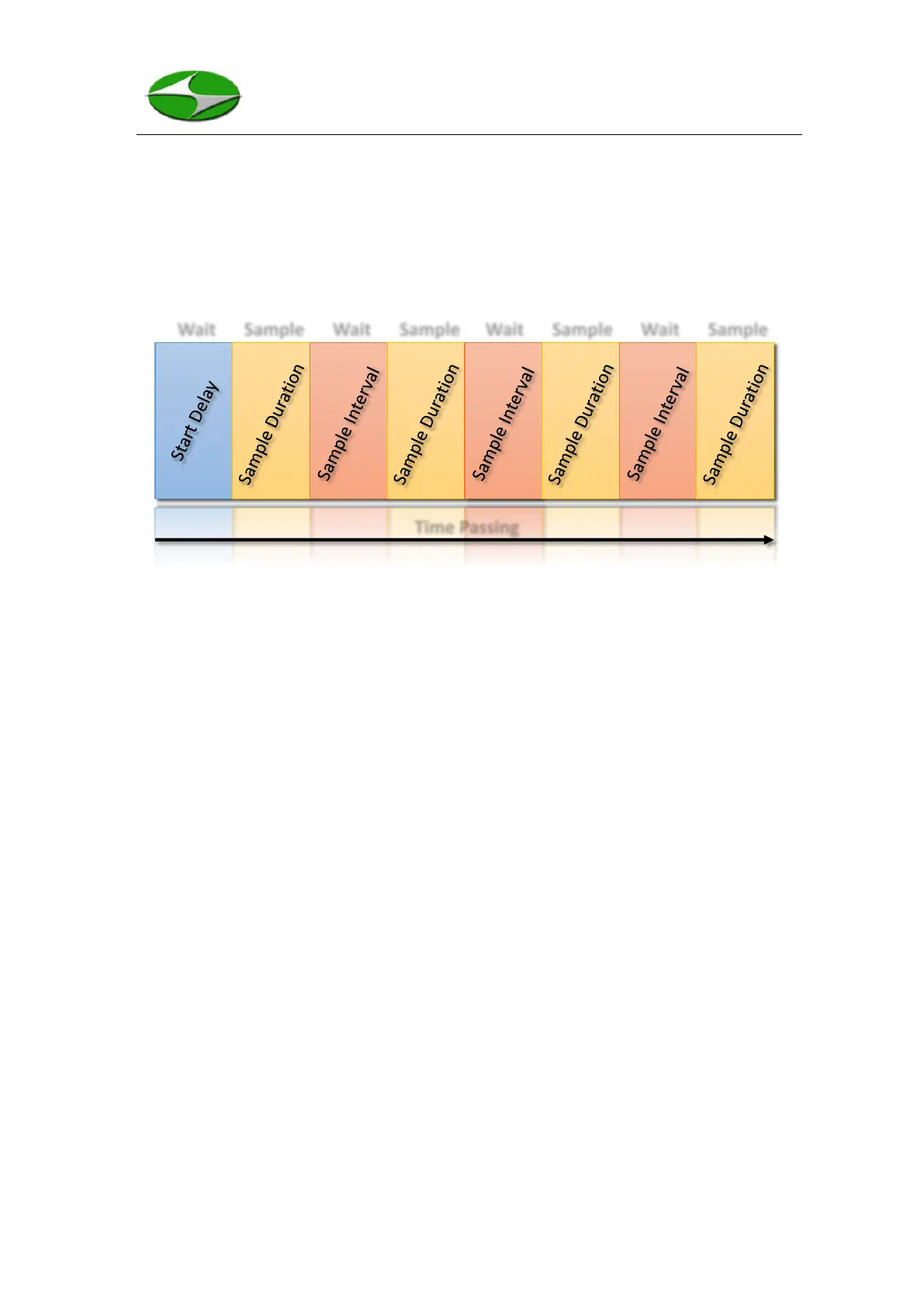
data for the Sample Duration and then counts through the Sample Interval. The Sample
Duration and Sample Interval times will be repeated for the requested number of
samples. Figure 5 specifically shows the sampling process when the unit is set to a
non-zero Start Delay and 4 samples are taken.
Figure 5: Measurement Procedure for the HPC301
The total time for an ensemble of measurements can be calculated as:
𝑇𝑖𝑚𝑒 = 𝑆𝑡𝑎𝑟𝑡 𝐷𝑒𝑙𝑎𝑦 + 𝑁𝑜. 𝑜𝑓 𝑆𝑎𝑚𝑝𝑙𝑒𝑠 𝑥
[
𝑆𝑎𝑚𝑝𝑙𝑒 𝐷𝑢𝑟𝑎𝑡𝑖𝑜𝑛 + 𝑆𝑎𝑚𝑝𝑙𝑒 𝐼𝑛𝑡𝑒𝑟𝑣𝑎𝑙
]
2.3.3 Browse Screen
Figure 6 shows the Browse Screen of the HPC301. From this screen one can navigate
to the Measure Screen by pressing the UP key, the Settings Screen by pressing the
DOWN key, or start viewing record by pressing the ENTER key. If entered, the record
displayed will be the latest record in memory. Every record will display all the parameters
shown in Figure 6. Note, the time parameters correspond to when the measurement
finished. To get the start time, simply subtract the Sample Duration.



 To Next Page