EasyManua.ls Logo

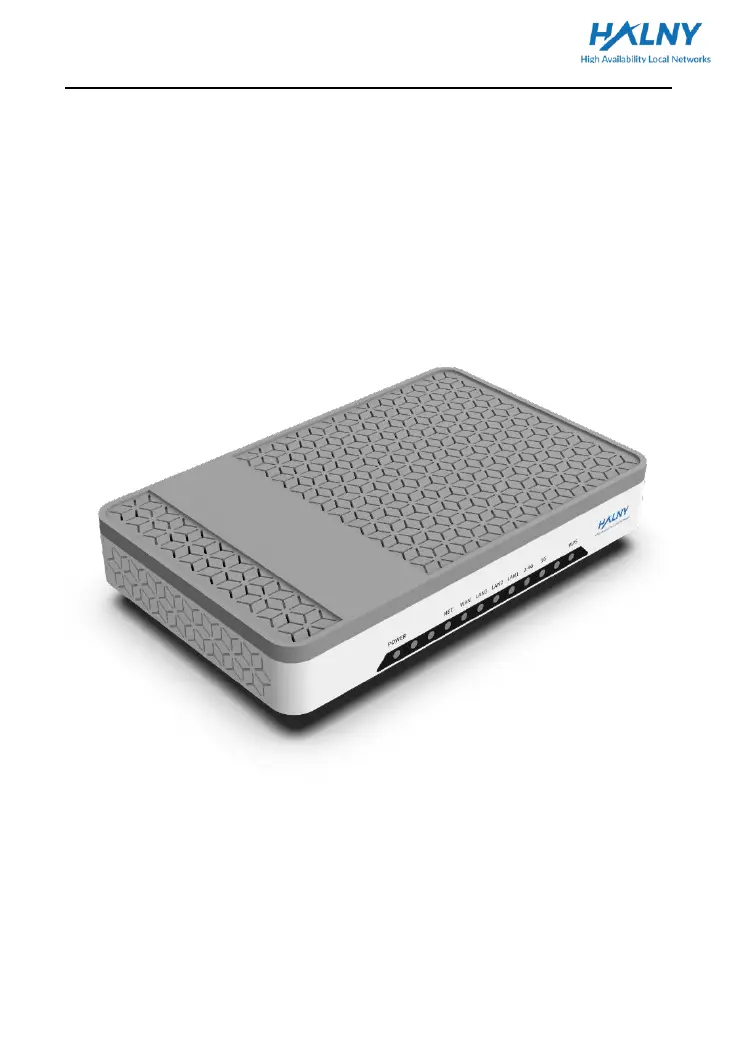
HALNy HLE-3GX-F - User Manual

HALNy HLE-3GX-F
10 pages
Print Icon
To Next Page IconTo Next Page
Loading...
Quick Installation Guide
1
Quick Installation Guide
HALNy Ethernet Router
HLE-3GX-F

Questions and Answers

  • D
    daviscarlosAug 9, 2025
    What to do if WAN LED is off on HALNy Network Router?
    • J
      jenkinssarahAug 10, 2025
      If the WAN LED on your HALNy Network Router is off, it could be due to several reasons. First, ensure that the Ethernet cable is in good condition and properly connected. Also, verify that your ISP device and network are functioning correctly.
  • A
    Adrian NguyenAug 15, 2025
    How to fix POWER LED off on HALNy HLE-3GX-F Network Router?
    • J
      Jason WilliamsAug 15, 2025
      If the POWER LED on your HALNy Network Router is off, make sure the PSU connection is correct, the PSU is working properly, and the POWER button is in the ON position.
  • O
    oloweryAug 21, 2025
    What to do if LAN LED is off on HALNy HLE-3GX-F Network Router?
    • M
      Michael StewartAug 21, 2025
      If the LAN LED on your HALNy Network Router is off, check that the device connected to the LAN port is working correctly and that its network interface is enabled. Also, verify that the Ethernet cable is in good condition and properly plugged in.
  • M
    Marvin JacobsAug 27, 2025
    Why is the 2.4G LED off on my HALNy HLE-3GX-F Network Router?
    • C
      Christopher DrakeAug 27, 2025
      If the 2.4G LED is off on your HALNy Network Router, the device may still be booting; please wait up to 5 minutes. Alternatively, the WiFi 2.4G interface might be disabled; in that case, please enable it.
  • K
    kylemurraySep 2, 2025
    Why is the 5G LED off on my HALNy Network Router?
    • A
      Arthur SmithSep 2, 2025
      If the 5G LED is off on your HALNy Network Router, it could be that the device is still booting; please allow up to 5 minutes for the process to complete. If it persists, the WiFi 5G interface might be disabled; please enable it.

Summary

Safety Guidance

Safety Check

Check essential items before installing the device, including electric safety and proper placement.

Electric Safety

Ensure no inflammable/conductive objects, check cables, and verify correct current polarity and earthing.

Device Position

Place device in well-ventilated area, away from direct sun, heat, water, and avoid sharing sockets.

Safety Caution

Read guide, use provided accessories, keep dry/ventilated, unplug during lightning, clean with dry cloth.

Overview

Features and Function

Supports 1Gbps data rates and provides LED indicators for status monitoring and troubleshooting.

Front Panel Overview

LED Status Indicators

Details the function and status of LEDs on the front panel for device and interface status.

Rear Panel Overview

Rear Panel Port Description

Describes the function of each port and button located on the rear panel of the device.

Router Installation

Wiring Connection and Power On

Steps for connecting the modem/router, other devices, and powering on the unit.

Troubleshooting

LED Status Troubleshooting

Provides solutions for common issues related to POWER, WAN, LAN, 2.4G, and 5G LEDs.

Technical Specifications

Main Technical Specifications

Details Ethernet standards, WAN/downlink speeds, ports, and Wi-Fi specifications.

Physical and Environmental Requirements

Lists power adapter input, supply, consumption, operating temperature, humidity, dimension, and weight.

Additional Information

Declaration of Conformity

Information on CE and FCC compliance, warranty terms, and importer details.

Recycling Information

Guidance on product recycling according to European directive for WEEE.

HALNy HLE-3GX-F Specifications

General IconGeneral
ModelHLE-3GX-F
CategoryNetwork Router
Wi-FiYes
Weight200 g
Wireless StandardsIEEE 802.11b/g/n
Frequency Band2.4 GHz
WAN Ports1
Antennas2x External
SecurityWPA, WPA2

Related product manuals