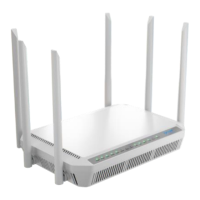
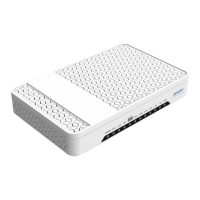
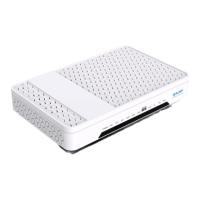
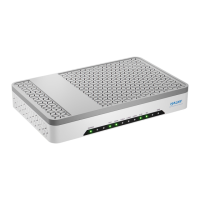
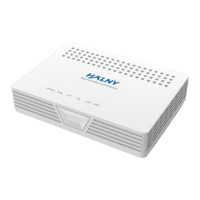
The HALNY HL-2BV is a GPON ONT (Gigabit Passive Optical Network Optical Network Unit) designed for Fiber to the Home (FTTH) and Fiber to the Building (FTTB) applications, providing high-speed data transmission and various connectivity options.
Function Description:
The HALNY HL-2BV acts as an interface between the optical network and the user's local network. It supports GPON standard ITU-T G.984.x and G.988, enabling high-speed data transfer with an uplink rate of up to 1.25Gbps and a downlink rate of up to 2.5Gbps. It connects to an Optical Line Terminal (OLT) via an optical distributor in a point-to-multipoint configuration. The device allows users to connect computers, switches, IP phones, and other Ethernet-enabled devices. It also features a POTS port for telephone services.
Important Technical Specifications:
- GPON Standard: ITU-T G.984.x and G.988
- Data Rates:
- Uplink: 1.25Gbps
- Downlink: 2.5Gbps
- Optical Interface: Single Mode
- LAN Ports:
- 1x RJ-45 10/100/1000Mbps MDI/MDIX Self-adaption (LAN1)
- 1x RJ-45 100/1000/2500Mbps MDI/MDIX Self-adaption (2.5G)
- POTS Port: 1x RJ-11 FXS (TEL1)
- Power Adapter Input: 100V~240V AC, 50Hz~60Hz
- Whole-device Power Supply: 12V DC / 2A
- Standard Power Consumption: <24W
- Operating Temperature: 0°C~45°C
- Operating Humidity: 10%~90% (non-condensing)
- Dimensions (LxWxH): 112mm x 162mm x 42mm
- Weight: <500g
- Transmission Distance: Up to 20 km
Usage Features:
- Connectivity: The device offers multiple Ethernet ports (LAN1 and 2.5G) for connecting various network devices like computers and switches. It also includes an RJ-11 port for telephone services (TEL1).
- Easy Installation: The Quick Installation Guide provides clear instructions for connecting the optical fiber, network cables, telephone line, and power adapter.
- LED Indicators: The front panel features several LED indicators (PWR, PON, LOS, TEL, 2.5G, LAN1) that provide visual status updates on power, GPON connection, optical signal loss, telephone service, and Ethernet link activity. These indicators are crucial for quick troubleshooting.
- PWR (Green): On for normal power, Off for powered off or abnormal power supply.
- PON (Green): Refer to Table 2 for detailed status (Off/Off: ONT disabled; Flash/Off: ONT registering; On/Off: ONT registered).
- LOS (Red): Refer to Table 2 for detailed status (Off/Flash: Fiber not connected properly).
- TEL (Green): On for registered VoIP account, Blink for phone call, Off for deactivated port or unregistered VoIP account.
- LAN1/2.5G (Green): On for normal Ethernet connection, Blink for data transmission, Off for failed Ethernet connection.
- Reset Button: A reset button on the rear panel allows users to reboot the ONU and restore factory default configurations by pressing it for 10 seconds.
- Power ON/OFF Button: A dedicated button on the rear panel to turn the power supply on or off.
- Ventilation: Designed for well-ventilated environments to prevent overheating, ensuring stable operation.
- Safety Guidelines: Emphasizes electric safety, proper device positioning (avoiding direct sunlight, heat, water, and PC cases), and cautions regarding handling optical interfaces and power connections. Users are advised to wear safety glasses when dealing with the optical interface to protect against laser exposure.
Maintenance Features:
- Troubleshooting Guide: The manual includes a troubleshooting section that helps users diagnose common issues based on LED indicator status. For example, if the POWER indicator is off, users are advised to check power connections and the power adapter. If the LOS indicator is on, checking the optical fiber cable insertion and cleanliness of the connector is recommended.
- Cleaning: Users are instructed to clean the device using a soft and dry cloth, not liquids or atomizers, and to power off the device before cleaning.
- Ventilation Maintenance: Keeping ventilation holes clean is crucial to prevent short circuits and device damage.
- Fiber Optic Care: Important cautions are provided for handling optical fibers, including covering unused optical interfaces with dust caps, preventing grease, dust, or water immersion, and avoiding overtightening or extrusion of fibers during cabling to prevent damage and signal loss.
- Environmental Compliance: The device bears the WEEE (Waste Electrical and Electronic Equipment) selective sorting symbol, indicating it must be handled according to European directive 2012/19/EU for recycling or dismantling, minimizing environmental and health impacts.


 To Next Page
 General