HALNy HL-2BV Quick Installation Guide
4
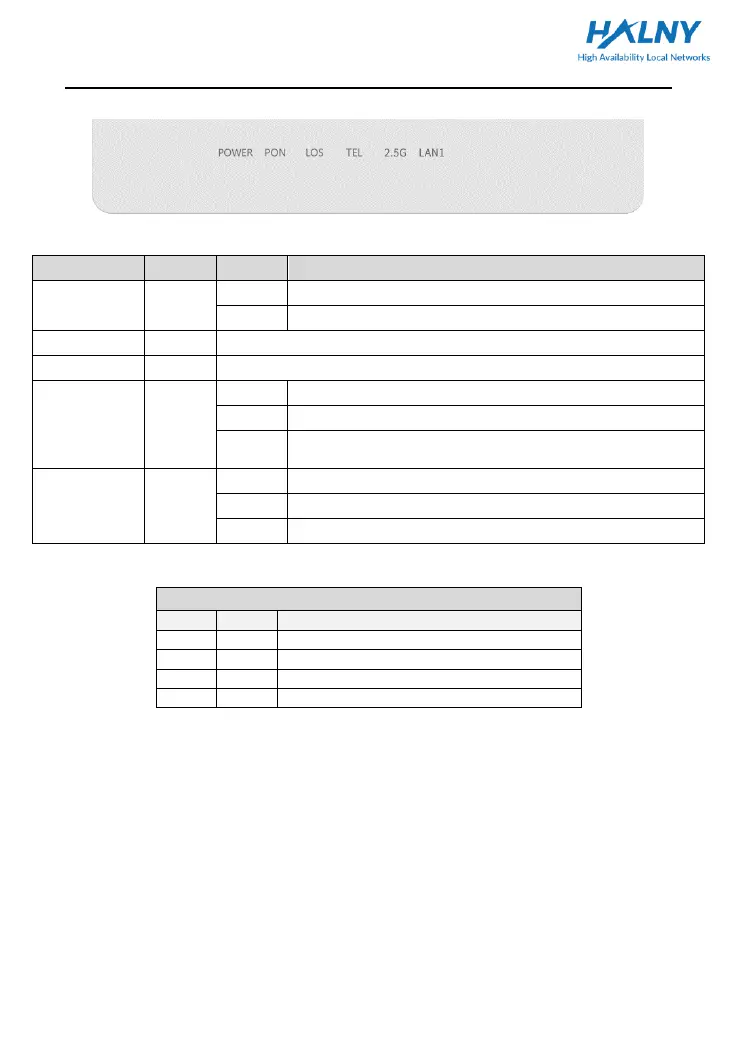
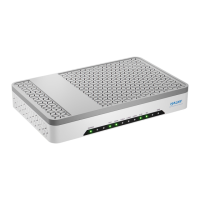
2.2.1 Front Panel
Fig. 1 - Front Panel
The power works normally.
Powered off or the power supply is abnormal.
Refer to Table 2: “PON LED Status Instruction”
Refer to Table 2: “PON LED Status Instruction”
The connection of Ethernet interface is normal.
Data is being transmitted through the Ethernet interface.
The connection of the Ethernet interface fails to
establish.
Voip account is registered
Port deactivated or Voip account is unregistered
Table 1. ONU LED Indication Table
Table 2.PON LED Status Instruction
PON LED Status Instruction
The ONT is disabled by the OLT
The ONT is registering to the OLT
The ONT has already registered to OLT
The fiber is not connected properly


 To Next Page