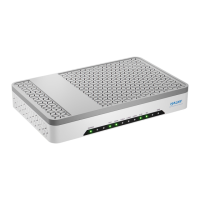
HALNy HL-2BV Quick Installation Guide
8
3.3.3 Connecting the Power Adapter and Power Cord
⚫ Connect the output end of the power adapter included in the device package to
the input end of the power supply of the ONU ,
⚫ Insert one end of the power cord attached with the device into the input end of
the power adapter. Insert the other end of the power cord into the power socket,
⚫ Check whether the Power indicator is on. If it is on, the power supply is normal.
Otherwise, check whether the power cord and the power adapter are correctly
connected.
4 Troubleshooting
The POWER
indicator is not on
Check whether the power connection is correct,
Check whether the power adapter matches the
device.
The PON indicator is
not on
Check whether the SN of ONU matches OLT,
Check whether the optical attenuation is in the normal
range.
The LOS indicator is
not on
Check whether the optical fiber cable is properly
inserted,
Check whether the optical fiber connector is clean.
The LAN / 2.5G
indicators are not on
Check whether the PC NIC is enabled,
Check whether the network cables included in the
device package are used,
Check whether the network cable connection is
normal,
Check whether the indicator of the network adapter is
on,
Check whether the network adapter works in the
normal state.


 To Next Page