5
For use on the PS3:
Connect the headsets as previously using Bluetooth
or directly to the console via USB.
II. General assignment
(key- & optimisation settings)
Key programming (for experienced users):
1. Select an available configuration profile:
The function keys (F1-F12) allow you to save various
key conguration proles. The factory setting of
the keyboard is automatically set to F1, which is
the only prole that is pre-assigned and can not be
changed. To assign the keys individually, select one
of the 11 conguration proles available (F2-F12)
Up to 11 different conguration proles can be
saved at any given time.
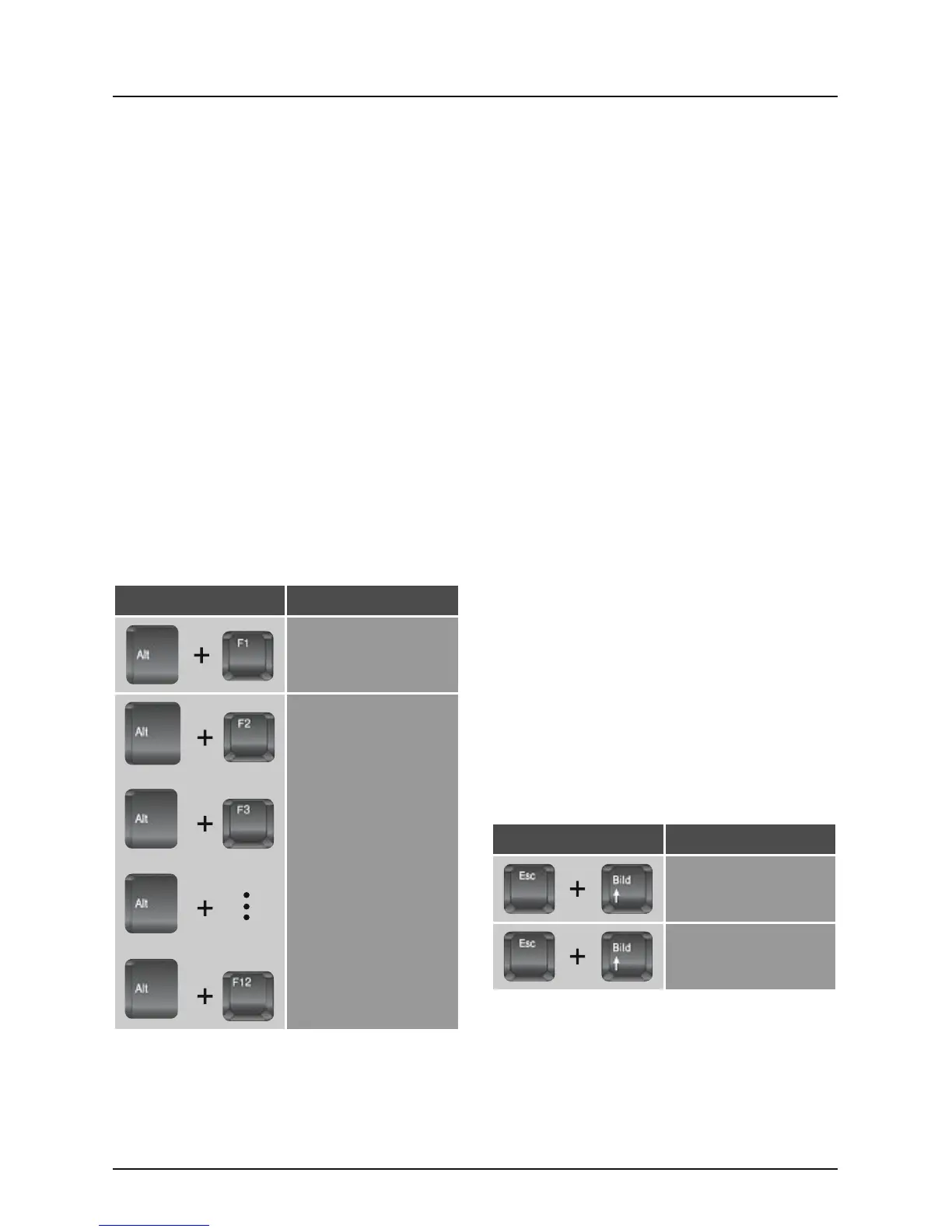
To switch to one these proles, type “Alt” and
the respective function key together:
Shortcut Function
Standard Prole
Programmable proles
2. Changing key configuration
(only possible for programmable proles 2-12)
2.1 Press and hold the “Esc” key until you get to
Section 2.4 in these instructions
2.2 Tap the key whose standard layout should be
reassigned lightly and briey (the LED “P” on
the converter should light up)
Info:
• No matter how much you reprogram, during the
programming, all functions in all channels are
always on factory setting (see illustration of the
factory setting).
• The assignment of the functions works on all
standard keys of the keyboard (but not macro,
multimedia, F-keys or ESC) and on standard
buttons of the mouse (left, right, middle and the
“Back” and “Forward” buttons, which are mostly
found on side of the mouse).
2.3 Press the desired target key
2.4 Now release the “Esc” key. The key is now
re-assigned.
III.Mouse settings
1. Inverting the mouse movement on the
Y-axis
Shortcut Function
Inverted Y-axis
Deactivates inverted
Y-axis


 To Next Page