6
Note –Time zone
•The DCF signal can be received over long distances, but always transmits the current
Central European Time in Germany.Make sureyou account for the time difference in
countries in other time zones.
•Ifyou areinMoscow,the time is 3hours later than in Germany.This means that you
should set +3 for the time zone. The clock then sets the time automatically to 3hours
ahead after receiving the DCF signal or according to the manually set time.
•Brieypress the ALARM ON/OFF SETTINGS button (7) to switch between the time at the
location and the time in the set timezone.
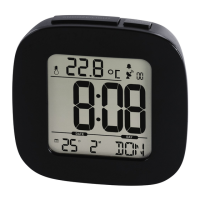
Youcan identify that the time for the set timezone is displayed by
the ZONE symbol on the left.
6.3. Alarm clock
Note –Alarm clock
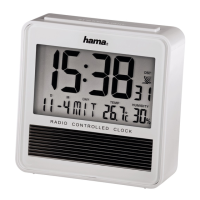
The radio-controlled alarm clock has two congurable alarm times, aweekday alarm (1 to 5)
and aweekend alarm (6 to 7). The date is displayed in the top right display eld (2) immediately
after you insert the batteries. To go to the alarm time display,press the –button (5).
Setting the alarm time
•Press and hold the SET ALARM TIME button (8) for approx. 3seconds to go to alarm
mode. The display for the weekday alarm (1 to 5=MOtoFR) and the hours for the weekday
alarm begin to ash.
•Press the +/DCF button (6) or the –button (5) to select the hours for the alarm time, and
conrm your selection by pressing the SET ALARM TIME button (8). The minutes display
begins to ash.
•Repeat the process to set the minutes for the alarm time.
•Ifyou press the SET ALARM TIME button (8), the display for the weekend alarm (6 to 7=
SA to SU) and the hours for the weekend alarm begin to ash.
•Repeat the process used for the weekday alarm to set the alarm time.



 To Next Page