4
6. Operation
Note
Hold down the -button (5) or the +/DCF button (6) to select the values faster.
6.1. Automatic date/time setting using the DCF radio signal
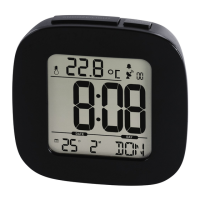
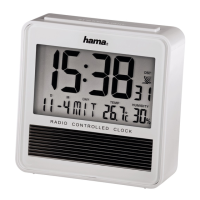
•Once you have inserted the batteries, the display is switched on, an acoustic signal sounds
and the alarm clock automatically starts searching for aDCF radio signal. During the search,
the radio symbol ashes. This process can take 2to5minutes.
•When the wireless signal is received, the date and time areautomatically set.
Display Searching for the DCF signal
Display ashing
Active
Display steady
Successful -signal reception
Not displayed Inactive –nosignal reception
Note –Time settings
• If,during initial setup of the device, no DCF radio signal is received within the rst few
minutes, the search is aborted. The radio icon (4) will go out.
• If thereare reception problems, we recommend leaving the clock to sit overnight, since
interference is generally less at night.
• In the meantime, you can start amanual search for the DCF radio signal at another location
or you can manually set the time and date.
•The clock automatically continues to search for the DCF signal on adaily basis (at 1amand
5am). If the signal is received successfully,the manually set time and date areoverwritten.



 To Next Page