6
4.1 Navigation and controls
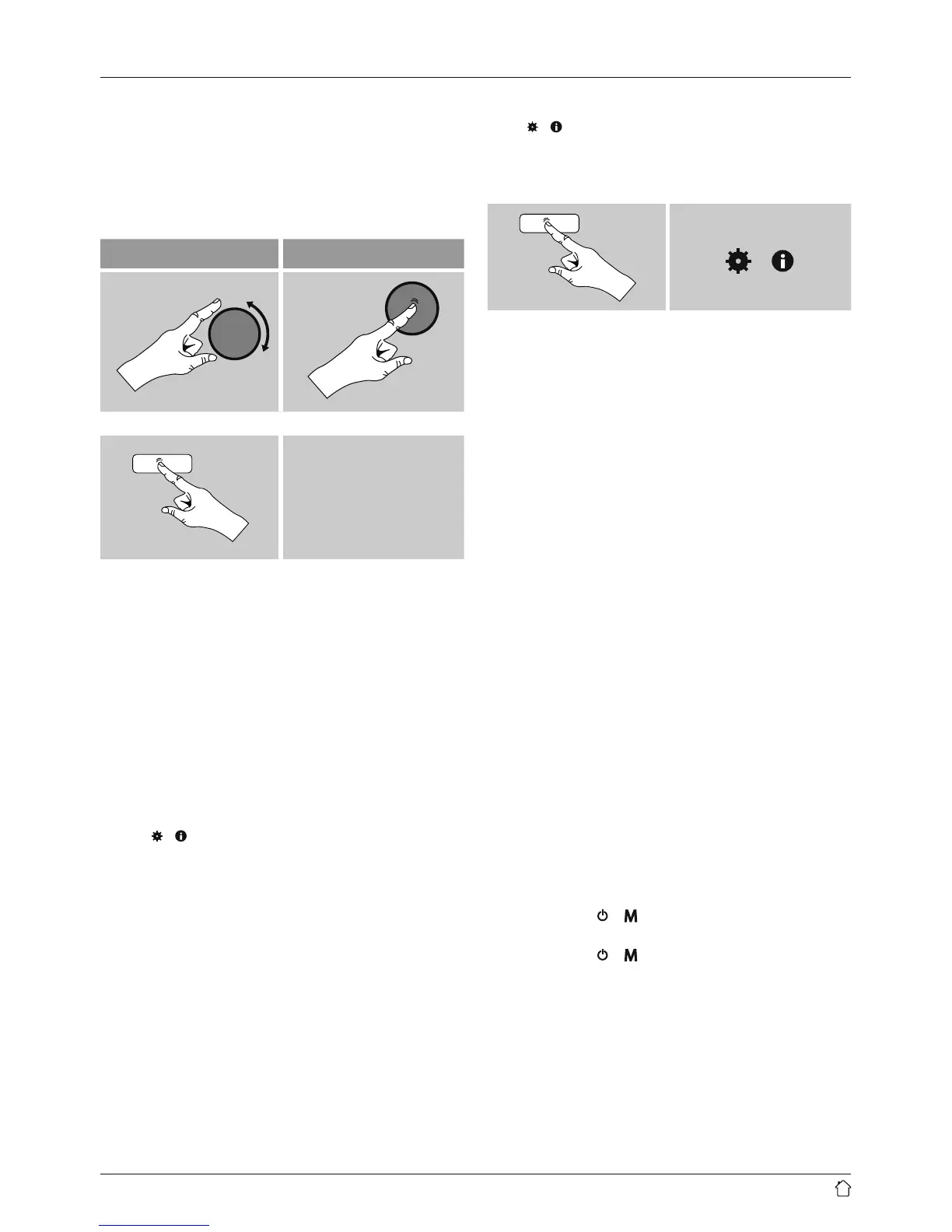
• Select among menu items by turning [ENTER/
NAVIGATE].
• Conrm the selection by pressing [ENTER/NAVIGATE].
This procedure is indicated in these operating instructions
by the following symbols:
selection (navigate) conrmation (enter)
Some features can
be accessed by means
of shortcut buttons.
Pressing shortcut
buttons is indicated
here by this symbol.
After pressing a shortcut button, navigate amongst the
menu items using [ENTER/NAVIGATE].
4.2 Entering passwords, search terms, and so on
• Select each successive letter and digit by turning
[ENTER/NAVIGATE] and conrm each selection
by pressing [ENTER/NAVIGATE].
• To make corrections, select BKSP and conrm.
The last input made is deleted.
• To cancel input, select CANCEL and conrm.
• Once your input is complete, select OK and
conrm to nish.
• Press [
]/[ ] to jump directly to the BKSP/
OK/ CANCEL elds.
4.3 Additional information
Press [ ]/[ ] to display context-dependent additional
information. The information shown depends on the
operating mode as well as the current selection of
radio station, music le,etc.
[ ]/[ ]
• Description
Indicates the radio station, the current program,
contents, subjects, etc.
• Program Genre/country
Indicates the Genre (music style) and the country
or region of the station.
• Reliability
• Bit-Rate
The currently received digital bit rate of the received
station is displayed.
• Codec
Species the encoding scheme used to digitise the
data or signal (such as MP3 or WMA).
• Sampling rate
Species the sampling rate, or the frequency with
which the audio signal is polled (Sampling-/
Samplerate), in a certain period of time.
• Signal strength
The signal strength of the received station is
displayed via a bar and its length.
• Today’s date
• Artist
• Album
• Folder
• Path
Species the directory path at which the le
currently being played back is saved.
4.4 Switching on/off / Standby
• Press and hold [
]/ [ ] on the device for
approximately 3 seconds to switch on the radio.
• Press and hold [
]/ [ ] on the device for
approximately 3 seconds to switch off the radio
(standby).


 To Next Page