2
G Operating instruction
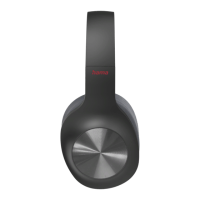
Controls and Displays
1. Voice Assistant button
2. 3.5-mm AUX input
3. Micro-USB charging socket
4. Microphone
5. Multifunction button (MFB): Power /Play /Pause /Call
acceptance
6. LED function indicator
7. Volume -/Previous song
8. Volume +/Next song
Thank you for choosing aHama product.
Take your time and read the following instructions and information
completely.Please keep these instructions in asafe place for
futurereference. If you sell the device, please pass these operating
instructions on to the new owner.
1. Explanation of Warning Symbols and Notes
Warning
This symbol is used to indicate safety instructions or to draw your
attention to specichazards and risks.
Note
This symbol is used to indicate additional information or
important notes.
2. Package Contents
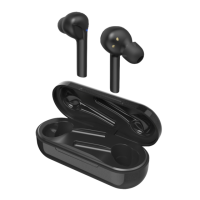
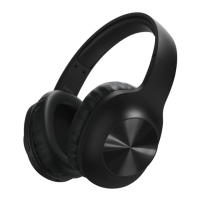
•1xBluetooth
®
stereo headphones
•1xMicro-USB charging cable
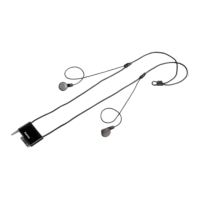
•1x3.5-mm stereo AUX cable with microphone
•These operating instructions
3. Safety Notes
•The product is intended for private, non-commercial use only.
•Use the product for its intended purpose only.
•Protect the product from dirt, moistureand overheating, and
only use it in adry environment.
•Donot use the product in the immediate vicinity of heaters or
other heat sources or in direct sunlight.
•Donot drop the product and do not expose it to any major shocks.
•Donot operate the product outside the power limits given in
the specications.
•Donot open the device or continue to operate it if it becomes
damaged.
•Since the battery is integrated and cannot be removed, you will
need to dispose of the product as awhole. Do this in compliance
with the legal requirements.
•Dispose of packaging material immediately according to locally
applicable regulations.
•Donot modify the product in any way.Doing so voids the
warranty.
•Donot attempt to service or repair the product yourself.Leave
any and all service work to qualied experts.
Warning –Battery
•Only use suitable charging devices or USB connections for
charging.
•Asarule, do not charge devices or USB connections that are
defective and do not try to repair them yourself.
•Donot overcharge the product or allow the battery to
completely discharge.
•Avoid storing, charging or using batteries in extreme
temperatures.
•When stored over along period of time, batteries should be
charged regularly (at least every three months).
Warning –High volumes
•High sound pressurelevel!
•Thereisarisk of hearing damage.
•Toprevent hearing loss, avoid listening at high volume levels
for long periods.
•Always keep the volume at areasonablelevel. Loud volumes,
even over short periods, can cause hearing loss.
•Using this product limits your perception of
ambient noise. Forthis reason, do not
operate any vehicles or machines while
using this product.
4. Getting Started
•The headphones areequipped with arechargeablebattery.
The battery must be fully charged beforeusing the device for
the rst time.
•Ensurethat the headphones areswitched off beforecharging.
•Begin charging by connecting the included USB charging cable
to the charging socket (3) as well as to the USB connection
of aPC/laptop.
•Alternatively,you can charge the headphones using asuitable
USB charger.Please refer to the operating instructions for the
USB charger used.
•The LED (6) is constantly lit redduring charging.
•Ittakes around 3hours until the battery is completely charged.
•Once the charging process is complete, the LED (6) is lit blue.
•Disconnect all cable and mains connections after use.
Note
•The Bluetooth
®
connection is not available during charging.
•Ifthe battery level is low,avoice says, ‘Low Battery’.
The message is repeated twice at 5-minute intervals
(approximately) beforethe headphones automatically switch
off.The LED indicator (6) begins to ash red. Connect the
headphones to asuitable USB port using the charging cable,
in order to recharge the battery.



 To Next Page