9
INSIDE OF COFFEEMAKER:
Follow steps 1–5 in “Cleaning With Vinegar.”
WATER FILTER:
Remove the water filter from the water reservoir and wash by hand with warm, soapy water.
COFFEE TANK FILTER SCREEN:
The coffee tank filter screen cannot be removed. To clean, run water through the top and bottom of
the tank. Check for leaks.
OUTSIDE OF COFFEEMAKER:
Wipe outside with a soft cloth and warm, soapy water. Do not use abrasive cleaners, since they will
scratch the finish of the product.
w WARNING
General Cleaning Instructions
Shock Hazard. Do not immerse
cord, plug, or coffeemaker in any
liquid.
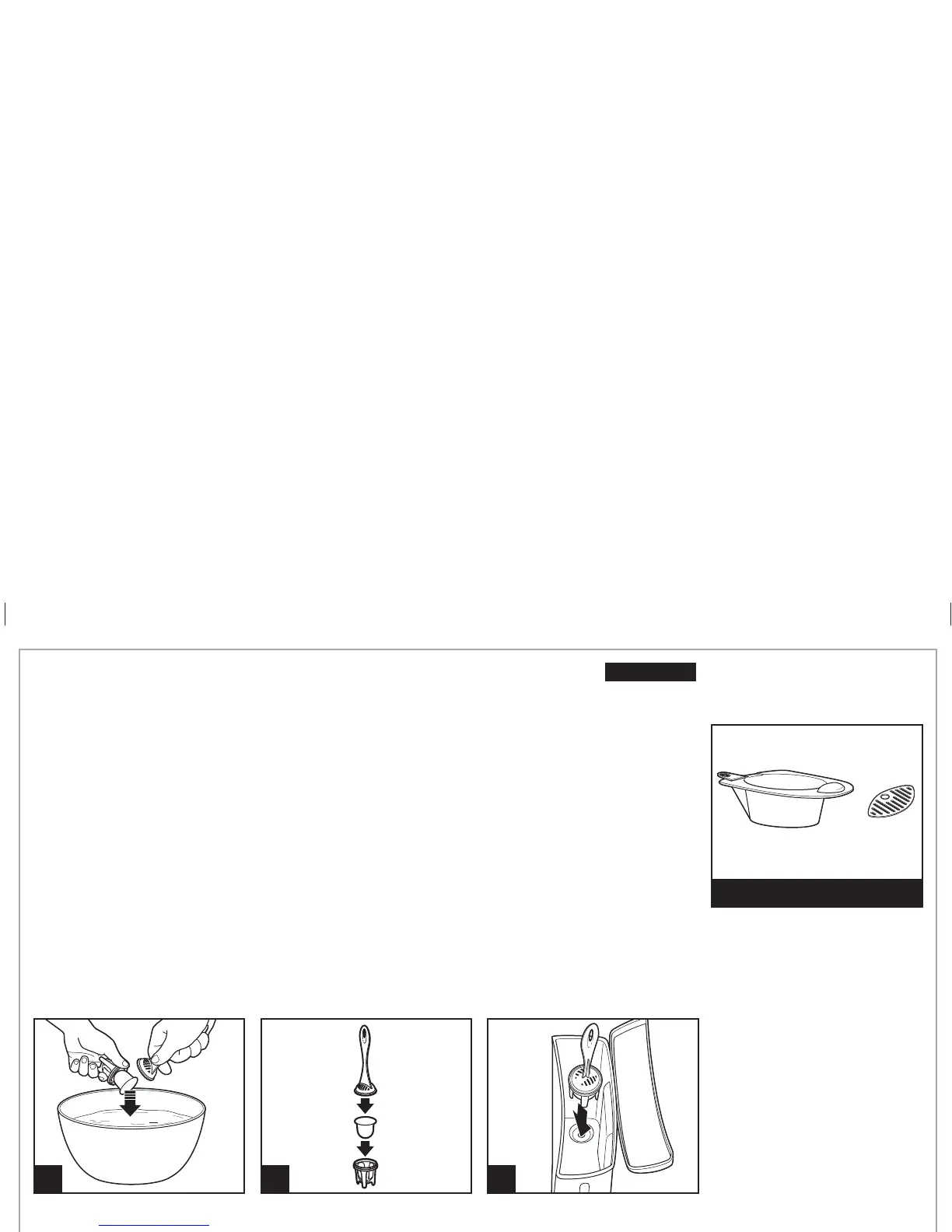
Water Filter
(optional accessory)
2
3
Water Filter (Optional Accessory)
If using a water filter, it should be
replaced every 60 cycles for best
tasting coffee.
For better tasting coffee, use a water filter.
Filter replacement is recommended every 60 cycles.
To Order a Water Filter Call:
1.800.851.8900 (U.S.)
1.800.267.2826 (Canada)
01.800.71.16.100 (Mexico)
or visit hamiltonbeach.com
hamiltonbeach.ca
1
15 min.
DISHWASHER-SAFE
DO NOT use the “SANI” setting
when washing in the dishwasher.
“SANI” cycle temperatures could
damage your product.
840213200 ENv02.indd 9840213200 ENv02.indd 9 3/30/12 2:43 PM3/30/12 2:43 PM





 To Next Page