EN © 2024 mPTech. All rights reserved. HS2403_HS2403e
25
8.2 Disabling and deleting the profile
To disable the eSIM card's profile, go to [Settings] > [Mobile
Network/eSIM] > [
eSIM card's operator name
] expand advanced
options, then in the [Operator] tab go to the settings icon and select
Disable/Enable. Once the card is disabled, the coverage icon will
disappear from the top bar.
To remove the selected eSIM card profile completely, select Delete.
9. SIM card installation
Opening the SIM card slot
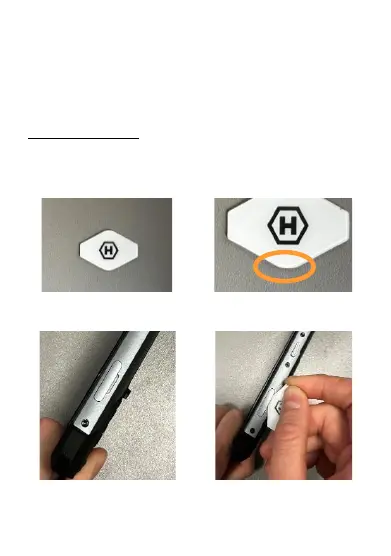
In the box there is a special tool (fig. 1) that makes it easier to open
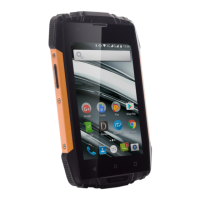
the SIM card slot. Always use the bottom edge of the tool to pry the
tray open (fig. 2).
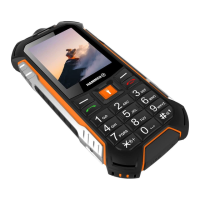
In the slot next to the SIM card slot (fig. 3), insert the bottom edge of
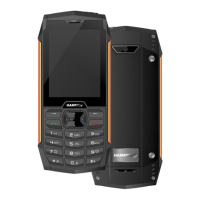
the tray eject tool (fig. 4).
At the end, it is enough to slightly pry it (fig. 5) and it's ready.



 To Next Page