EN © mPTech. All rights reserved. HAMMER CONSTRUCTION
36
or application You can change its function using the settings menu.
10. Using the touch screen
The smartphone's touchscreen makes it easy to select items, perform
operations and gestures. The
touchscreen can be controlled by the
following actions:
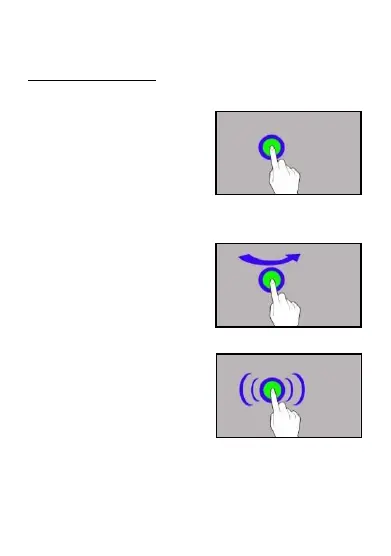
10.1. Touch
Touch one to start options, app,
menu.
10.2 Swipe
Quickly swipe up, down, to the left or
to the right, to scroll the list or the
screen.
10.3 Triple click
Quickly tap the screen three times to
start zooming - if this option is
enabled in your smartphone settings.


 To Next Page
 Loading...