EN © mPTech. All rights reserved. HAMMER CONSTRUCTION
37
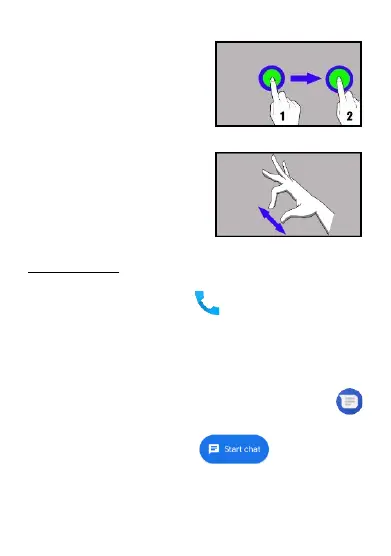
10.4 Hold and swipe
Touch an element (an icon perhaps)
and hold it for about 1 seconds. Then
you can delete/uninstall that
element.
10.5 Slide in and out
Touch the screen with two fingers
and slide them together or apart to
zoom in or out a photo or a map.
11. Communication
11.1 Making calls
To make a call touch [Phone] icon placed on the main screen or
in Android applications menu. Insert the phone number you wish to
call. Press "green handset" placed at the bottom of the screen and
choose which SIM card you wish to use.
11.2 SMS - Messages
You can manage your messages using the [Messages]
application in the home screen or smartphone menu. Start the
application and touch the icon , type the phone
number, name of the contact or select a contact from the list. When
you have chosen the contact a screen will appear where you type the
message itself. Type the message body.



 To Next Page
 Loading...