A) Aktivierung des Computers aus dem Schlummermodus.
Um den Computer aus dem Schlummermodus zu aktivieren, drücken
Sie irgendeine Taste. Ein Treten bewirkt keine Aktivierung.
Anmerkungen:
B) Vorgabewerte
Vorgabewerte: Nach Erreichen des Vorgabewertes, ertönt ein
Signalton und der Computer stoppt das Training.
C) Recovery
Bei Trainingsende „RECOVERY“drücken und mit Treten aufhören. Der
Computer misst 60 Sekunden lang Ihren Puls. Bei einer Pulsdifferenz
von ca. 20% erhalten Sie die Note F1 (sehr gut).
Mit beiden Händen die Handpulssensoren halten oder einen Brustgurt
verwenden.Der Computer zeigt Ihren aktuellen Pulswert an.
B.Drücken Sie RECOVERY, um den Pulserholungstest zu beginnen
und das Computerprogramm wechselt in den Stoppstatus.
C. Halten Sie die Pulserkennung aufrecht.
D.Zeit wird von 60 Sekunden auf 0 Sekunden heruntergezählt.
E. Wenn die Zeit 0 erreicht, erscheint das Testergebnis (F1-F6) auf
dem Display.
F1 = ausgezeichnet F2 = gut F3 = ausreichend
F4 = unterdurchschnittlich F5 = nicht gut F6 = schlecht.
Bluetooth Verbindung für die Kinomap-App.
Laden Sie Kinomap aus dem Apple Store oder Google Play Store
herunter und installieren Sie diese.
Öffnen Sie die Bluetooth-Funktion auf Ihrem Gerät (Telefon
oder Ipad). Zu Beginn kommt die Geräteauswahl. Wählen Sie
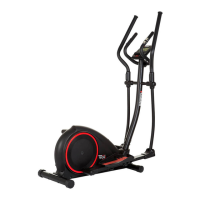
Crosstrainer.
Wählen Sie in der App unter „Brand directory „ FitShow“ oder
„Hammer“ den Crossy BT.
Öffnen Sie die Bluetooth-Funktion auf Ihrem Gerät (Telefon oder
Ipad). Folgen Sie nach dem Einloggen den Anweisungen in der APP.
A) Waking up the computer from the snooze mode.
To reactivate the computer from the snooze mode, press any button,
please. A pedalling has no function in this mode.
Remarks:
B) Setting values
Target values: After achieving the target values, there will be a beep
and the computer will stop counting.
C) Recovery
After you nished your exercise press RECOVERY and stop pedalling.
The computer will measure the heartrate for the next 60 seconds. If
the difference between the starting and end heartrate is around 20%,
you will get the grade F1 (very good).
Both your hands hold the pulse sensor or via wireless transmitter
belt to test the pulse, the computer will display your current pulse
value.
B.Press RECOVERY to enter the pulse recovery test and the computer
program will enter the stop status.
C.Keep pulse detecting.
D.Time will count down from 60 seconds to 0 second.
E.When time reaches 0, the test result (F1-F6) appears on the display.
F1=Excellent F2=Good F3=Fair F4=below average F5= No Good F6=
Poor
Bluetooth for Kinomap app connection.
Download and install Kinomap from the apple store or google play
store.
Open the Bluetooth function on your device (phone or Ipad).
Choose Crosstrainer in the item selection.
To connect Kinomap you just simply select Fitshow or Hammer and
choose Crossy BT at the brand selection page. Choose
After log in, follow the instruction in the APP.
15



 To Next Page