EasyManua.ls Logo

HAMPTON BAY 7134-01 - User Manual

HAMPTON BAY 7134-01
26 pages
Print Icon
To Next Page IconTo Next Page
Loading...
1
Item #1001-419-055
Model #7134-01
USE AND CARE GUIDE
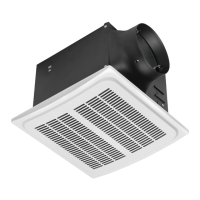
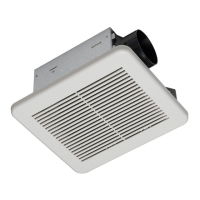
NO CUT HUMIDITY SENSING VENTILATION FAN
Questions, problems, missing parts? Before returning to the store,
call Hampton Bay Customer Service
8 a.m. - 7 p.m., EST, Monday-Friday, 9 a.m. - 6 p.m., EST, Saturday
1-855-HD-HAMPTON
HAMPTONBAY.COM
THANK YOU
We appreciate the trust and confidence you have placed in Hampton Bay through the purchase of this ventilating bath fan. We strive to
continually create quality products designed to enhance your home. Visit us online to see our full line of products available for your home improvement needs.
Thank you for choosing Hampton Bay!

Questions and Answers

  • M
    Melissa HarmonAug 5, 2025
    Why is my HAMPTON BAY Fan so loud?
    • K
      Kelli EvansAug 5, 2025
      Several factors can cause your HAMPTON BAY Fan to be louder than expected. First, ensure the CFM rating matches your room's square footage. Check the damper to make sure it opens and closes correctly; if damaged, contact Customer Service. Avoid sharp bends in the duct closer than 18 inches to the fan discharge, and use the recommended duct size to reduce noise. Finally, confirm the fan is securely attached to the ceiling joists.
  • D
    douglasgreenAug 14, 2025
    What to do if my HAMPTON BAY Fan is not clearing the room?
    • J
      James RoseAug 14, 2025
      If your HAMPTON BAY Fan isn't clearing the room effectively, it could be due to insufficient airflow intake. Ensure a door or window is slightly open to allow airflow, as the fan needs enough air to draw from. Also, make sure the CFM rating on the fan matches the requirements for your room size.
  • A
    Allison Wagner PhDAug 25, 2025
    Why does my HAMPTON BAY Fan keep running after humidity drops?
    • T
      Trevor LopezAug 25, 2025
      If your HAMPTON BAY Fan continues to run even when the humidity is below 60% RH, it could be due to a sensor tolerance of +/-10% RH. It's also possible that the fan has a built-in 10-minute delay after the humidity level drops. You can turn the fan off when it is not needed.

Summary

Safety Information

Product Specifications

Typical Installation

Wiring Diagram

Warranty

Pre-installation

Planning Installation

Steps to prepare for product installation, including checking parts and location suitability.

Tools Required

List of necessary tools that are not included with the product for installation.

Package Contents

Details the components and hardware included in the product packaging.

Installation - New Construction

Remove the wiring box knockout

Procedure for removing the knockout from the fan housing's wiring box cover.

Fan housing placement

Guidance on positioning the fan housing next to a ceiling joist or wall stud.

Mount the fan housing

Instructions for securing the fan housing to the ceiling joist using screws.

Connect house and fan wires

Steps for wiring the fan to the house electrical system using a quick connector.

Install the duct

Instructions for connecting and securing the 4-inch duct to the fan housing.

Install the grille

Procedure for attaching the fan grille to the fan housing.

Installation - Existing Construction

Remove the existing fan

Steps for safely removing the old fan unit from the ceiling.

Measure the ceiling opening

Guidance on measuring the existing ceiling opening for fan compatibility.

Enlarge the opening (optional)

Instructions for cutting or adjusting the ceiling opening if needed.

Remove the fan motor assembly

Procedure for detaching the motor assembly from the fan housing.

Remove the wiring box knockout

Steps to remove the knockout from the fan housing's wiring box cover.

Connect house and fan wires

Steps for wiring the fan to the house electrical system using a quick connector.

Install the duct

Instructions for connecting and securing the 4-inch duct to the fan housing.

Insert the fan housing

Guidance on fitting the fan housing into the existing ceiling opening.

Mount the fan housing to the joist

Instructions for securing the fan housing to the ceiling joist.

Reattach the motor assembly

Procedure for reconnecting the motor assembly to the fan housing.

Install the grille

Procedure for attaching the fan grille to the fan housing.

Humidity Sensor Operation

Humidity sensing mode

How the fan operates automatically based on room humidity levels.

Full speed mode

How to manually set the fan to operate at its highest speed.

Fan off

Instructions for turning the fan completely off.

Care and Maintenance

Troubleshooting

HAMPTON BAY 7134-01 Specifications

General IconGeneral
BrandHAMPTON BAY
Model7134-01
CategoryFan
LanguageEnglish

Related product manuals