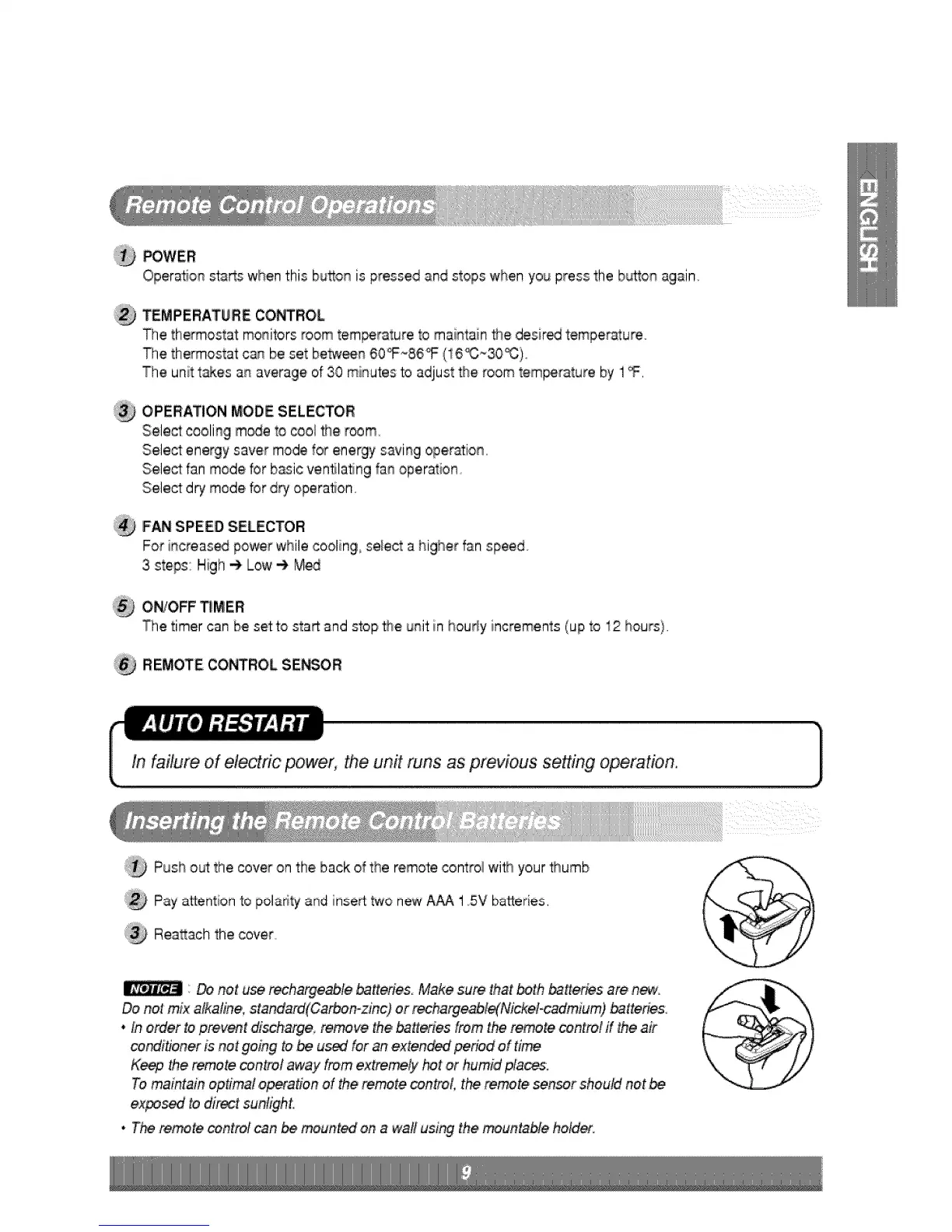
_WER
Operation _a_s when this bu_on is pressed and stops when you press the b_on aglain
TEMPERATURE CO_ROL
The thermostat: monitors room tem_rature to maintain _e desir_ temperature°
The thermostat can be set be_n 60_86°F (16_~30_:).
The unitt_es an average of 30 mi_qutesto adjust the room t,em_rature by 1_.
OPERATION MODE SELECTOR
Select cooling m_e to cool #_eroom.
Select energy saver mode for energy saving opie_io_,
Select fan mode br b_sic venNating fa_ operation
Select d_ mode for dry opera_on
FAN SPEED SELECTOR
For i_qcreas_ power whilecooling select a higher fan speed
3 steps: High _ Low -_ M_
O_O,FF _!MER
The timer can be setto start and stop the unit in hourly increments (up to 12 hours}.
REMOTE CONTROL SE_OR
Push out:the cover on the back o_the remote control wi_ your _umb
Pay attention to pola¢ityand insert two newA_ 15V batteries.
Rea_ach the cover.
'__ not u_ rech,argeable,ba,_eries Make sure that _th _Her_s are ni_.
Do net mix afkafine, standard(Carbo,n-_nc) or _ha_e_le{Nickel-cadmiium) _tteries.
. Inorder toprev_t di_hi_ge, remove the _tt_°ies from the re.re control if the air
condi#oner is not going to,be us_ for an'exte#_ pe_d of :time
Keep _e re_te cont_l away from extremeS, hot or humid fflace&
Tomaintain optimal o_ation of _e remote _ntrol the remote sensor shoutd not be
expo_ to direct sunligh,t,
• The re.re centre] can be mounted on a wall using the _untablie holds.



 To Next Page