EasyManua.ls Logo

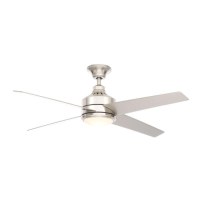
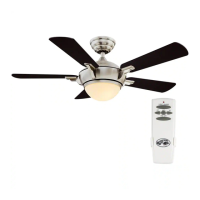
HAMPTON BAY MENA HUGGER 92402 - User Manual

HAMPTON BAY MENA HUGGER 92402
26 pages
Print Icon
To Next Page IconTo Next Page
Loading...
Item #
xxxx xxx xxx
Model #92402, 92403
UL Model 54-MENA
USE AND CARE GUIDE
MENA HUGGER 54-INCH CEILING FAN
THANK YOU
We appreciate the trust and condence you have placed in Hampton Bay through the purchase of this ceiling fan. We strive to continually create
quality products designed to enhance your home. Visit us online to see our full line of products available for your home improvement needs.
Thank you for choosing Hampton Bay!
To view an instructional video on how to install this product:
1. Go to www.homedepot.com and enter either the Item or Model number, found in the top
right corner of the cover of this instruction manual, in the search eld.
2. Click on your product from the list of search results and click on the video link in the
“Product Overview” section.
Questions, problems, missing parts? Before returning to the store,
call Hampton Bay Customer Service
8 a.m. - 7 p.m., EST, Monday-Friday, 9 a.m. - 6 p.m., EST, Saturday
1-855-HD-HAMPTON
HAMPTONBAY.COM

Questions and Answers

  • S
    Steven MartinAug 7, 2025
    What to do if my HAMPTON BAY Fan will not start?
    • K
      Kimberly WhiteAug 7, 2025
      If your HAMPTON BAY Fan won't start, here are a few things to check: * First, check the main and branch circuit fuses or breakers. * Next, check the line wire connections to the fan and the switch wire connections in the switch housing. * Also, verify the battery in the remote control is working. * Make sure you are within the normal operating range of 10-20 feet for the remote. * Finally, turn off the power supply before checking the dip switch settings.
  • H
    Harold LangAug 17, 2025
    Why is my HAMPTON BAY MENA HUGGER 92402 Fan so noisy?
    • A
      Anthony GentryAug 17, 2025
      A noisy HAMPTON BAY Fan can be caused by several factors. Here's what to check: 1. Ensure all motor housing screws are snug. 2. Make sure the screws attaching the fan blade bracket to the motor hub are tight. 3. Confirm that wire nut connections aren't rattling against each other or the inside of the switch housing. 4. Allow a 24-hour “breaking in” period, as most new fan noises disappear during this time. 5. If you're using a light kit, ensure the screws securing the glassware are tight and the bulbs are secure. 6. Verify the canopy has a small gap and isn't touching the ceiling. 7. Check that your outlet box is secure and rubber isolator pads were used between the mounting plate and the outlet box.
  • N
    Nicole ShawAug 26, 2025
    How to fix a wobbling HAMPTON BAY MENA HUGGER 92402?
    • W
      williamsmichaelAug 27, 2025
      If your HAMPTON BAY Fan is wobbling, consider these solutions: * First, check that all blade and blade arm screws are secure. * Also, check the blade levels. Unequal blade levels often cause wobble. To check, measure from a point on the ceiling above the tip of one blade to the center of the blade. Repeat this for each blade, ensuring any deviation is within 1/8 inch. * Run the fan for ten minutes. If the fan continues to wobble please contact Customer Service and a balancing kit will be sent to you at no charge.

Summary

Safety Information

General Safety Warnings

Key safety instructions and warnings for personal injury, fire, and electric shock during installation and operation.

Warranty

Pre-Installation

Specifications

Lists technical specifications such as fan size, speed, voltage, airflow, and weight.

Tools Required

Lists the necessary tools for installing the ceiling fan.

Hardware Included

Details the specific hardware components provided with the fan, like wire nuts.

Package Contents

Lists all parts included in the fan package with their quantities.

Installation

Mounting Options

Explains how to securely mount the fan, focusing on outlet box compatibility and support.

Assembly

Hanging the Fan to Electrical Box

Step-by-step guide to attaching the mounting plate to the electrical box.

Hanging the Fan Motor Assembly

Instructions for securely hanging the fan motor assembly onto the mounting plate.

Making Electrical Connections

Details the process of connecting fan wires to household electrical wiring.

Installing the Receiver

Provides instructions for installing the fan's receiver unit.

Installing the Motor Assembly

Steps to secure the fan motor assembly onto the mounting plate.

Attaching Fan Blades to Motor

Guides on how to correctly attach the fan blades to the motor assembly.

Removing Fan Blades

Steps for safely detaching the fan blades from the motor.

Attaching the Light Kit

Instructions for connecting and securing the light kit to the fan motor assembly.

Preparing the Remote Control

Steps for pairing the remote control with the fan, including mode selection.

Operating Your Fan and Remote Control

Fan Operation Modes

Explains the forward (warm weather) and reverse (cool weather) airflow directions.

Remote Control Functionality

Details how to use the remote for fan speed, light control, and color temperature adjustment.

Care and Cleaning

Troubleshooting

Fan Will Not Start

Lists common issues and solutions when the fan fails to operate.

Fan Is Noisy

Identifies potential causes of fan noise and suggests troubleshooting steps.

Fan Wobbles

Explains how to diagnose and correct fan wobble for stable operation.

FCC Compliance and Cautions

HAMPTON BAY MENA HUGGER 92402 Specifications

General IconGeneral
BrandHampton Bay
ModelMena Hugger 92402
TypeCeiling Fan
StyleModern
Blade Span52 inches
Number of Blades5
Motor TypeAC
FinishBrushed Nickel
Control TypeRemote Control
Bulb TypeLED
Damp/Wet RatingDry Rated
Fixture Color/FinishBrushed Nickel
Indoor/OutdoorIndoor
Light Bulb Base CodeE26
Fan Diameter (in.)52
Reversible MotorYes
Mounting TypeHugger
Light IncludedYes
Indoor/Outdoor UseIndoor
Light TypeIntegrated
Motor Speed3 speeds
Blade MaterialWood

Related product manuals