EasyManua.ls Logo

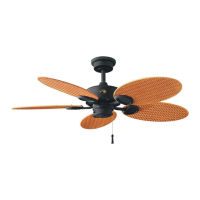
HAMPTON BAY Palm Beach II - User Manual

HAMPTON BAY Palm Beach II
27 pages
Print Icon
To Next Page IconTo Next Page
Loading...
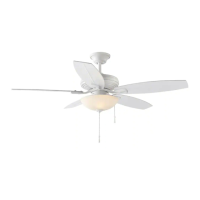
Palm Beach II
48 in Ceiling Fan
Owner’s Manual
Palm Beach II
Ventilador de Techo de 1,22
m
Manual del Propietario
SKU
191 410
150 mm
213 mm
K Spot Colors:
PTS ID #: TBA
Trim Size: 213 mm x 150 mm
Printing & Finishing:
Spot Litho Full Litho Wrap Direct Flexo
Date File Submitted:
12.16.11
Vendor Name:
KOF_CLZ
PQOB #:
5803.31.11.38627
Printout Size
100%
Revision: V0.0,12.07.11 V1.0,12.16.11
Retail in: USA CAN MEX
File Name:
Artwork Version:
Customer:
Buyer:
Item Number:
Category:
Artist:
C.S.:
HD_020129B_191410_MC
V1.0
Home Depot
Donna Parsons
N/A
Ceiling Fan
Simon
Allen Lee
The spot color is for reference proof only, please follow pantone guide for actual color when printing.
This line is for die-cut position only,
DO NOT PRINT IT!!!
ADDITIONAL INFORMATION

Other manuals for HAMPTON BAY Palm Beach II

Questions and Answers

  • D
    Daniel SilvaJul 27, 2025
    How to fix a HAMPTON BAY Palm Beach II that will not start?
    • R
      rlloydJul 27, 2025
      If your HAMPTON BAY Fan isn't starting, begin by checking the main and branch circuit fuses or breakers. Also, check the line wire connections to the fan and the switch wire connections in the switch housing.
  • H
    Hannah Saunders MDAug 6, 2025
    What to do if my HAMPTON BAY Fan wobbles?
    • S
      Shirley MartinAug 6, 2025
      If your HAMPTON BAY Fan wobbles, make sure that all blade and blade arm screws are secure. Most fan wobble problems occur when blade levels are unequal. To check this level, select a point on the ceiling above the tip of one of the blades. Measure from a point on the center of each blade to the point on the ceiling. Rotate the fan until the next blade is positioned for measurement and repeat for each blade. Any measurement deviation should be within 1/8 in. Run the fan for ten minutes. If the fan continues to wobble please contact Customer Service and a balancing kit will be sent to you at no charge.
  • H
    Heather WeberAug 15, 2025
    Why is my HAMPTON BAY Palm Beach II Fan so noisy?
    • N
      Nicholas WilsonAug 15, 2025
      Several factors can cause a HAMPTON BAY Fan to be noisy. Here are a few things to check: * Make sure all motor housing screws are snug. * Ensure the screws attaching the fan blade bracket to the motor hub are tight. * Confirm that wire nut connections are not rattling against each other or the switch housing's interior wall. * If you're using a Ceiling Fan light kit, ensure the glassware screws are tight and the light bulbs are secure. * Ensure the canopy is a short distance from the ceiling and not touching it. * Verify your outlet box is secure and rubber isolator pads were used between the mounting plate and outlet box. Also, allow a 24-hour 'breaking in' period, as most noises from a new fan disappear during this time.

Summary

Safety Rules

Unpacking and Component Identification

Fan Installation Guide

Mounting Options and Hanging

Details mounting options, outlet box requirements, and the process of securely hanging the fan.

Electrical Connections

Guidance on connecting the fan's wiring to household wiring, including safety precautions and wire nut usage.

Finishing Installation Steps

Steps to complete the fan installation, including attaching the canopy and decorative ring securely.

Attaching Fan Blades and Housing

Attaching Fan Blades

Instructions for securely attaching the fan blades to the blade brackets and then to the motor assembly.

Attaching Switch Housing

Steps for connecting the switch housing to the motor assembly and securing it with screws.

Fan Operation and Maintenance

Blade Balancing Procedure

Guidance on how to correct fan wobble by checking screws and using the blade balancing kit.

Operating Your Fan

Instructions on using pull chains for speed control and slide switch for direction, including warm/cool weather settings.

Care and Troubleshooting

Care of Your Fan

Suggestions for maintaining the fan's appearance and function, including cleaning and lubrication advice.

Troubleshooting Common Issues

Provides solutions for common fan problems like not starting or making noisy sounds.

Specifications

Warranty Information

HAMPTON BAY Palm Beach II Specifications

General IconGeneral
BrandHAMPTON BAY
ModelPalm Beach II
CategoryFan
LanguageEnglish

Related product manuals