Settings
BIOS Setup
The BIOS setup enables you to configure your system hardware according to
your needs. Use the BIOS setup to define a boot password, change the boot
ing priority, or add a new device.
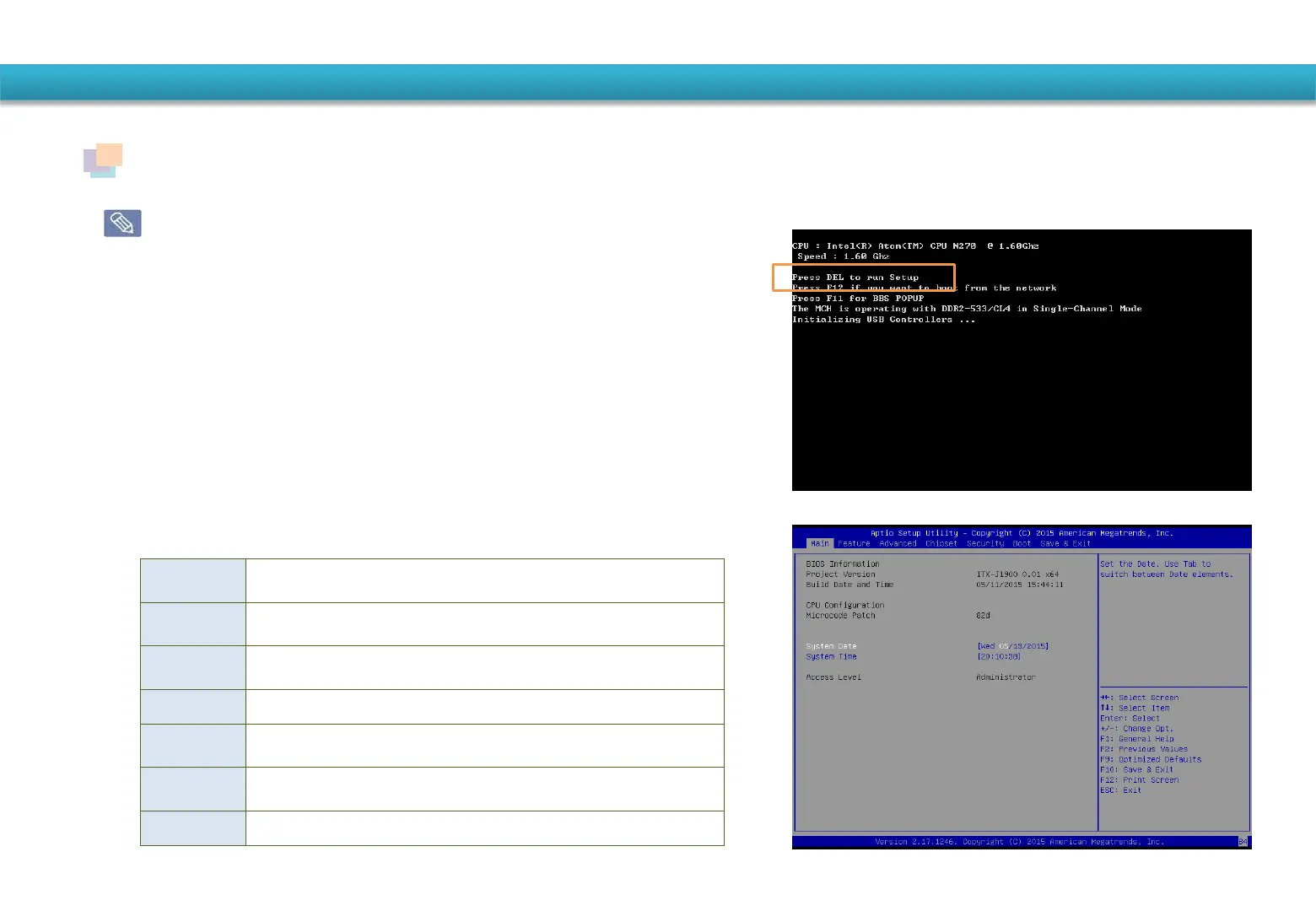
① Turn on the system.
② When the booting screen image appears, press the
<DEL> key to enter the BIOS Setup.
③ After a moment, the BIOS setup screen appears.
(The items in the BIOS setup may differ depending on
the product.)
Main This is a description about the basic specification of the system
Advanced
Using this menu, you can configure the major chipsets and additional fun
ctions.
Boot
This menu enables you to configure peripherals and booting related settin
such as the boot priority.
Security Used to configure security functions, including passwords.
Chipset
This menu controls the advanced features of the onboard Northbridge
and Southbridge..
Power Use this menu to specify your settings for power management.
Exit Used to exit the Setup either saving the changes or not.


 To Next Page