ALGIZ 8X User’s Manual
Touch Mode Selection
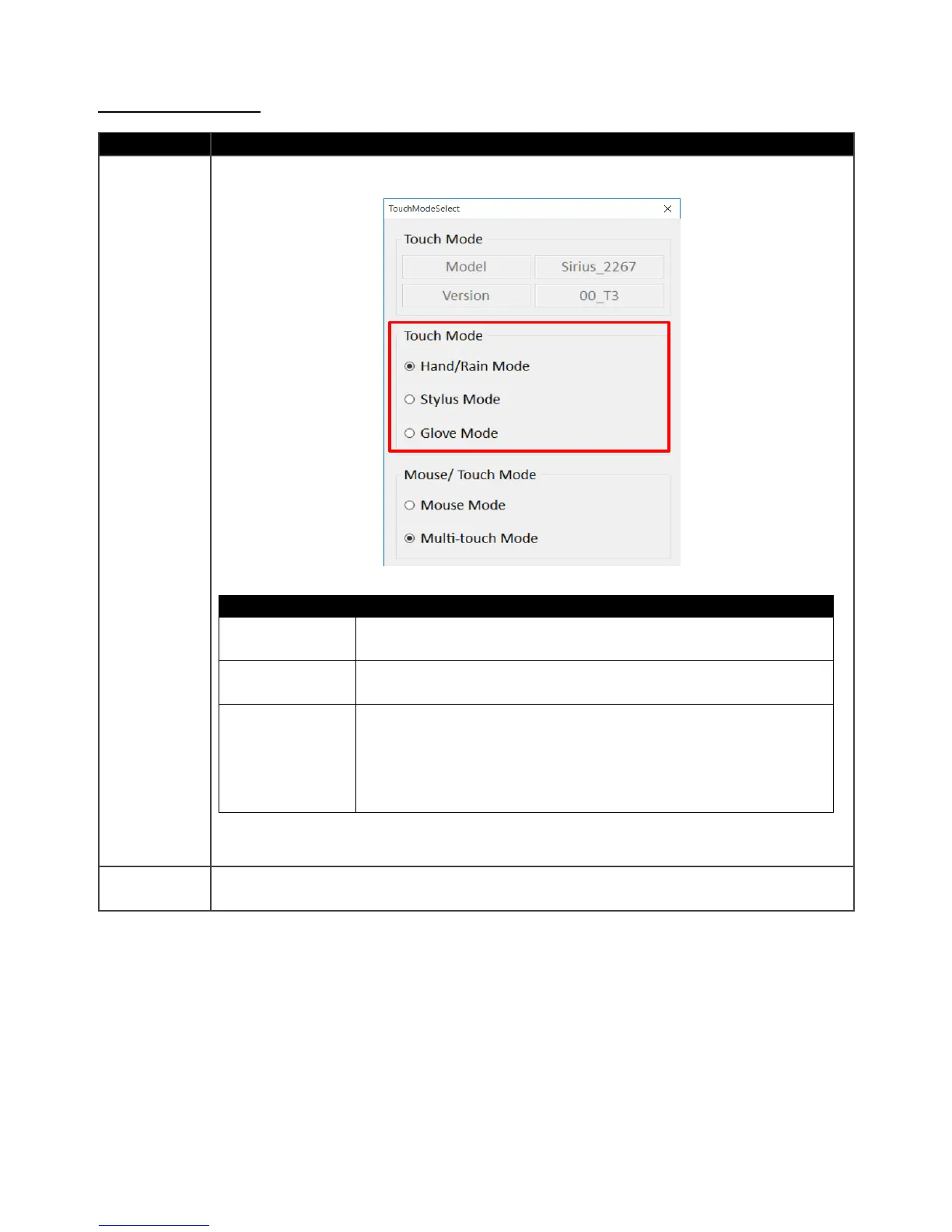
This setting defines the sensitivity of touch screen for different applications. Three
options are available:
The default setting of the touch screen is Hand/Rain Mode,
which supports finger control under slight rain.
This setting is to have the touch screen compatible with the
fine-tip stylus coming with the tablet.
This setting is to have the touch screen compatible with regular
gloves for working station. The touch sensitivity might be
effected with different material or thickness of the gloves. To
solve these problems, please contact your sales contact window
for further touch tuning.
This setting defines the touch points supported. Two options are available:



 To Next Page