www.HandiQuilter.com Geng Started | 31
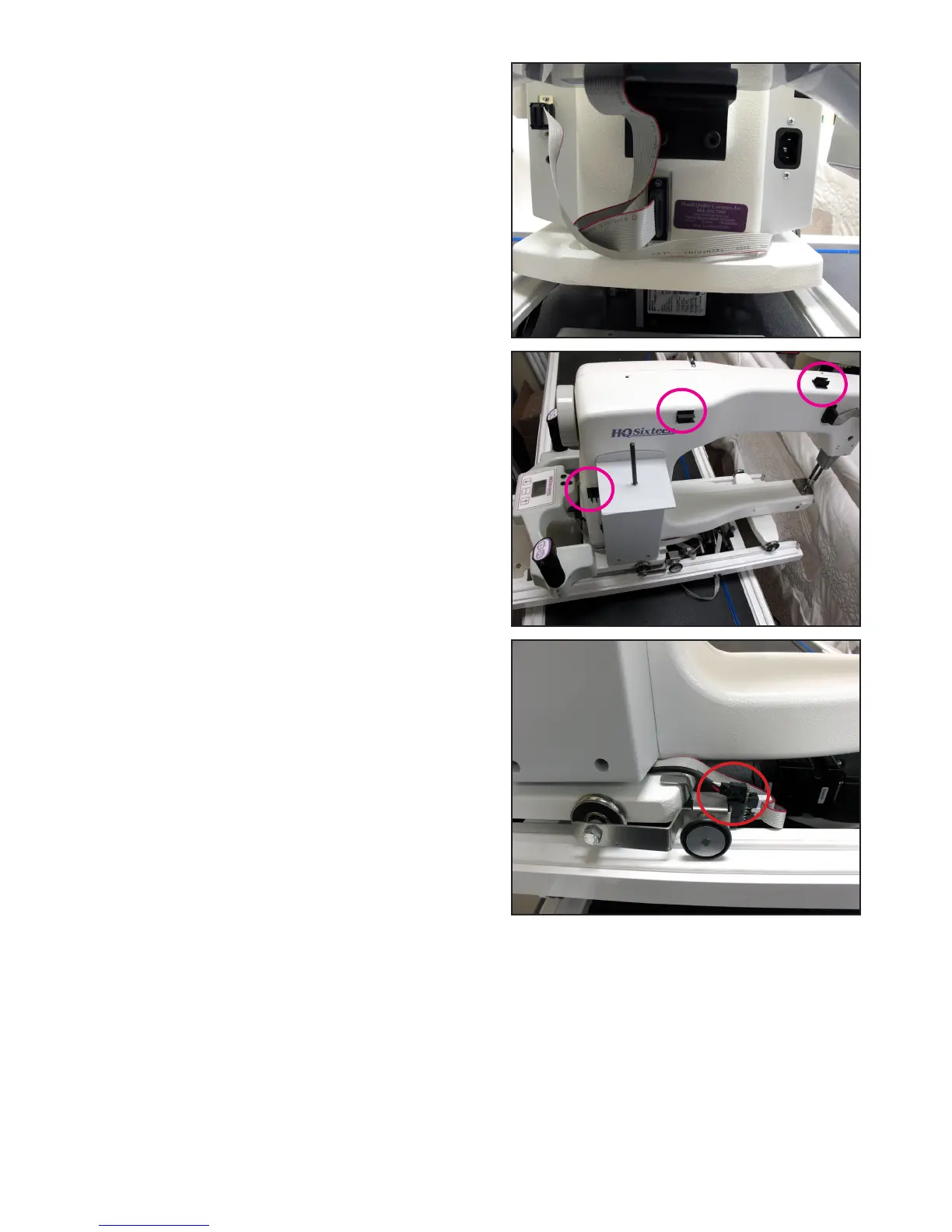
7. Route the nal secon of the stch regulator cable
around the back of the quilng machine and plug the
9-pin D-sub connector into the C-Pod.
8. The black cables aached to the HQ Pro-Stcher
carriage should be routed up between the rear
handles and the quilng machine, toward the right-
hand side of the machine (looking at the machine
from the back). Place the cable clips as shown and
route the cable accordingly.
The small black cable with the black 3-connector
clip should be routed underneath the P-Pod and
snapped into the Stch Regulator Adapter Board (see
Parts List, item R) or the 3-pin connector on the V3
encoader board.
NOTE: This image shows the Version 2 encoder
and adapter board. The Version 3 encoder does
not require an adapter board.
9. With the power cable plugged in and the motors in the engaged posion (use the manual
engagement/disengagement tool if necessary), ensure that as the HQ Sixteen is moved in both the X
and the Y direcons that the corresponding gears are rotang as well.



 To Next Page