34 | Geng Started www.HandiQuilter.com
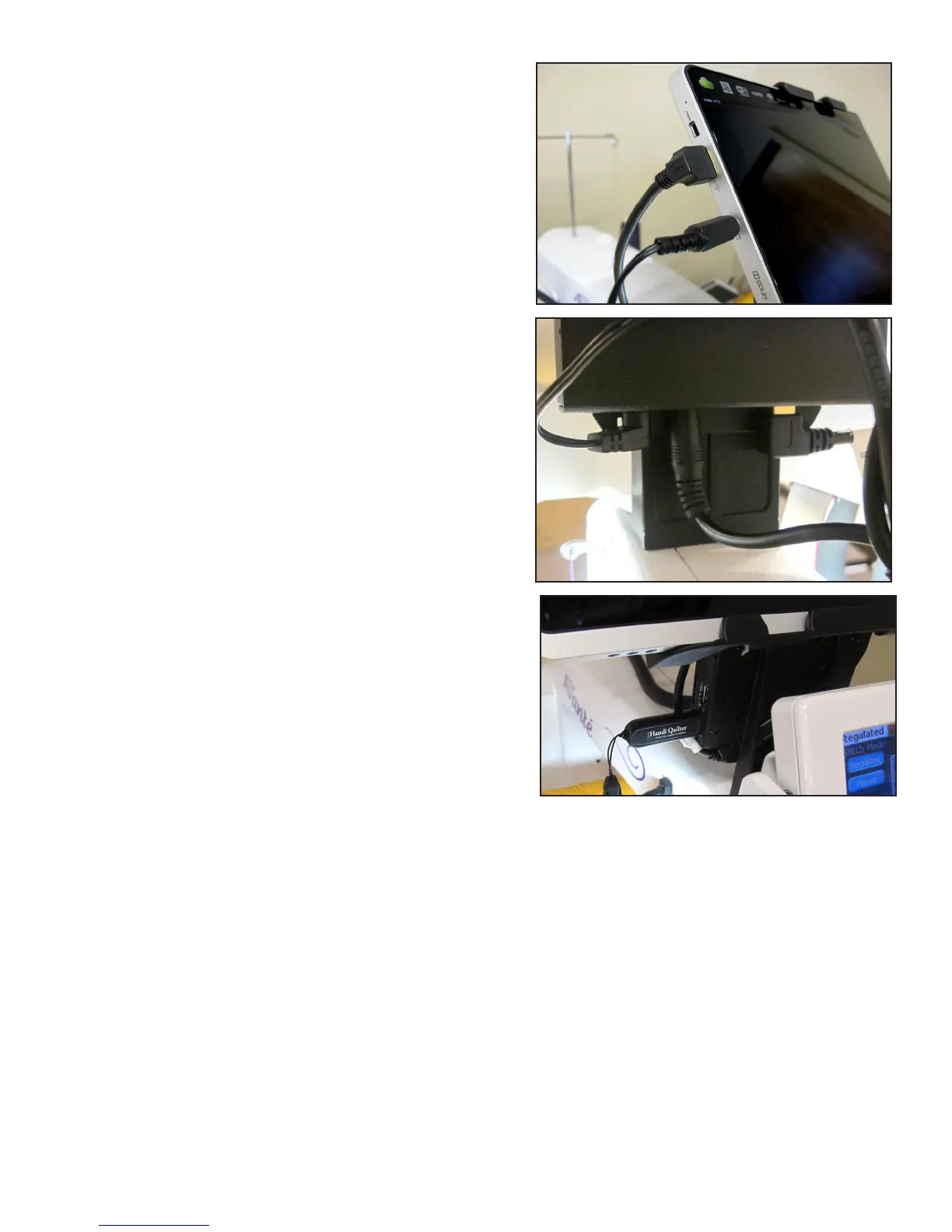
8. With the computer installed in the bracket, connect
the USB short cable (see Parts List, item M) between
the USB port, on the top-le side of the computer
(posion A) and the black box on the back of the
bracket (posion E).
9. Also connect the computer power cord (see Parts List,
item N) between the computer (posion B) and the
black box (posion C).
10. The open USB ports on the black box (posion F) are
for plugging in the USB Flash drive to load designs or
update the soware, or for plugging in a keyboard or
mouse.
 IMPORTANT: The tablet shown is the Acer W700 series tablet. Your tablet may be a dierent make
or model. Connect the USB and power cables in their proper locaon based upon your make and
model of tablet.
C
B
F
D E
A



 To Next Page