WG‐500PHotspotinaPrinter
17
ConfigureTCP/IPofyourcomputer
ForWindowsuser,
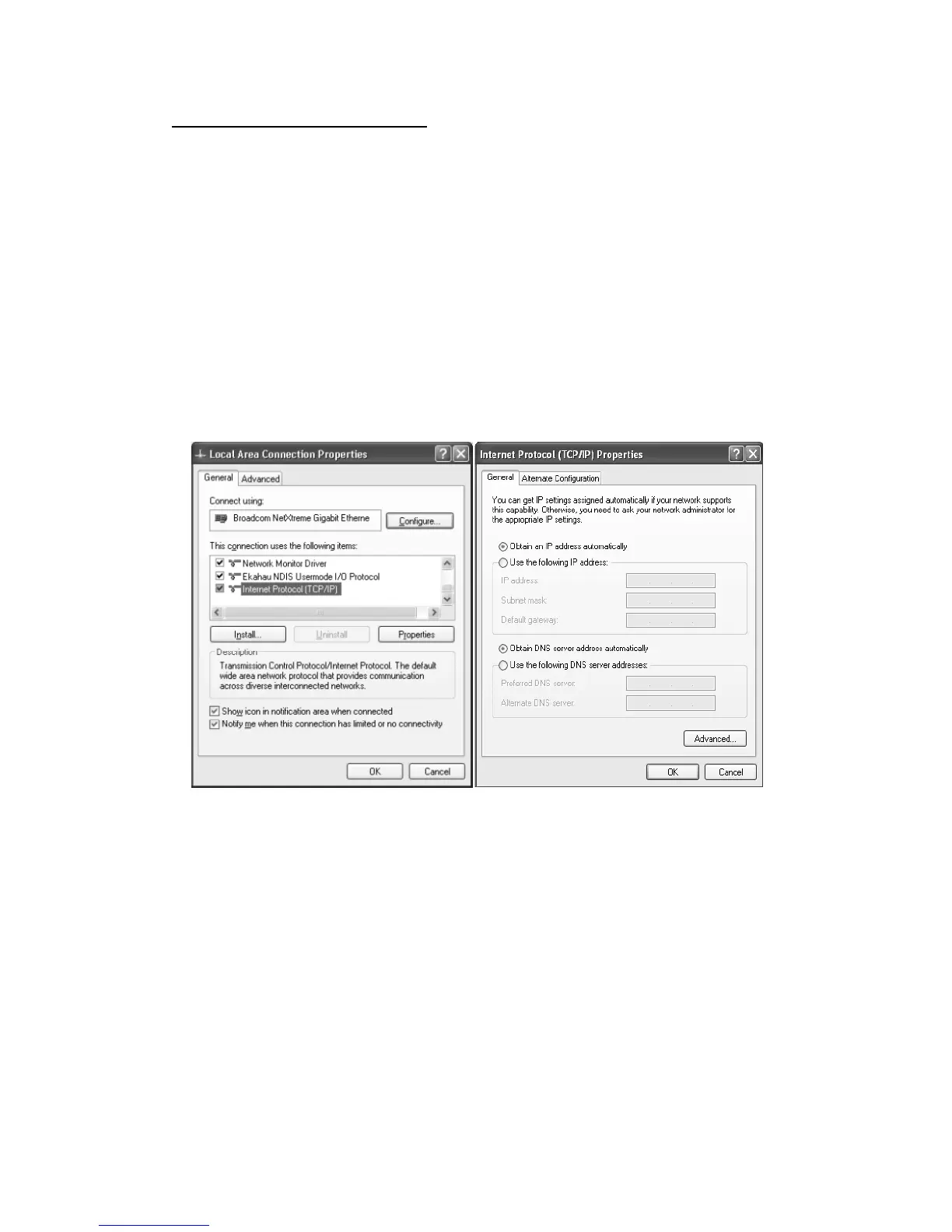
1. Click Start > Control Panel, click Switch to Classic View and double click on
NetworkConnections.
2. RightclickontheLocalAreaConnectionandclickProperties.
3. DoubleclickInternetProtocol(TCP/IP).
4. ChooseObtainanIPaddressautomatically.
5. ClickOK to close the Internet Protocol (TCP/IP) Propertiesandclick OK again to
closetheLocalAreaConnection.
Figure2‐3‐2TCP/IPSetting


 To Next Page