WG‐500PHotspotinaPrinter
18
3 ConfiguringtheWG500P
31 SettingWizard
Step1:TheESSID’snamebydefaultisrelatedtothelast4numbersofWlanMAC.If
theWlanMACis“00‐90‐0E‐00‐12‐34",thedefaultis“Wireless‐1234_1(2,3,4)".
PleaseserachESSID“Wireless‐1234_1"andconnectit.
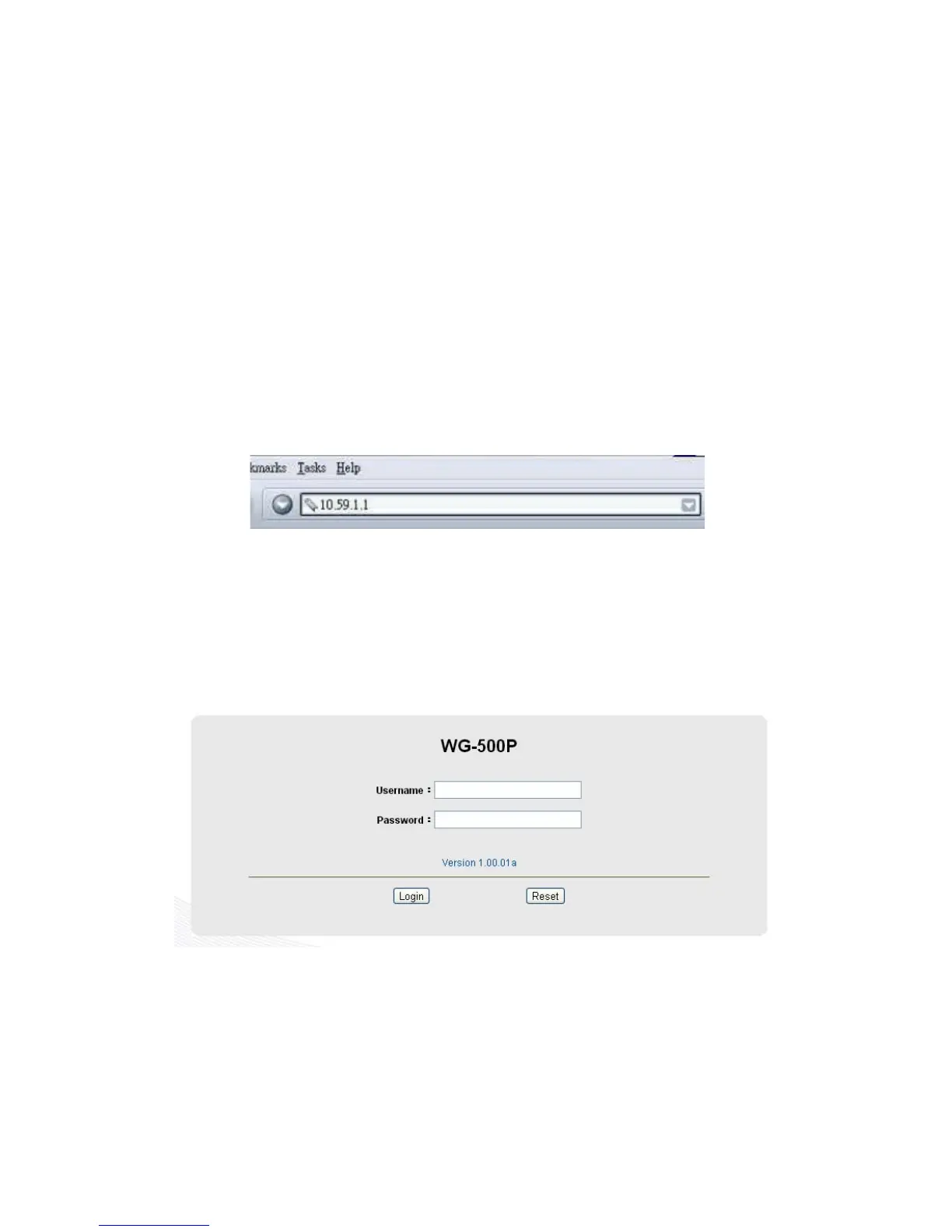
Step2:Startyourbrowser,andthenenterthefactorydefaultIPaddress10.59.1.1in
yourbrowser’slocationbox.PressEnter.
Figure3‐1‐1WebBrowserLocationField(FactoryDefault)
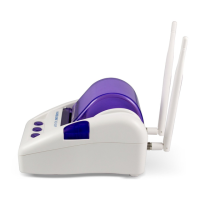
Step 3: The WG‐500P configuration tools menu will appear. In the Username and
Passwordfield,typethefactorydefaultusernameadminandpasswordadminand
click Login. If you are first time setting the system, the wizard setup screen will
appear.Youwillbeguided,step‐by‐step,throughabasicsetupprocedure.
Figure3‐1‐2ConfigurationToolsMenu


 To Next Page