WG‐500PHotspotinaPrinter
37
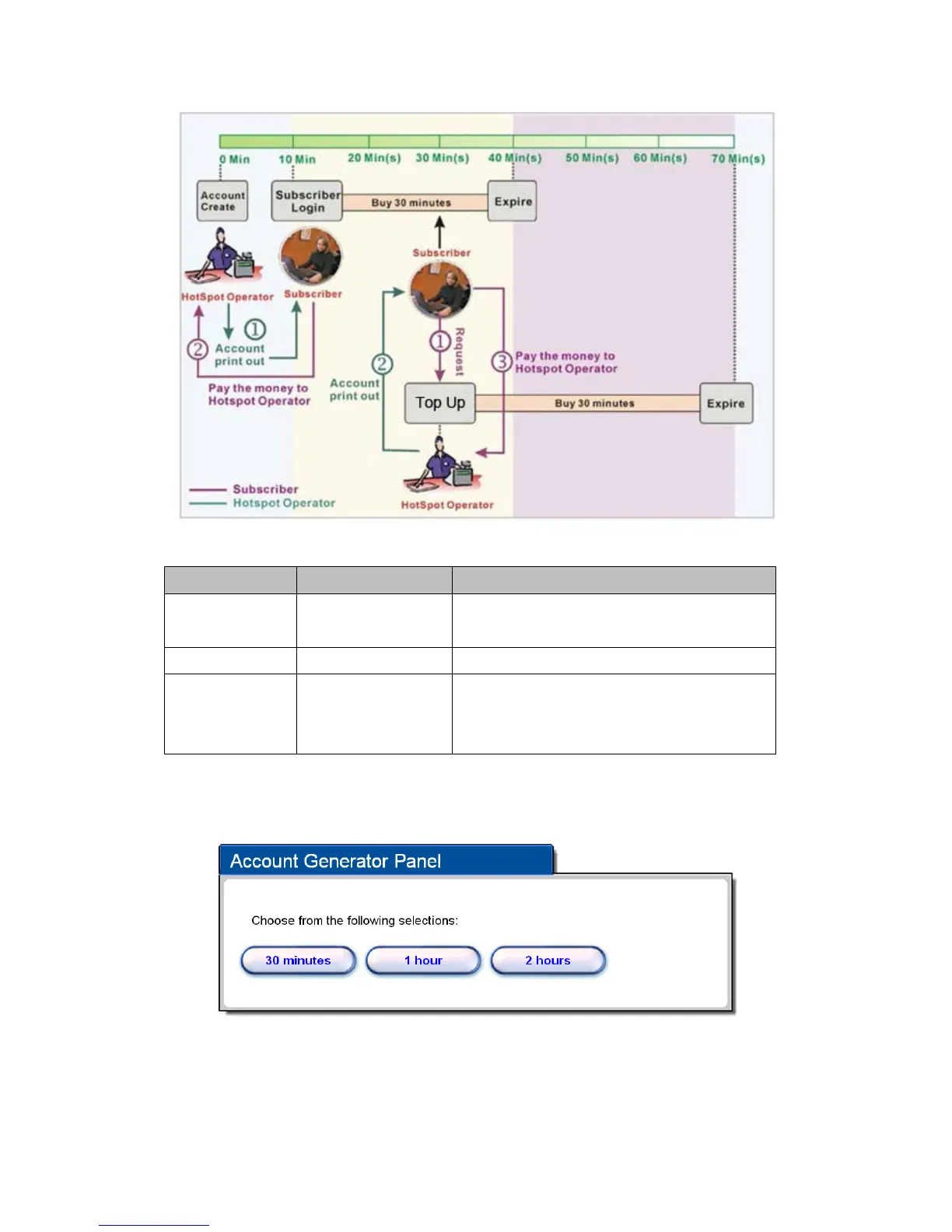
Figure3‐2‐9AccountProcessDiagramCanbereplenishedbysubscriber=Enable
Item Default Description
Button A~C
Define each button’s billing profile. Select one billing profile
by clicking in the list box.
Print to… Account Generator Printer Select a printer to print out your account.
Use ~ for Discount
Price Plan based on
“Button Presses”
Button A, Disable Select one button (A~C) by clicking in the list box to assign
the base charge and select enable to active the discount
price plan.
ClickPreview/Operatebuttontopreviewandoperateaccountgeneratorpanel.
Figure3‐2‐10AccountGeneratorPanel


 To Next Page