10 XRT Pro Installation Manual • www.hsperformance.com
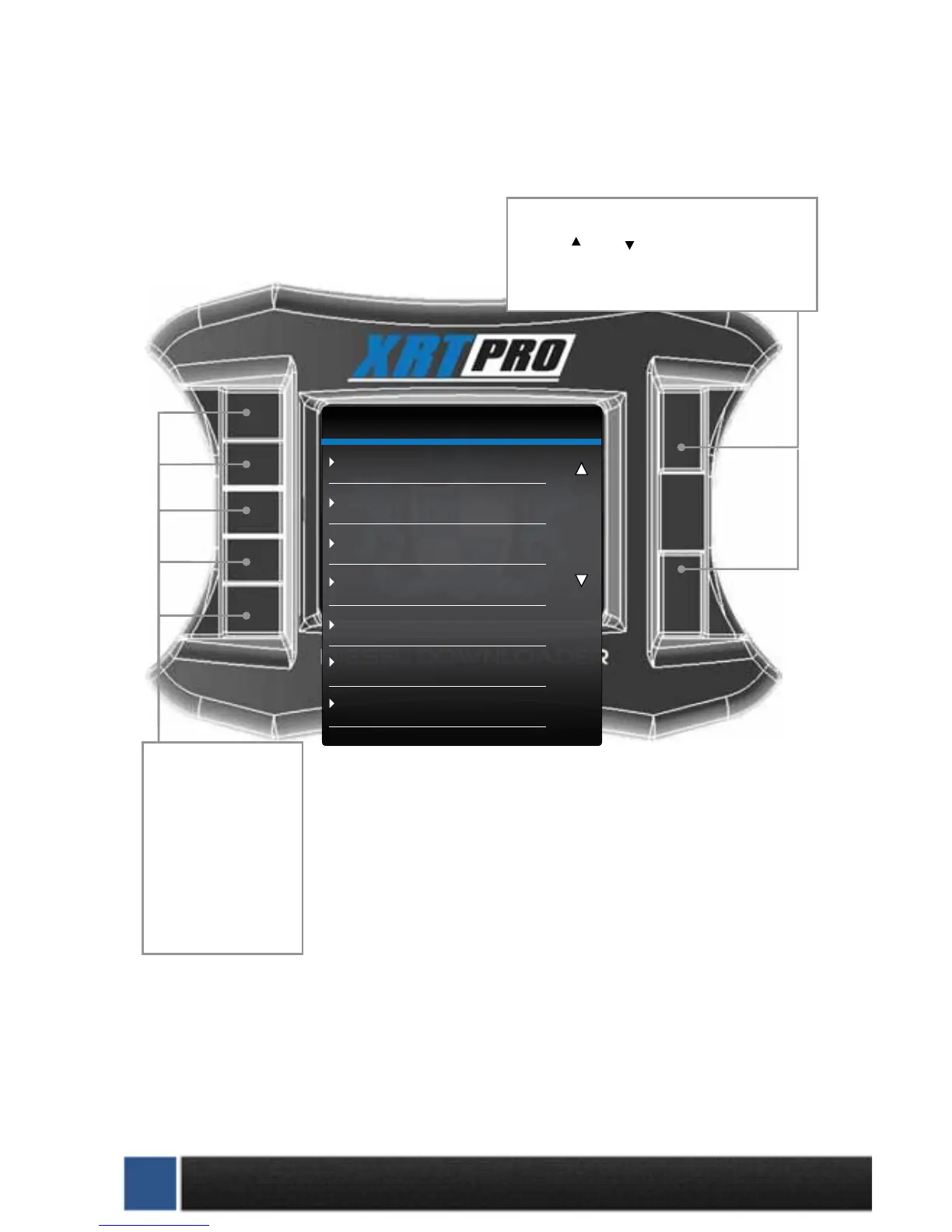
XRT PRO
Change Vehicle
Install Download
Special Functions
Tire Size Calibration
Diagnostics
Show Settings
Update Firmware
Navigation through the main menu: Use the
large Up Down Buttons to page up and
page down through all the Main Menu options.
These buttons are used
to enter into the sub
menus from the main
menu and may also be
used to select additional
items when in the sub
menus.
SECTION 4: EXPLORING THE MENU SYSTEM
The diagram below shows all of the Main Menu items and explains the Main Menu navigation.


 To Next Page