5
2.2. RS-232 Interface
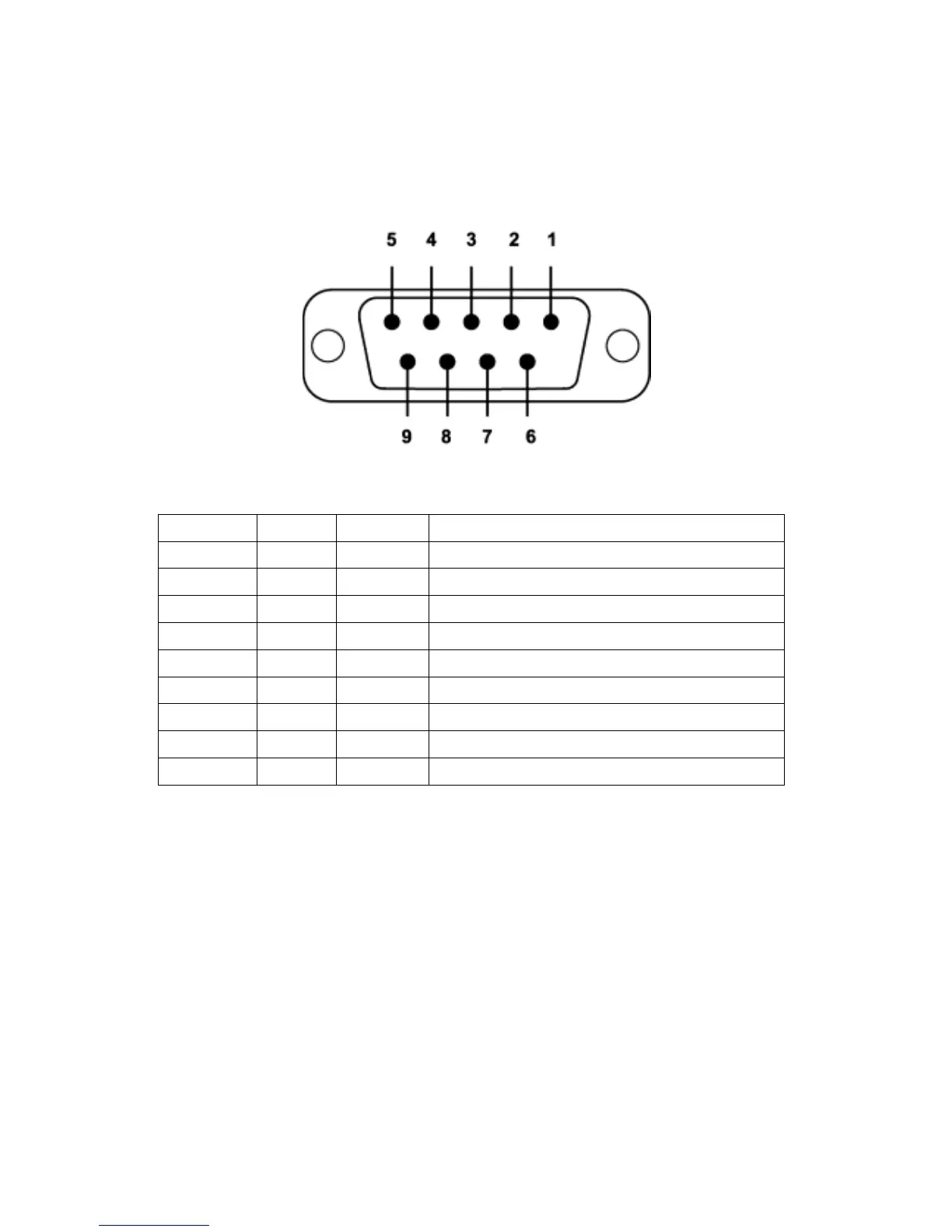
2.2.1. Pin-out
2.2.2. Signals
Pin Number Signal Direction Description
1 DCD Output Data Carrier Detect
2 TxD Output Transmitted Data
3 RxD Input Received Data
4 DSR N/A (Input) Option: Data Set Ready
(Remark1)
5 GND N/A Signal Ground
6 DTR Output Data Terminal Ready
7 CTS Input Clear to Send
(Remark1)
8 RTS Output Request to Send
9 Vcc Input Power Supply
Remark1) The default hardware configuration is for using CTS. If you want to use DSR, please
contact us.
2.3. Factory Setting
The following is the factory setting of COM port.
Baud rate: 9600 bps
Data Bit: 8 bit
Parity Bit: No parity
Stop Bit: 1 stop bit
Flow control: None



 To Next Page